|
VOOZH | about |
|
VOOZH | about |
Managing file and directory operations is a frequent need in automated testing. When testing code that involves creating, modifying, or deleting files, it is important to ensure that the test environment is clean. In JUnit 5, this process has been simplified with built-in support for temporary directories. This built-in support helps in automatically cleaning up temporary records after the tests are run and maintained.
Add the below-mentioned dependency to the pom.xml file to use JUnit 5 with Maven.
<dependency>
 <groupId>org.junit.jupiter</groupId>
 <artifactId>junit-jupiter-engine</artifactId>
 <version>5.10.0</version>
 <scope>test</scope>
</dependency>
A temporary directory is a short-lived directory used specifically during test execution. Once the test finishes, JUnit 5 ensures that the directory is automatically deleted, keeping the test environment clean. With the @TempDir annotation, JUnit 5 provides a simple way to create and manage these temporary directories, allowing you to handle files and directories required only for the duration of the test.
The @TempDir annotation in JUnit 5 can be used to create a temporary directory. It can be applied as a method parameter or as a field within the test class.
In this approach, @TempDir is used as a parameter of the test method, and JUnit automatically creates the temporary directory before the test runs:
import org.junit.jupiter.api.Test;
import org.junit.jupiter.api.io.TempDir;

import java.io.IOException;
import java.nio.file.Files;
import java.nio.file.Path;

import static org.junit.jupiter.api.Assertions.assertTrue;

class TemporaryDirectoryTest {

 @Test
 void testCreateFileInTempDirectory(@TempDir Path tempDir) throws IOException {

 Path tempFile = tempDir.resolve("sampleFile.txt");
 Files.createFile(tempFile);

 // Assert that the file exists
 assertTrue(Files.exists(tempFile));
 }
}
In this example,
sampleFile.txt inside it.import org.junit.jupiter.api.Test;
import org.junit.jupiter.api.io.TempDir;
import java.io.IOException;
import java.nio.file.Files;
import java.nio.file.Path;
import static org.junit.jupiter.api.Assertions.assertTrue;
class TemporaryDirectoryTest {
@TempDir
Path tempDir; // Temporary directory created before each test
@Test
void testCreateFileInTempDirectory() throws IOException {
Path tempFile = tempDir.resolve("exampleFile.txt");
Files.createFile(tempFile);
// Assert that the file exists
assertTrue(Files.exists(tempFile));
}
}
In this example,
exampleFile.txt inside the tempDir.This example project focuses on testing file operations using the @TempDir feature. Below are the steps to create a Maven-based project structure, Java classes, and test cases that utilize temporary directories.
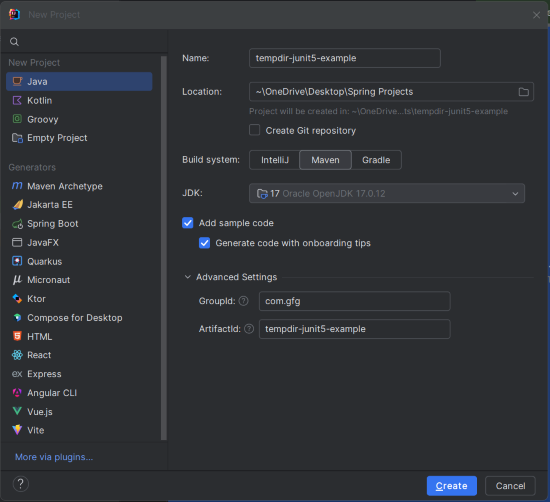
Create a new Maven project using IntelliJ IDEA with the following options:
tempdir-junit5-exampleClick on the Create button.
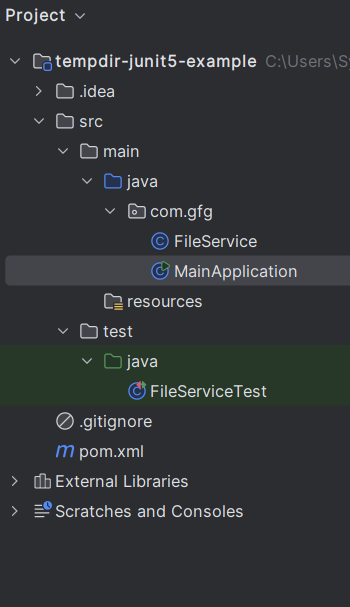
After the project creation done, set the file structure would be as shown in the below image:
Add the below dependencies in the pom.xml file.
Create the FileService class and this class. This class contains methods to handle file creation and writing content to the files.
Create the MainApplication class and this class demonstrate file creation using the FileService.
Create the FileServiceTest class, which contains JUnit 5 test methods that use the @TempDir to create temporary directories and files for testing purposes.
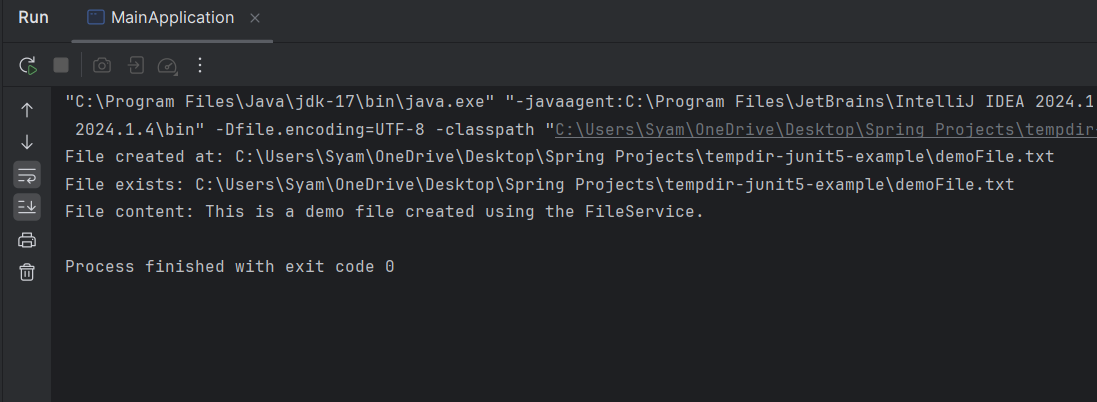
After completing the project, we will run the application and it will display the below output in console.
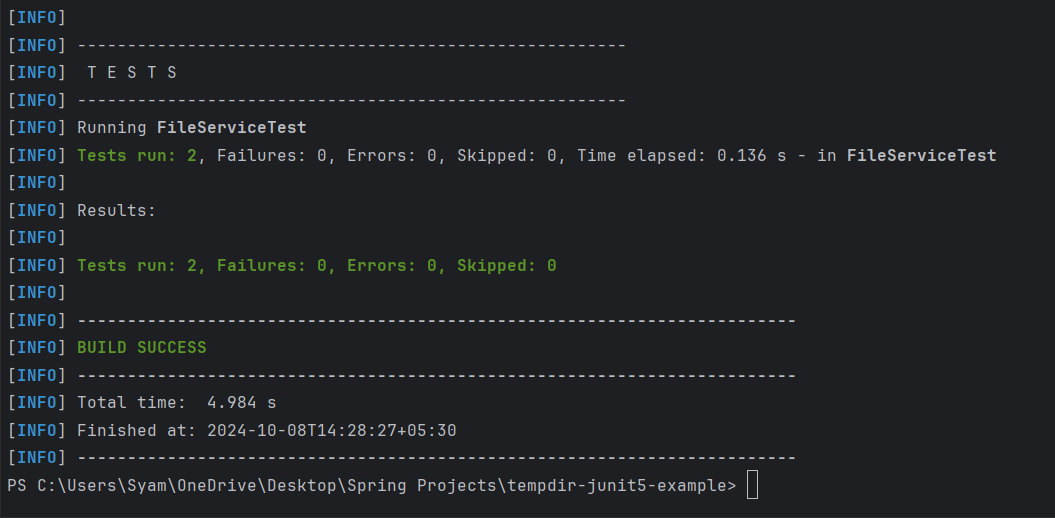
Now, run the tests using the below maven command:
mvn testThis results indicates that both the test methods have passed successfully, and the temporary directories and files are managed correctly during the test execution.