|
VOOZH | about |
|
VOOZH | about |
Unit is a popular Java testing framework used to write and run unit tests, and when integrated with Maven, it enables automated test execution as part of the build process.
Maven is a build automation and project management tool that simplifies managing project dependencies, building, testing, and packaging applications. It uses the Project Object Model (POM) file to define project structure, dependencies, and build configurations.
JUnit is a Java testing framework used for testing individual units of source code. It allows developers to write test cases for methods and functionalities in isolation and verify that they produce the expected outcomes.
Maven integrates with JUnit through the Maven Surefire Plugin, responsible for running unit tests during the build process. When you run a Maven build, the Surefire Plugin automatically detects and runs test cases located in the src/test/java directory. These test cases are typically written using JUnit.
Maven follows a build lifecycle, where each lifecycle phase performs a specific task. The test phase is the step in the lifecycle where Maven runs the JUnit tests.
This example project demonstrates how to set up JUnit tests with Maven. The project includes a simple Java class (Calculator) with methods to add and subtract numbers, along with the corresponding JUnit test class (CalculatorTest) to validate these methods.
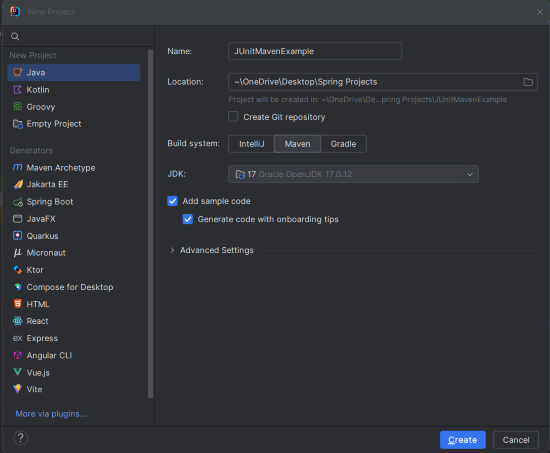
Create a new Maven project using IntelliJ IDEA. Choose the following options:
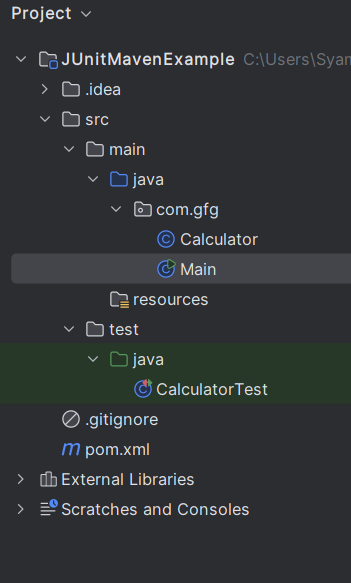
JUnitMavenExampleAfter the project creation done successfully, then the folder structure will look like the below image:
pom.xmlOpen the pom.xml file and add the JUnit dependency, which is necessary for running the JUnit tests.
The JUnit dependency is included with the test scope, meaning it's only used during the test phase. The maven-surefire-plugin ensures the tests are executed during the build process.
Create the Calculator class, which will have basic arithmetic methods: add() and subtract().
Calculator.java
Create the Main class to perform the basic arithmetic operations and demonstrate the use of the Calculator class.
Main.java
The main method allows for the standalone execution of the class. It demonstrates the use of the add and subtract methods by creating an instance of the Calculator class and printing the results to the console.
Create the CalculatorTest class containing test methods to verify the functionality of the Calculator class.
CalculatorTest.java
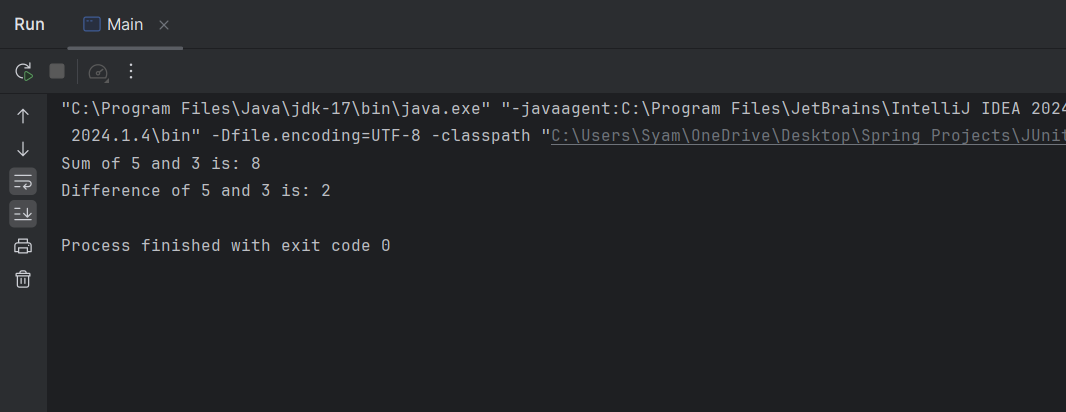
add() method of the Calculator returns the correct sum.subtract() method.assertEquals(expected, actual): Asserts that the expected and actual values are the same.Once the project is complete, run the Main class, and you should see the following output:
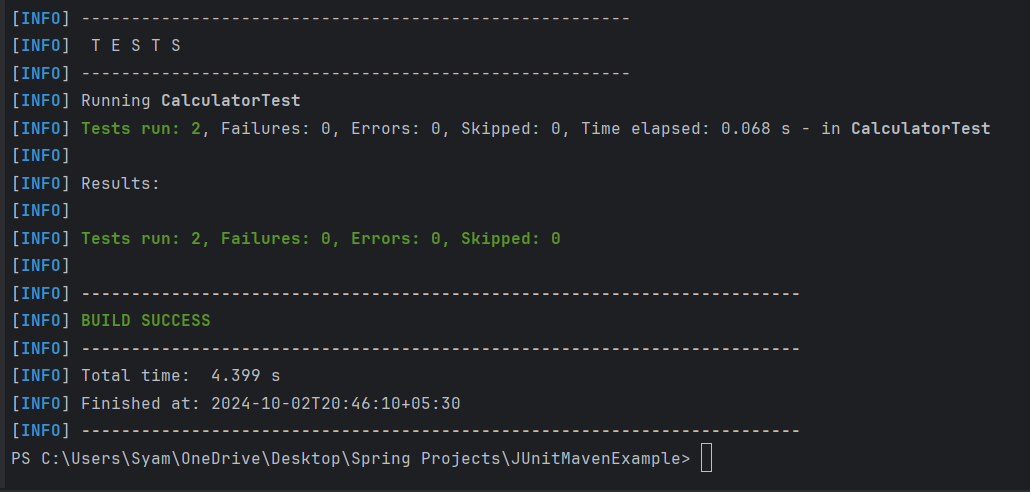
To execute the tests, run the following Maven command in the project directory:
mvn test
This command compiles the code and runs the test cases located in the src/test/java directory.
Test Results:
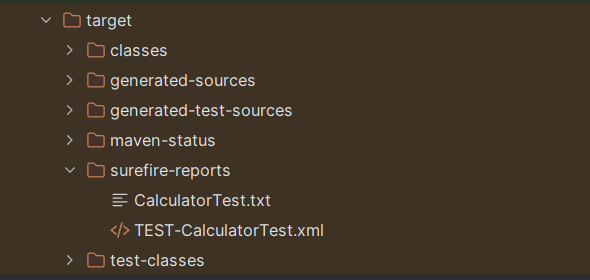
Maven's Surefire Plugin automatically generates a test report in the target/surefire-reports/ directory.
target/surefire-reports/CalculatorTest.txtThis example project demonstrates how to set up the Maven project to work with JUnit, including, Creating the simple Calculator class with arithmetic methods and writing the corresponding the JUnit test class to verify the behavior of the Calculator class, Running the tests using the Maven command (mvn test) and viewing the generated reports.