|
VOOZH | about |
|
VOOZH | about |
The JUnit Jupiter is the new programming model and extension model for writing test cases in JUnit 5. It is widely used in application testing in the software industry. It is the combination of the model and extension model for tests and extensions in JUnit 5. The JUnit 5 is the result of JUnit lambda and Its crowdfunding campaign on Indiegogo. It consists of three sub-subjects JUnit Platform, JUnit Jupiter, and JUnit Vintage.
The JUnit originally developed by Ken Beck and Erich Gamma is one of the most popular unit testing frameworks in the Java ecosystem. The original version and JUnit 4 had been widely used for many years. To accommodate the new features of Java 8 and beyond, a more flexible and modern version was needed, leading to the creation of JUnit 5. JUnit 5, was released in 2017 and introduced JUnit Jupiter, which provides new annotations, assumptions, and assertions to improve the test writing experience in the software testing phase.
JUnit Jupiter is primarily used for
We need to add these dependencies in the gradle file in the dependencies section.
testImplementation 'org.junit.jupiter:junit-jupiter-api:5.8.2'
testRuntimeOnly 'org.junit.jupiter:junit-jupiter-engine:5.8.2'
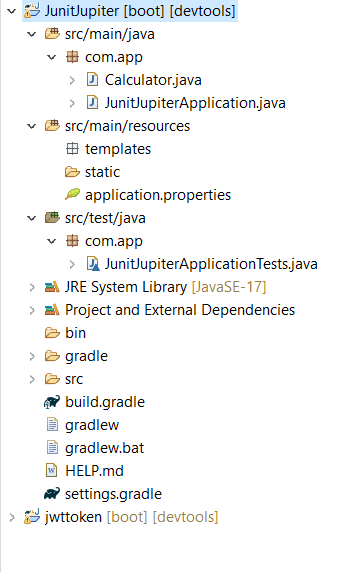
Here we created a simple Spring Project with Gradle tool with required gradle dependencies for the project below we provide those dependencies for reference with project folder structure.
dependencies {
	implementation 'org.springframework.boot:spring-boot-starter-web'
	developmentOnly 'org.springframework.boot:spring-boot-devtools'
	testImplementation 'org.springframework.boot:spring-boot-starter-test'
	testRuntimeOnly 'org.junit.platform:junit-platform-launcher'
	testImplementation 'org.junit.jupiter:junit-jupiter-api:5.8.2'
 testRuntimeOnly 'org.junit.jupiter:junit-jupiter-engine:5.8.2'
}
First, We created a java class in the main package of the project folder with name Calculator. In this class we define some methods to perform basic math operations like addition, subtraction, multiplication and division with valid return types. Below we provide that code fr your reference.
Once spring project is successfully created, Then locate the test folder in the project It look like this src/test/java. In this folder there is test class available by default created by spring framework. After this write created object for Calculator class and access the methods in that class and test it.
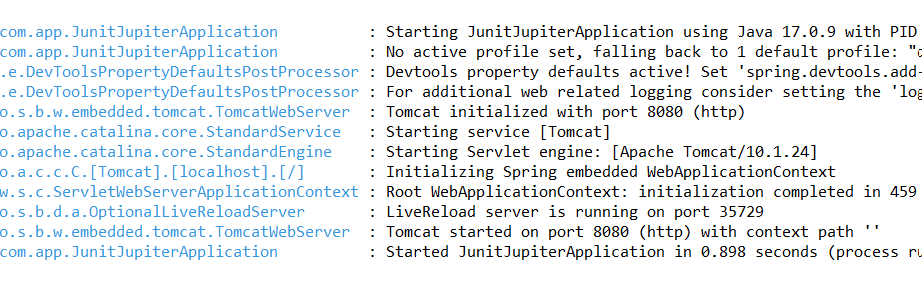
Once development is completed then run this project as Spring Boot App. And By default this project runs on port number 8080 with tomcat server.
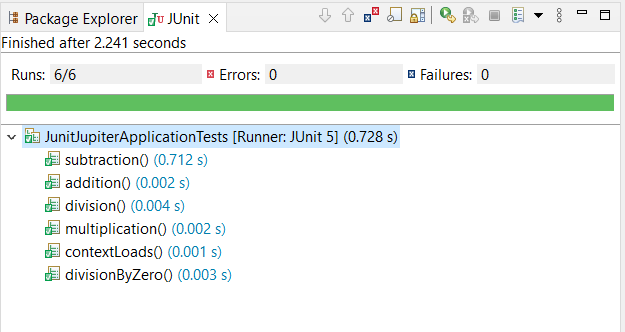
[caption width="800"]👁 server runningAfter this We run this project as JUnit Test. If all test cases are passed with you will get green color for all test cases other wise red color for all test cases.
[caption width="800"]👁 test outputThe JUnit Jupiter as apart of JUnit 5 testing tool. And represents a significant advancement in the Java testing framework provide a more flexible and modern approach to writing tests. Its integration with tools like Gradle and Spring makes it a powerful choice for developers looking to implement robust testing practices in their projects. With its wide range of features and annotations, JUnit Jupiter facilitates various testing methodologies, making it an essential tool in a Java developer's toolkit.