|
VOOZH | about |
|
VOOZH | about |
Spring Cloud Config provides the centralized external configuration management system and it is designed to work well with modern microservices architectures. It is the part of larger Spring Config suite of the tools that aim to help the developers built the cloud-native applications.
Spring Cloud Config Server is the central place where all the configuration parameters of the applications are stored and maintained. It typically backend by the source control system like Git. It can serve the configuration across the multiple environments and applications.
Client microservices connect to the Config Server to fetch their configurations. This setup ensures all the configurations are centralized, version-controlled and maintained in the secure and efficient manner.
Below are the implementations to manage configuration for Microservices with Spring Cloud Config.
Step 1: Create the spring project using spring initializer and add the below required dependencies.
Dependencies:
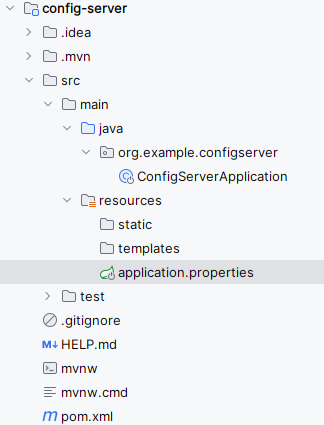
After creating the Spring project, the file structure will be like below image.
Step 2: Open the application.properties file and add the configuring the server port and git repository uri configuration of the application.
spring.application.name=config-server

server.port=8888
spring.cloud.config.server.git.uri=https://github.com/iammahesh123/spring-cloud-config-server
Git repository application.yml code:
user:
 role: Admin

welcome:
 message: Welcome to the Spring Cloud Config managed application!
Step 2: Open the main class, add the @EnableConfigServer to activate the Spring cloud config functionality of the application.
Go to src > main >java > org.example.configserver > ConfigServerApplication and put the below code.
Step 3: Run the application
Once the Spring project is completed and successfully runs as a Spring application, it will start at port 8888.
Step 1: Create the spring project using spring initializer and add the below dependencies.
Dependencies:
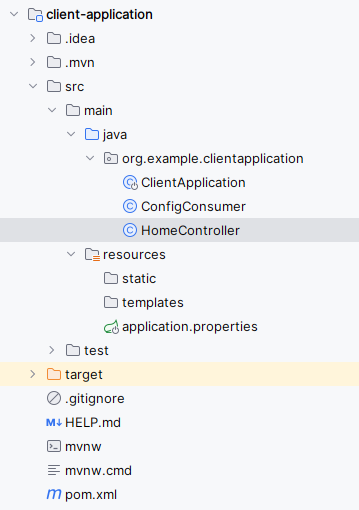
After creating the Spring project, the file structure will be like below:
Step 2: Open the application.properties file and add the configuring the server port and import git uri configuration
spring.application.name=client-application

spring.cloud.config.import=optional:configserver:http://localhost:8888
Step 3: Create the ConfigConsumer class.
Go to src > main >java > org.example.clientapplication > ConfigConsumer and put the below code.
Step 4: Create the HomeController class.
Go to src > main >java > org.example.clientapplication > HomeController and put the below code.
Step 5: Open the main class (No changes are required) and put the below code.
Step 6: Run the application
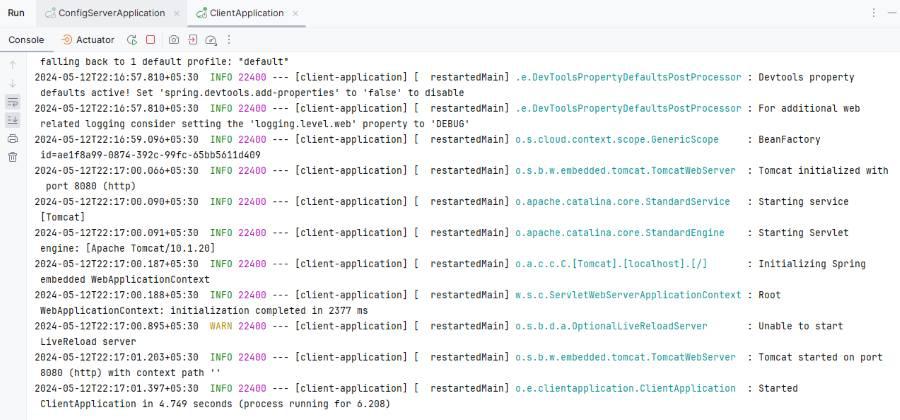
After the project completed, we will run this as a Spring Boot Application and it will start at port 8080.
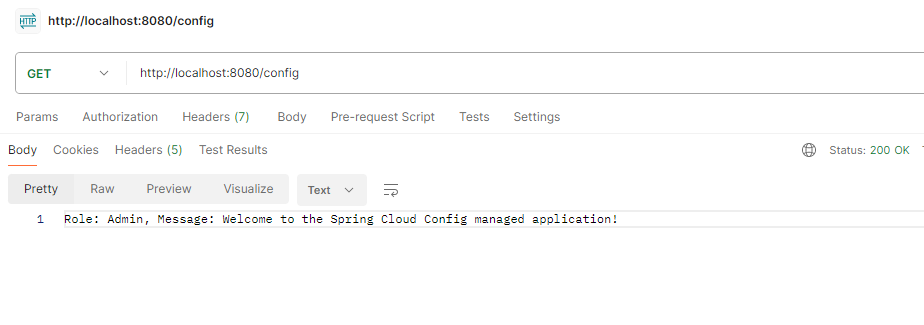
Managing Configuration Testing API:
GET http://localhost:8080/config
This example demonstrates the implementation of the configuration for the microservices with Spring Cloud Config of the Spring Boot application.