|
VOOZH | about |
|
VOOZH | about |
Microservice design involves breaking down an application into smaller tasks that can participate. These tasks often need to interact with each other to meet business needs. Apache ActiveMQ is a popular open-source message broker that facilitates asynchronous communication between microservices. Using message queues, ActiveMQ can ensure that messages are reliably exchanged between services, allowing fragmented and scalable microservice communication
Apache ActiveMQ is a messaging-centric middleware that allows receiving applications to communicate with each other by sending messages via queues and topics In a microservice environment, ActiveMQ can enable services to exchange and view messages asynchronously found that loose coupling and scalability.
Below is the implementation of microservices communication with Apache ActiveMQ.
We can download the ActiveMQ from official website and follow the installation process instructions.
Start ActiveMQ:
Write the below command in cmd and start ActiveMQ.
cd apache-activemq-5.3.2/bin
./activemq start
Image reference:
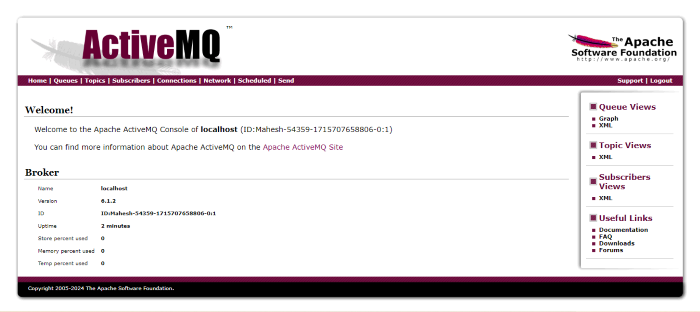
ActiveMQ Dashboard:
Below is the ActiveMQ Dashboard.
Step 1: Create a new Spring Boot project using Spring Initializr, and add the following dependencies:
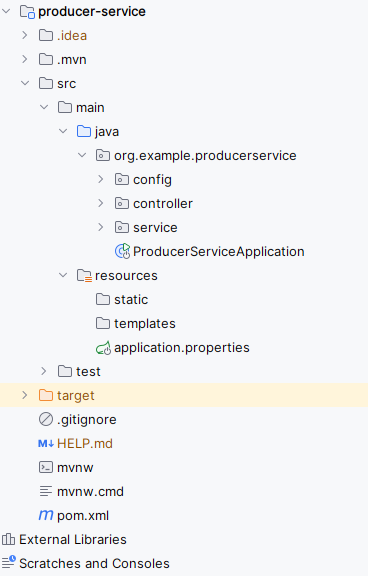
Once the project is created, the folder structure will be like below.
Step 2: Open the application.properties file and add the ActiveMQ connection properties to the project.
spring.application.name=producer-service

spring.activemq.broker-url=tcp://localhost:61616
spring.activemq.user=admin
spring.activemq.password=admin
Step 3: Create the ActiveMQConfig Configuration class
We will create the configuration class to configure ActiveMQ.
Go to src > org.example.produceservice> config > ActiveMQConfig and put the below code.
Step 4: Create the MessageService class
Go to src > org.example.produceservice> service > MessageService and put the below code.
Step 5: Create the MessageController class
Go to src > org.example.produceservice> controller > MessageController and put the below code.
Step 6: Open the Main Class and write the following code.
Go to src > org.example.produceservice > ProduceServiceApplication and put the below code.
pom.xml:
Step 7: Run the application
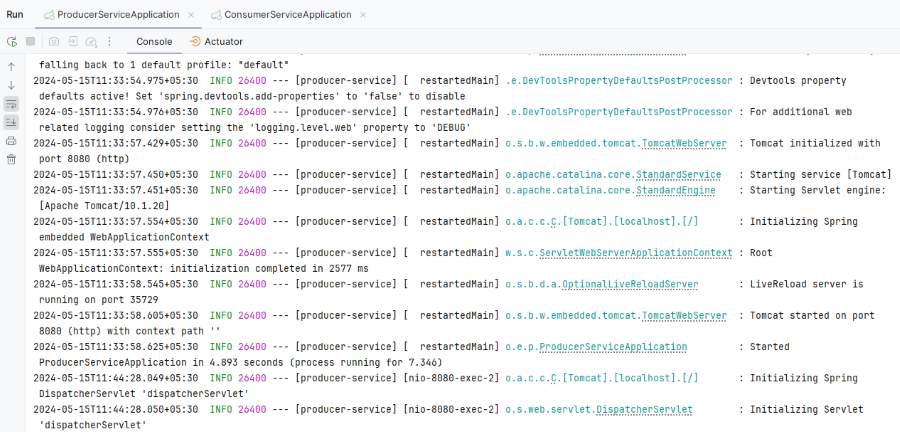
Once we run the application, then the project will run at port 8081.
Step 1: Create a new Spring Boot project using Spring Initializr, and include the following dependencies:
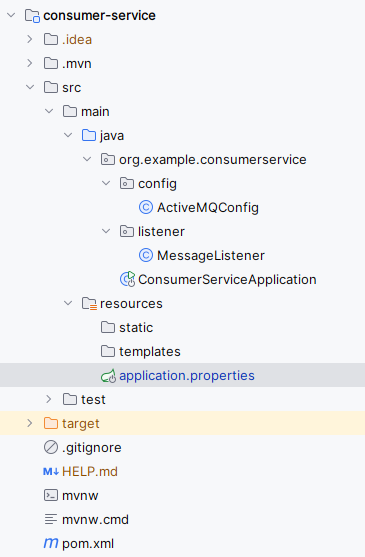
Once the project is created, the file structure will be like below.
Step 2: Open the application.properties file and add the ActiveMQ connection properties to the project.
spring.application.name=consumer-service

server.port=8081
spring.activemq.broker-url=tcp://localhost:61616
spring.activemq.user=admin
spring.activemq.password=admin
Step 3: Create the ActiveMQConfig Configuration class
We will create the configuration class to configure ActiveMQ.
Go to src > org.example.consumerservice> config > ActiveMQConfig and put the below code.
Step 4: Create the MessageListener class
We will create the configuration class to listen the ActiveMQ message broker of the application.
Go to src > org.example.consumerservice> listener > MessageListener and put the below code.
Step 5: Open the Main Class and write the following code.
Go to src > org.example.consumerservice > ConsumerServiceApplication and put the below code.
pom.xml:
Step 6: Run the application
Once we run the application, then the project will run at port 8081.
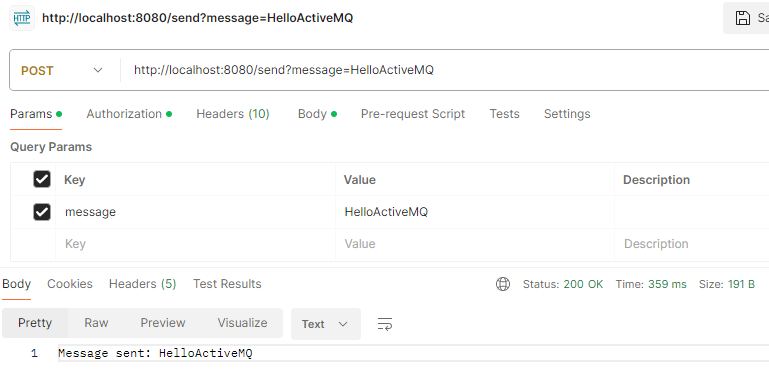
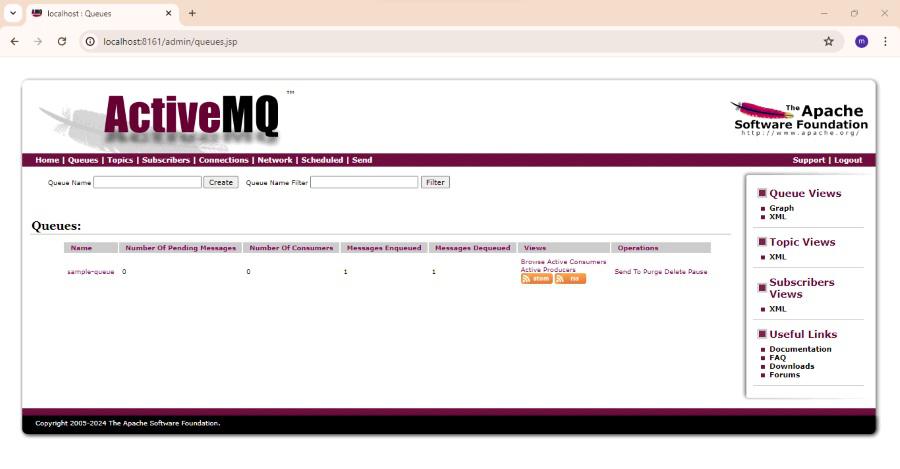
POST http:localhost:8080/send?message=HelloActiveMQBelow is the ActiveMQ queues dashboard.
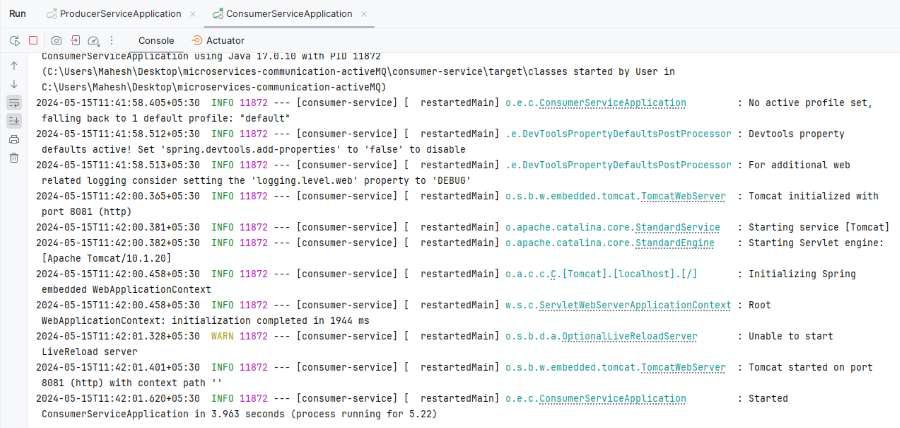
Below is the image of Consumer-service Application log.
This project demonstrates the how to microservices communication with the Apache ActiveMQ of the Spring Boot application. The microservice producer-service and consumer-service can establish the communication using the ActiveMQ message broker of the spring application.
In this article, we have covered the main concepts of the microservices communication with Apache ActiveMQ. It includes the roles of the producers, consumers and the message broker. We also demonstrated the practical example to how to set up and use the ActiveMQ for the inter-service communication.
By adapting Apache ActiveMQ for the microservice architecture, we can build the more resilient, scalable and efficient systems, capable of the handling complex communication patterns and high loads.