|
VOOZH | about |
|
VOOZH | about |
Microservices are popular because they are flexible and can handle a lot. But getting them to talk to each other smoothly is a big challenge. RabbitMQ helps with that. It's like a go-between, making sure different services can chat without any problems. In this article, we'll see how RabbitMQ makes it easy for microservices to communicate in a big system.
Think of RabbitMQ as a helpful messenger. It follows some rules to make sure messages get from one service to another. It sits in the middle, helping out the services that send messages (producers) and the ones that get them (consumers). RabbitMQ has three main parts: Exchanges, Queues, and Bindings. They work together to make sure messages go where they're supposed to without any issues.
Below is the implementation of the Microservices Communication with RabbitMQ.
We can download RabbitMQ using this link after that, install and run RabbitMQ locally on the computer system.
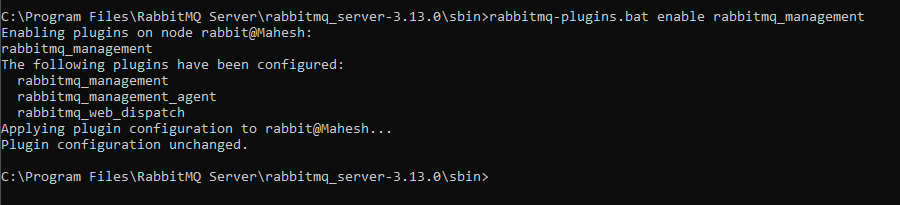
rabbitmq-plugins.bat enable rabbitmq_managementOnce the above command is run, RabbitMQ will be running on the local system at port number 15672. The default username and password are "guest."
Below are the steps to create the producer service.
Step 1: Create a new Spring Boot project using Spring Initializr, and include the following dependencies:
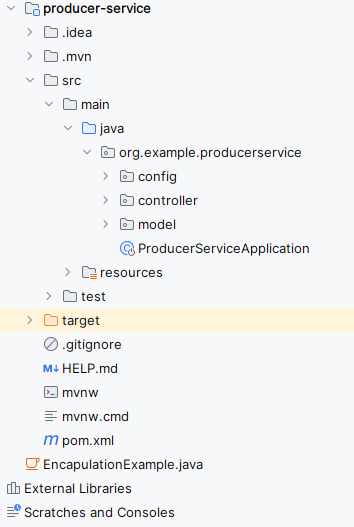
Once the project is created, the file structure will resemble the image below.
👁 Producer Service Folder Structure
Open the application.properties file and add the RabbitMQ connection properties to the project.
spring.application.name=producer-service

# RabbitMQ Config
spring.rabbitmq.host=localhost
spring.rabbitmq.port=5672
spring.rabbitmq.username=guest
spring.rabbitmq.password=guest
spring.rabbitmq.queue=my-queue
spring.rabbitmq.exchange=my-exchange
spring.rabbitmq.routingkey=my-routingkey

spring.main.allow-bean-definition-overriding=true
We'll create the model class for the message entity of the producer service.
Go to src > org.example.produceservice> model > Message and put the below code.
We'll create the configuration class to configure RabbitMQ.
Go to src > org.example.produceservice> config > RabbitMQ and put the below code.
Step 5: Create the Message Controller class
We'll create the controller class to send messages to the consumer service.
Go to src > org.example.produceservice> controller > MessageController and put the below code.
Step 6: Open the Main Class and insert the following code.
Go to src > org.example.produceservice > ProduceServiceApplication and put the below code.
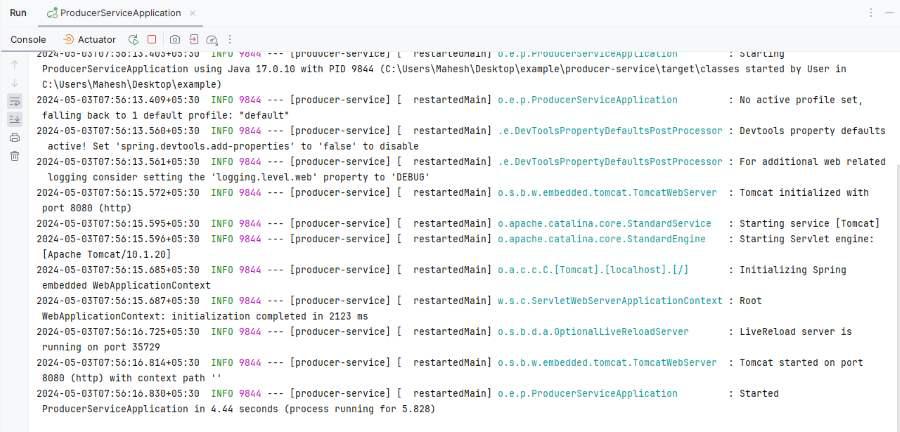
Once we run the application, then the project will run at port 8080.
Below are the steps to create the consumer service.
Create a new Spring Boot project using Spring Initializr, and include the following dependencies:
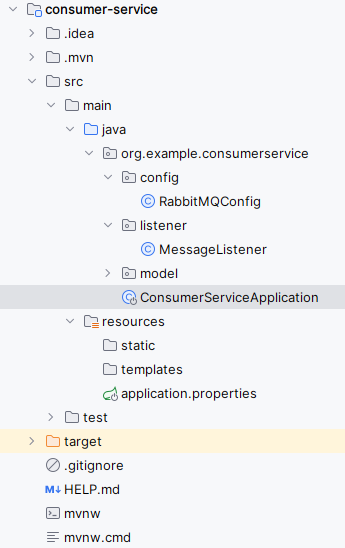
Once the project is created, the file structure will resemble the image below.
👁 Consumer-Service Project Structure
Open the application.properties file and add the RabbitMQ connection properties to the project.
spring.application.name=consumer-service

server.port=8081

# RabbitMQ Config
spring.rabbitmq.host=localhost
spring.rabbitmq.port=5672
spring.rabbitmq.username=guest
spring.rabbitmq.password=guest
spring.rabbitmq.queue=my-queue
spring.rabbitmq.exchange=my-exchange
spring.rabbitmq.routingkey=my-routingkey
We'll create the configuration class to configure RabbitMQ.
Go to src > org.example.consumerservice> config > RabbitMQ and put the below code.
We will create the Listener class to configure RabbitMQ.
Go to src > org.example.consumerservice> listener > MessageListener and put the below code.
Go to src > org.example.consumerservice > ConsumerServiceApplication and put the below code.
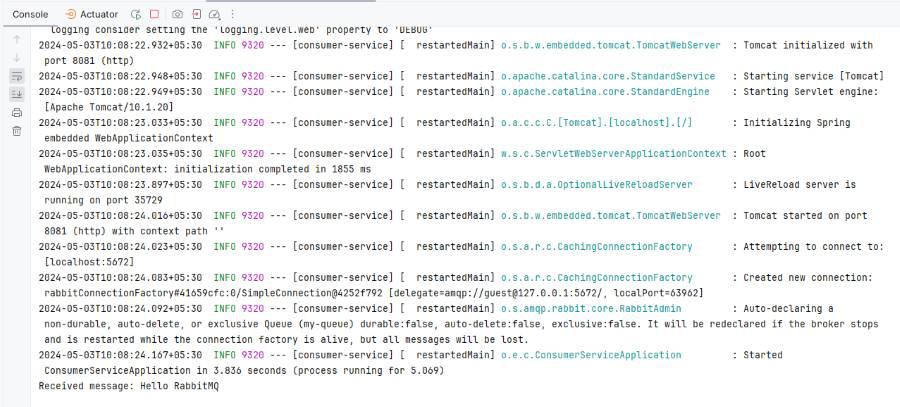
Once we run the application, the project will run on port 8081. We can observe the messages being sent and received in the console.
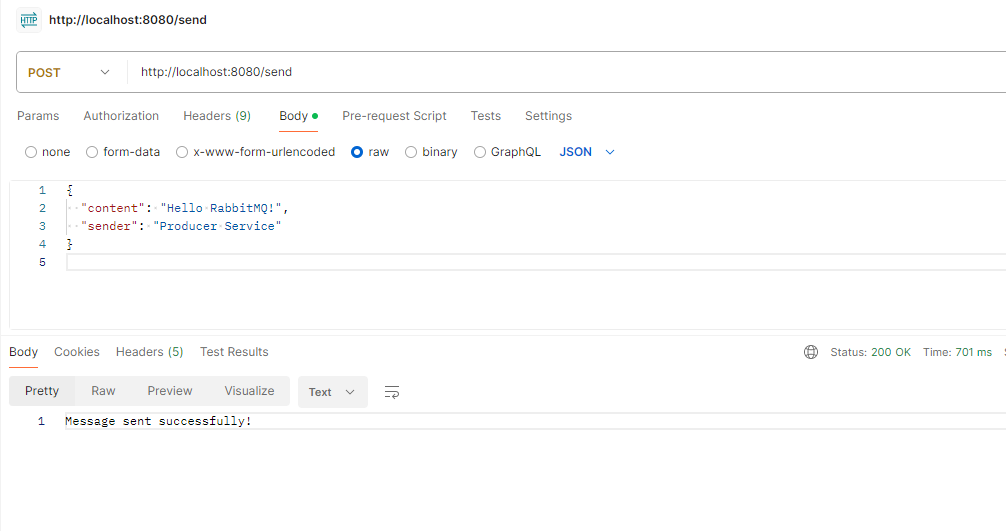
Endpoint API:
POST http://localhost:8080/sendJSON Body:
{
 "content": "Hello RabbitMQ",
 "sender:" : "producer-service:
}
👁 Message sent by Producer Service
Consumer-service receive the message:
👁 Consumer-service receive the message
This example demonstrates setting up a producer service that sends messages to RabbitMQ and a consumer service that listens for messages from RabbitMQ.

.png)
.jpg)