|
VOOZH | about |
|
VOOZH | about |
In Java applications, nested data structures are commonplace, especially when dealing with configurations, JSON responses, or complex data representations. One such structure is the nested map. This article focuses on the theory behind nested maps, their structures, and the techniques used for asserting their contents effectively in unit tests using JUnit.
Add the following Maven dependency to the pom.xml file:
<dependency>
 <groupId>org.junit.jupiter</groupId>
 <artifactId>junit-jupiter</artifactId>
 <version>5.8.2</version>
 <scope>test</scope>
</dependency>
In Java, a Map is an interface that associates unique keys with specific values, forming part of the Java Collections Framework, and is utilized for storing data in key-value pairs.. Here are some characteristics of maps:
A nested map is a map where the values themselves are maps. This format allows for a more systematic organization of the data. For example, consider a nested map representing a library system in which each type of book (e.g., fiction, nonfiction) is a collection of books along with their description (e.g. title, author, quantity).
Map<String, Map<String, Integer>> library = new HashMap<>();
library.put("Fiction", Map.of("1984", 3, "Brave New World", 5));
library.put("Non-Fiction", Map.of("Sapiens", 2, "Educated", 4));
In this example, we will create a nested map structure that represents an employee management system. Each department will have multiple employees, and each employee will have a record of projects.
The data structure will look like this:
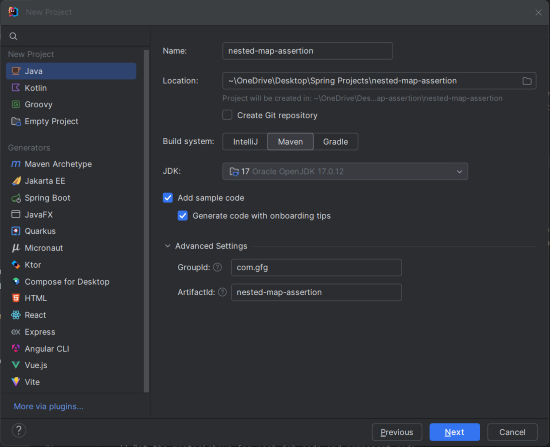
List<String> representing their projects.Create a new Maven project using IntelliJ IDEA with the following options:
Click on the Create button.
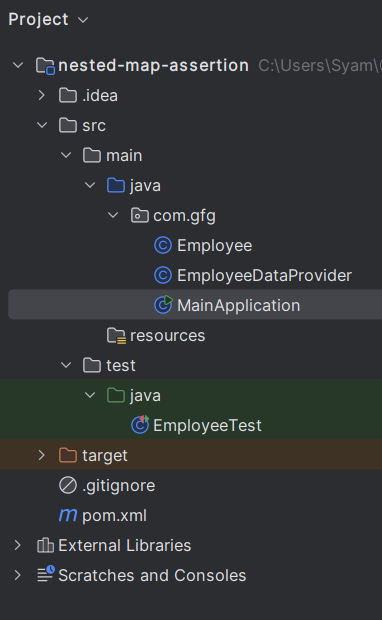
Once project creation done, set the folder structure as shown in the below image:
Open the pom.xml file and add the following JUnit 5 dependencies into the Maven project.
Define the Employee model class and add the following code into it.
Create the EmployeeDataProvider.java file, which will return the nested map:
In the main class, add logic to print the employee details as output:
Create the EmployeeTest.java file and this class contains the unit tests to assert the nested map.
Explanation:
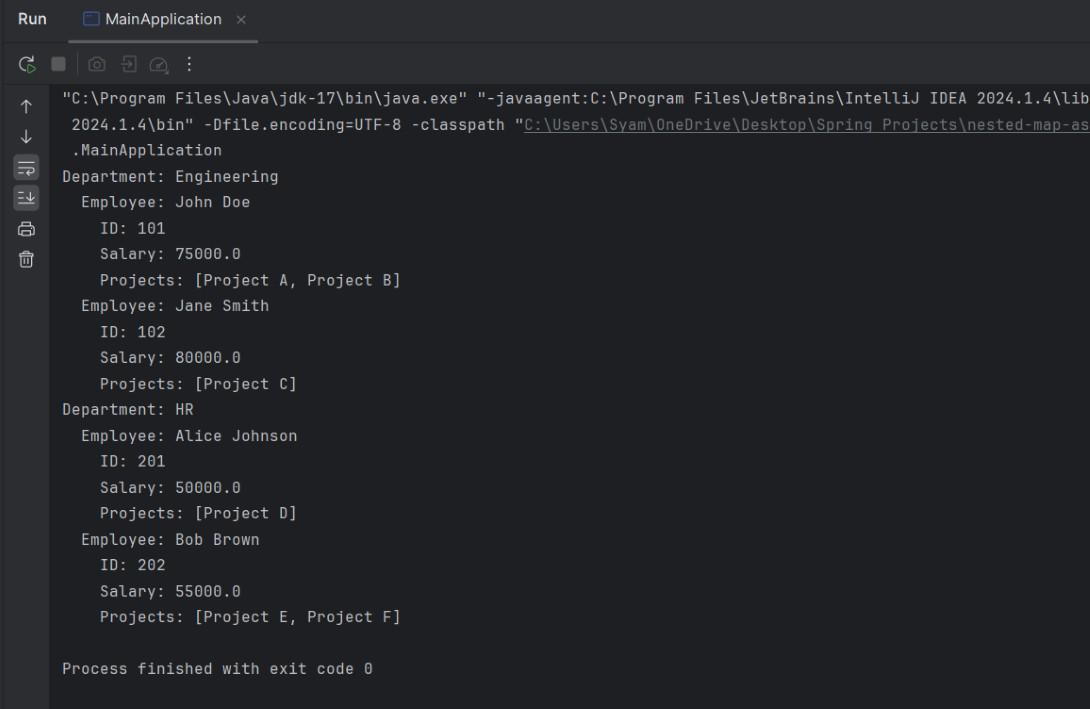
Once the project is completed, we will run and it will display the below output:
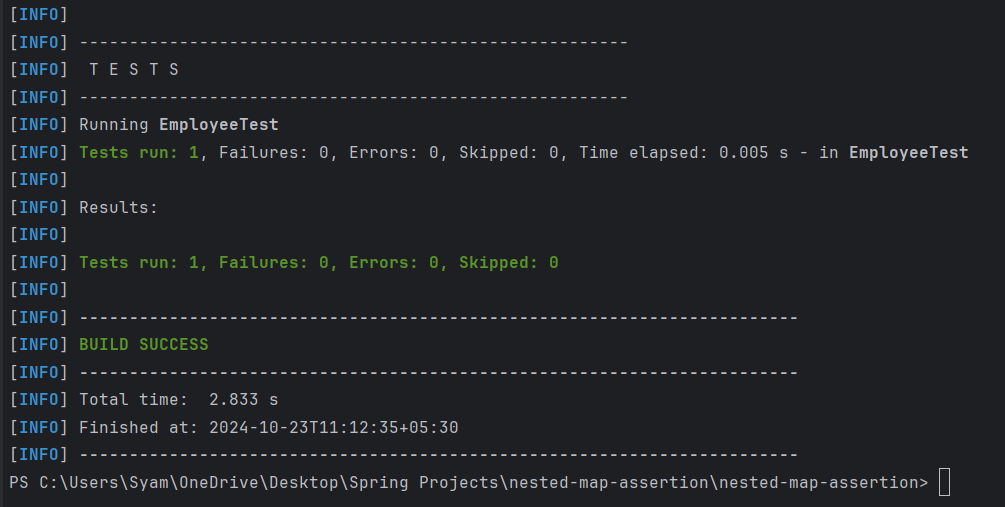
We can execute the test suite using following maven command.
mvn testAll assertions should pass if the method behaves as the expected.
This example project demonstrated how to assert the nested maps in the JUnit effectively. This example focused on the employee management system with multiple levels of the nesting, including the lists inside the maps. Such structures are common in the real world applications, and this method can ensure and thoroughly validate the data structure using clear and concise assertions.