|
VOOZH | about |
|
VOOZH | about |
Serverless computing in Spring Boot is popular because of its simplicity and low cost. Working serverless allows us to focus on writing code without worrying about managing infrastructure. Spring Cloud Function is a framework that can enable serverless services using the Spring ecosystem. It allows developers to write projects as spring beans and use them.
Spring Cloud Function can provide a simple and consistent programming model for creating serverless functions. It can allow the developers to write the functions as Spring beans which can be developed as serverless applications. Creating the functions as the beans and exposing them as the HTTP endpoints or integrating them with the messaging systems.
Using Java Spring Boot and WebSocket, we can easily create a simple application.
Step 1: Create a spring project, using spring initializr, and add the below dependencies in the project.
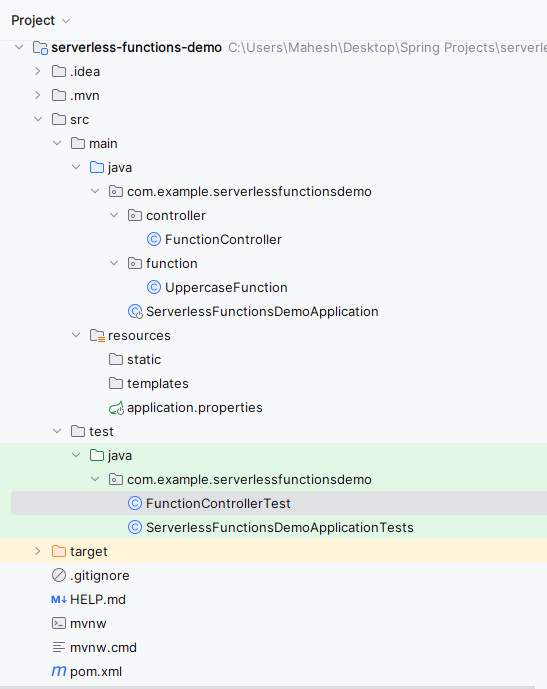
After successfully creating the project, the file structure will look like the below image.
👁 Project StructureStep 2: Create the new package and it named as function in that package create the new Java class and it named as the UppercaseFunction.
Go to src > java > main > com.example.serverlessfunctiondemo > function > UppercaseFunction and put the below code.
Step 3: Create the new package and it named as controller in that package create the new Java class and it named as the FunctionController.
Go to src > java > main > com.example.serverlessfunctiondemo > controller > FunctionController and put the below code.
Step 4: Create the new Java class and it named as the FunctionControllerTest.
Go to src > java > main > com.example.serverlessfunctiondemo > Test > FunctionControllerTest and put the below code.
Step 5: Now, open the main class file and write the below code.
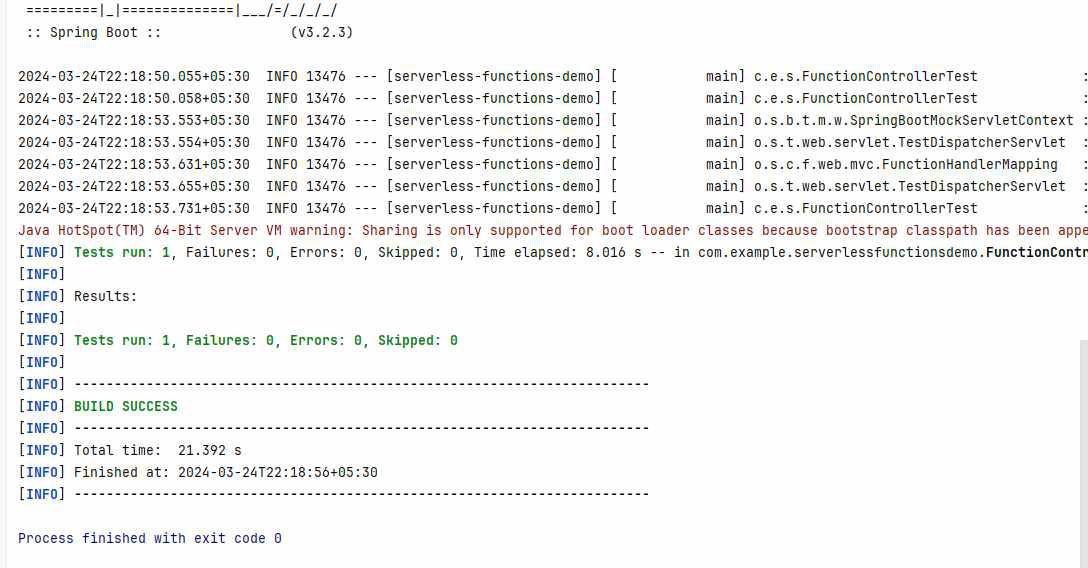
Step 6: Once we completed all the steps, run the project as the Spring boot application and it will start at port 8080. Refer the below console output image for the better understanding.
Step 7: Test the Application
Uppercase API:
POST http://localhost:8080/api/uppercaseIf we follow the above steps, then we can successfully demonstrate the serverless functions with Spring Cloud function of the spring project.