|
VOOZH | about |
|
VOOZH | about |
Unit testing is essential for verifying that individual units of code function as expected. Writing multiple assertions can make tests lengthy and difficult to maintain when testing object properties. Testing frameworks like JUnit and AssertJ provide mechanisms to combine various assertions into a single call, enhancing both readability and feedback when tests fail.
In Java unit testing, it is common to check various properties of an object. For example, when testing an Employee object, you may want to verify the employee's name, job title, and age. Writing separate assertions for each property can result in lengthy and cluttered tests. To address this, modern frameworks like JUnit 5 and AssertJ allow grouping assertions into a single block that makes our tests cleaner and easier to manage.
This article explains how to combine multiple assertions into a single call, providing examples using JUnit 5 and AssertJ.
Unit testing involves checking individual units of code in isolation to confirm their correctness. Automated unit tests are run frequently to ensure that new code changes do not introduce bugs into existing functionality. The key component of unit testing is assertions, which verify that the actual output matches the expected result.
For example, in a test for the Employee class, we might assert that an employee’s name is "John," job title is "Developer," and age is 28. By using assertions, we ensure that the code behaves as intended.
In traditional unit testing, each property of an object is typically tested with a separate assertion. For example:
import static org.junit.jupiter.api.Assertions.*;
import org.junit.jupiter.api.Test;

class EmployeeTest {

 @Test
 void testEmployeeProperties() {
 Employee employee = new Employee("John", "Developer", 28);

 assertEquals("John", employee.getName());
 assertEquals("Developer", employee.getJobTitle());
 assertEquals(28, employee.getAge());
 }
}
While this approach works, it has some drawbacks:
To make tests more concise and readable, you can use a single assert call to group related assertions.
assertAllJUnit 5 introduced the assertAll method, allowing developers to group multiple assertions in a single test block. If one assertion fails, JUnit still evaluates the others and reports all failures at once.
Example:
import static org.junit.jupiter.api.Assertions.*;
import org.junit.jupiter.api.Test;

class EmployeeTest {

 @Test
 void testEmployeeProperties() {
 Employee employee = new Employee("John", "Developer", 28);

 assertAll("employee",
 () -> assertEquals("John", employee.getName(), "Name should be John"),
 () -> assertEquals("Developer", employee.getJobTitle(), "Job title should be Developer"),
 () -> assertEquals(28, employee.getAge(), "Age should be 28")
 );
 }
}
In this example,
assertAll groups assertions logically.assertAll is a lambda expression. Even if one fails, the rest are executed, and all failures are reported together.AssertJ provides a fluent and expressive way to write assertions, allowing you to chain them together, making tests more readable and concise.
Example:
import org.assertj.core.api.Assertions;
import org.junit.jupiter.api.Test;

class EmployeeTest {

 @Test
 void testEmployeeProperties() {
 Employee employee = new Employee("John", "Developer", 28);

 Assertions.assertThat(employee)
 .extracting(Employee::getName, Employee::getJobTitle, Employee::getAge)
 .containsExactly("John", "Developer", 28);
 }
}
In this example:
extracting is used to fetch multiple properties from the object.containsExactly asserts that the extracted properties match the expected values in order.Create an example project that demonstrates how to use the single assert call for the multiple properties in the Java unit testing. We will use the simple Employee class and write the unit tests with both JUnit 5 and AssertJ for the asserting multiple properties of the maven project.
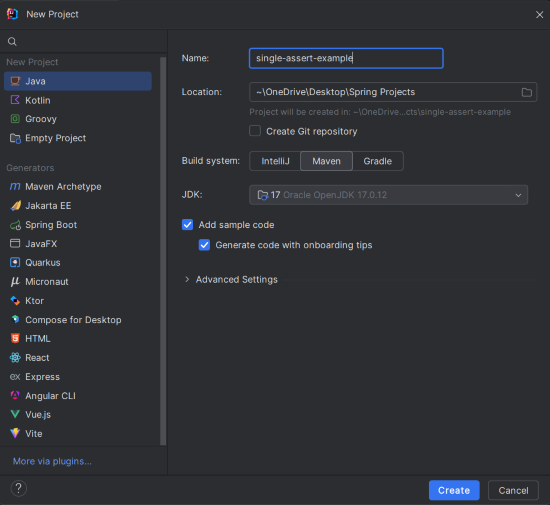
In your IDE (e.g., IntelliJ IDEA), create a new Maven project with the following details:
single-assert-exampleClick on the Create button.
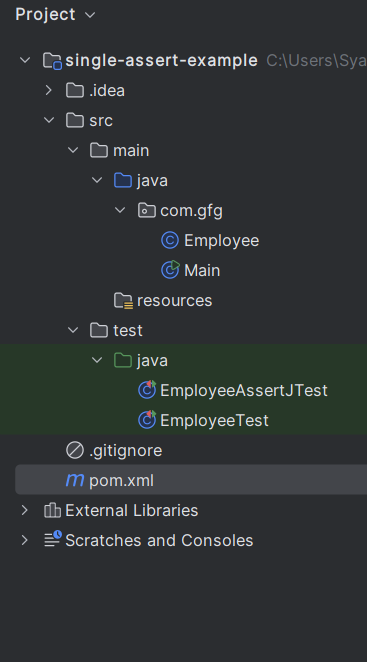
After project creation done, then the folder structure will look like the below image:
Open the pom.xml file and add the following JUnit dependencies.
The Employee class models an employee object with three fields that are name, jobTitle, and age.
Create the EmployeeTest class and this test file demonstrates how to use the JUnit 5 assertAll to test the multiple properties of the Employee object in the single assertion block.
EmployeeTest.java:
Create the EmployeeAssertJTest class and this test demonstrates how to use the AssertJ for the fluent and expressive way of the asserting multiple properties.
EmployeeAssertJTest.java:
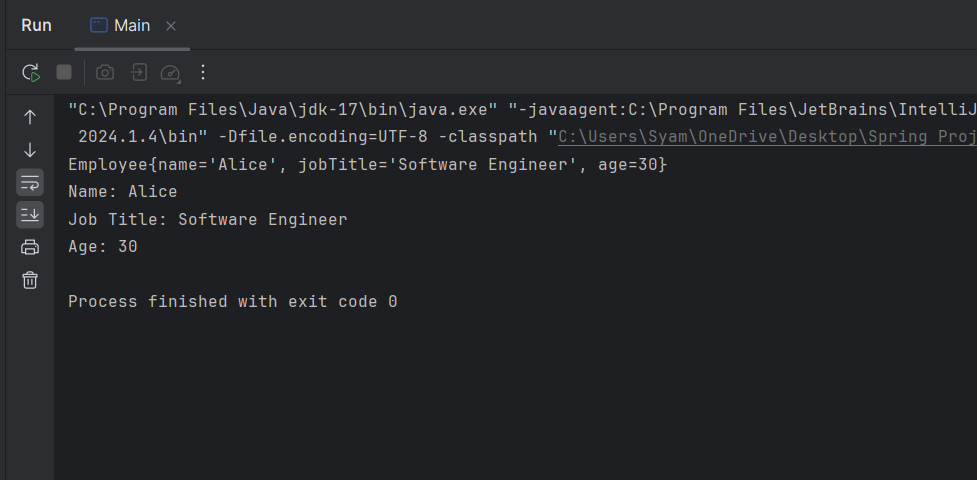
Now, run the application, and it will show the below output in console.
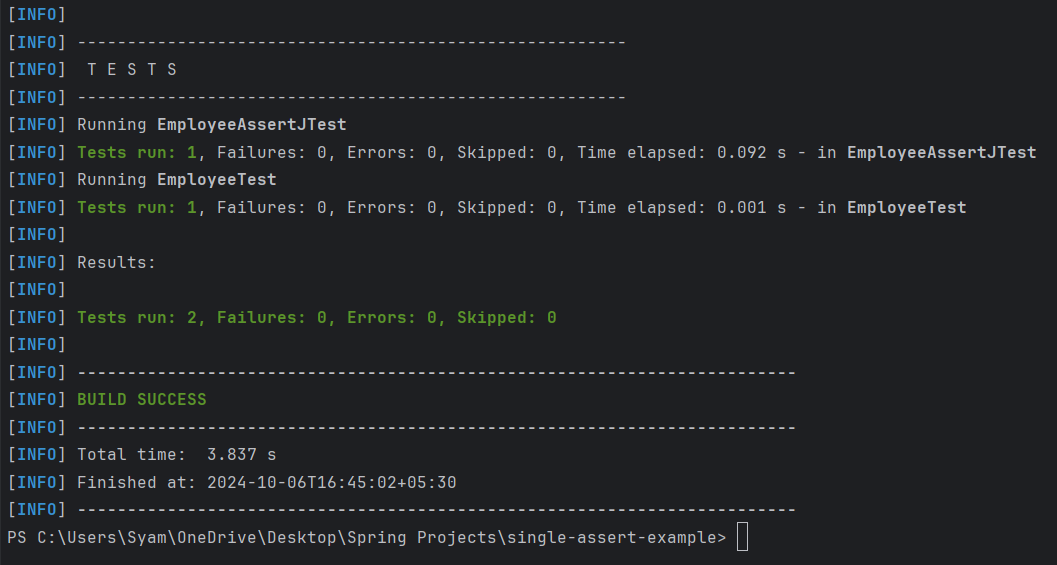
Now, we will run the test cases using the below command:
mvn testCombining multiple assertions into a single call, either using JUnit’s assertAll or AssertJ’s fluent API, can significantly improve the readability and maintainability of your tests. These tools also allow better failure feedback by continuing to check all assertions, even if one fails.