|
VOOZH | about |
|
VOOZH | about |
In microservices, we have several different services responsible for different functionalities. These services act like smaller application modules, which together form the application. Each of these modules has its own responsibility, based on the business logic of the application being built. These services then perform the CRUD (Create, Retrieve, Update, Delete) operations over the respective databases.
The process of developing our application takes place across different environments. Initially, the application is developed in the staging/development environments and then the application's codebase is gradually promoted to higher environments, that is the User Acceptance Test (UAT) environment and finally the Production Environment.
The objective for having different environments is to ensure our application code adheres to the specific standards as per the business requirements and is defect-free before it goes live and is used by the respective end users.
Hence, to achieve this we need to configure our application with certain properties specific to the respective environments.
We may use different databases for different environments. That is, a different database for the development/staging environment and a different one for the Production environment.
Hence, for this purpose, our database server connection string as well as the credentials to connect to the given database would differ from environment to environment. Similarly, there may be certain other properties too, that would differ from one environment to the other environment.
Hence at any given time, there is a need to set up our application to be executed in different modes. These modes are called as your application profiles.
In microservices architectural style, we have several different services. Each of these services act as smaller modules of our huge application.
Configuring individual property files specific to the respective environments in our individual services makes our application tightly coupled. Rather, this responsibility is handed over to a single micro service. This single micro service is referred to as the Spring Boot Cloud's Configuration Server.
The property files for all our services are placed inside this Spring Boot Cloud Configuration Server.
In this example, we shall consider a banking application being built. This application has a micro service called as the loans service. This service is responsible for issuing loans to the respective customers. These loan details of the customers are stored in a database. The databases used here, will differ from one environment to another environment. These database configuration property files will be stored in the classpath of the project.The property files for the loans service application in the System Integration Test (SIT), User Acceptance Test (UAT) and the default environment will be named as, loans-sit.properties, loans-uat.properties and loans.properties respectively.
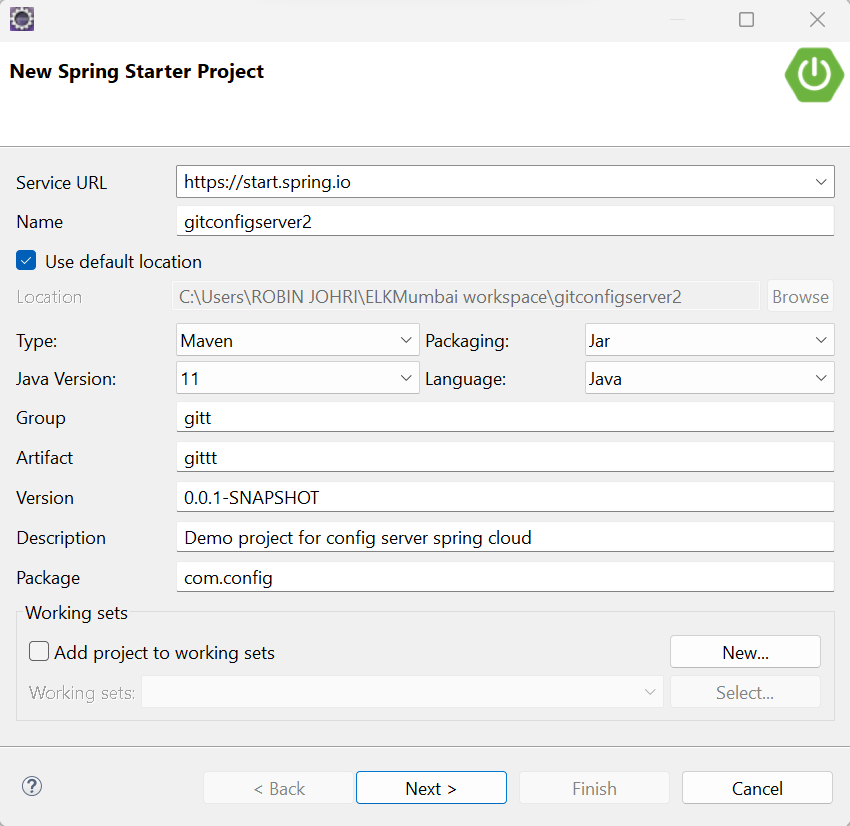
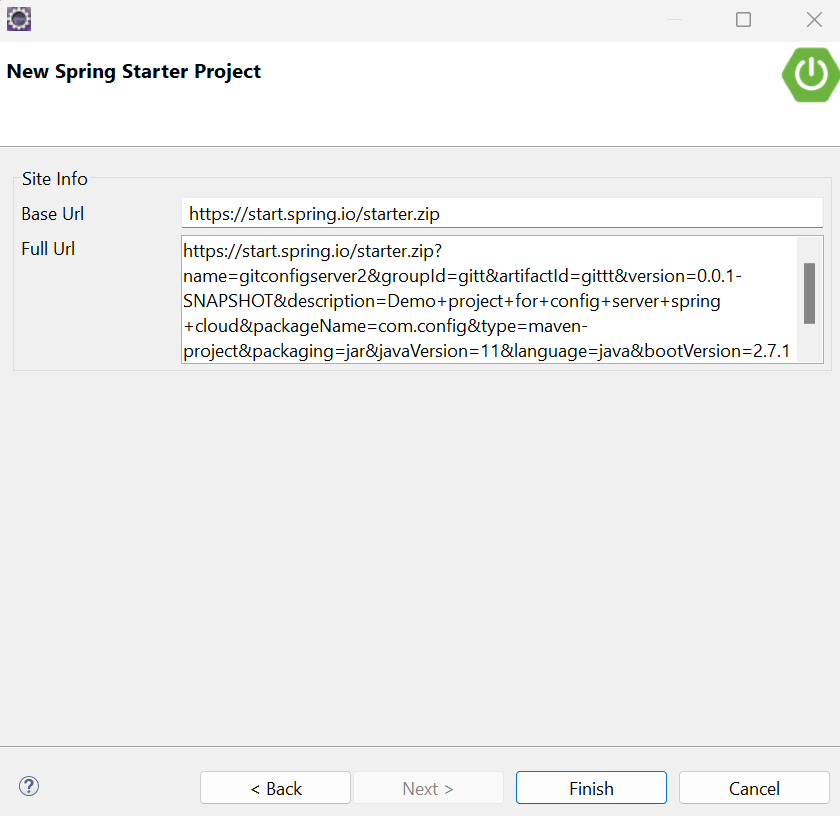
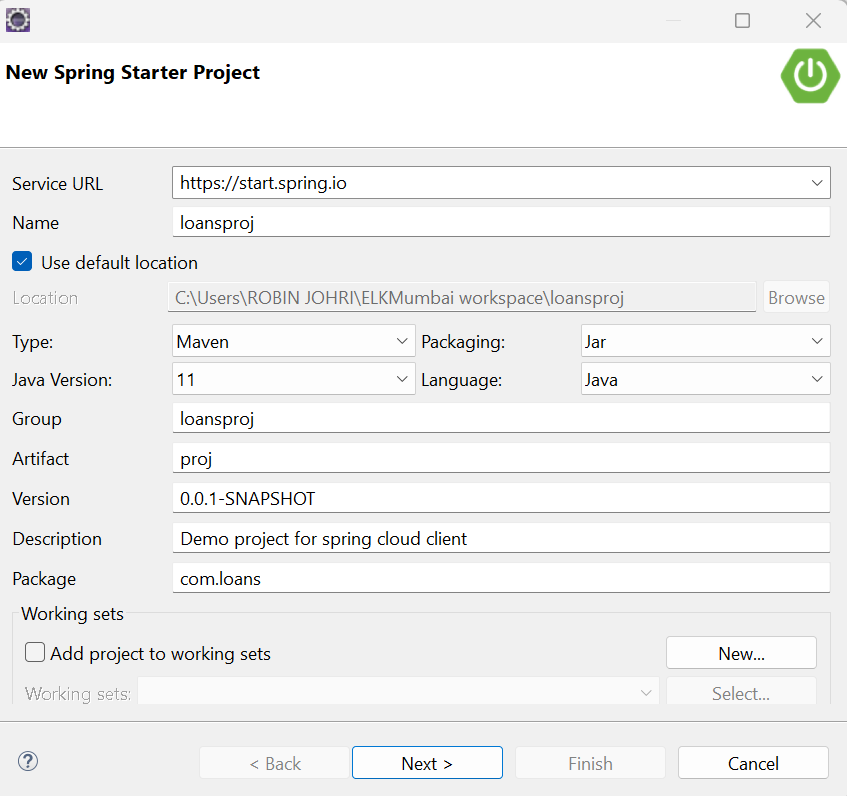
The Spring Boot Projects are created using the Spring Starter Project utility.
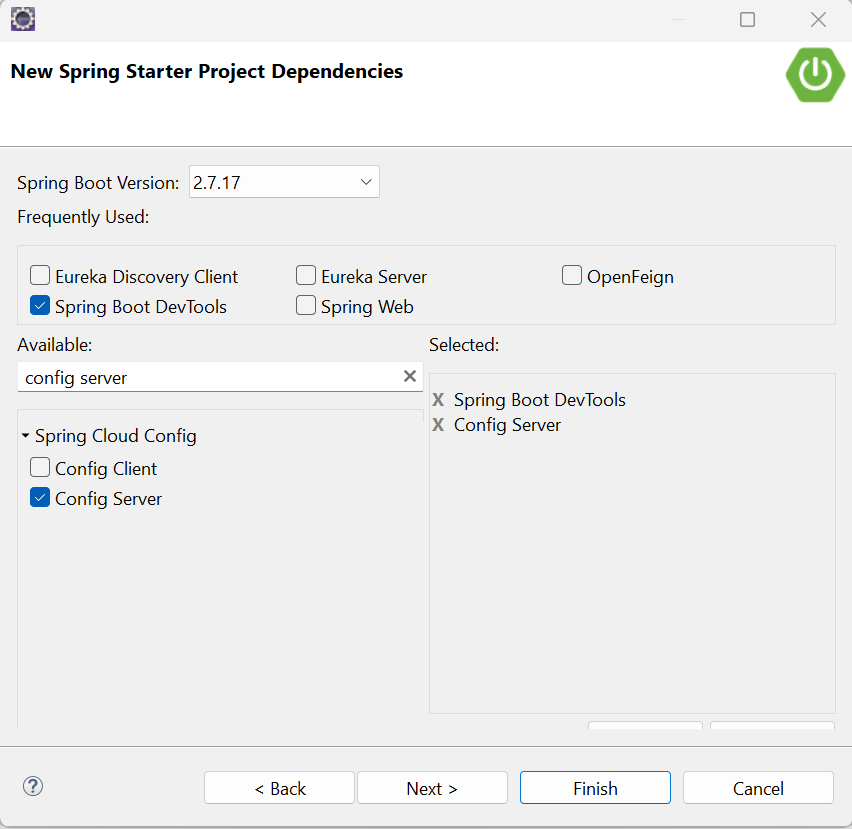
Select the two dependencies below to be added to your project and click on Next:
Click on Finish.
Now we have created the Configuration Server project. In the same way, let us create the Loans service project.
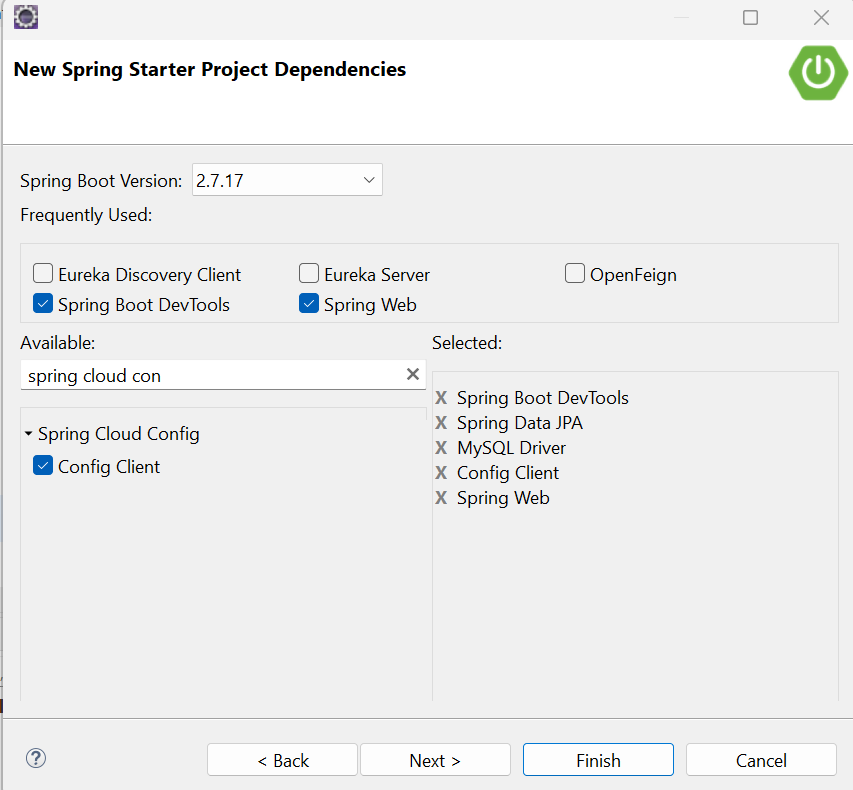
Select the 5 dependencies below to be added to your project and click on Next:
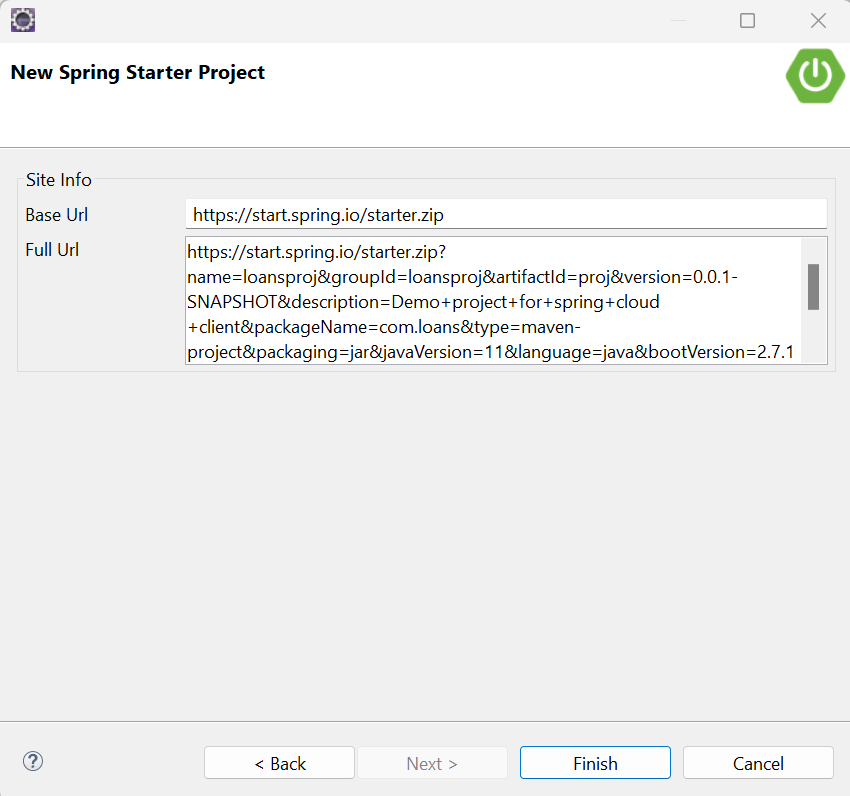
Click on Finish.
Spring Boot DevTools dependency
Config Server dependency
Config Client dependency
Spring Data JPA dependency
MySQL Driver dependency
Spring Web dependency
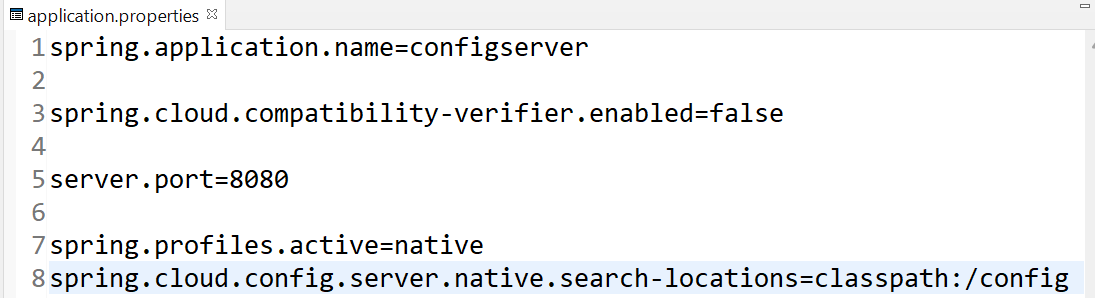
In the above code snippet,
The property spring.profiles.active=native specifies that the property files will be stored in our system's location i.e. inside the config folder (created by us) which is located in the classpath of our project provided by the property spring.cloud.config.server.native.search-locations
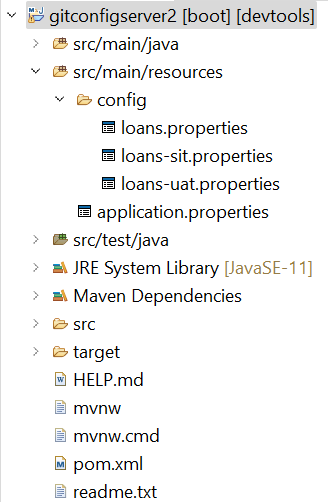
The below image shows the exact location into which the property files should be placed:
That is, src > main > resources > config
loans.properties file:
loans-sit.properties file:
loans-uat.properties file:
In the above code snippet, The spring-cloud-config-server dependency indicates that this application is the configuration server that contains all the client's application configuration properties.
In the above code snippet, The @SpringBootApplication annotation enables the auto configuration feature.
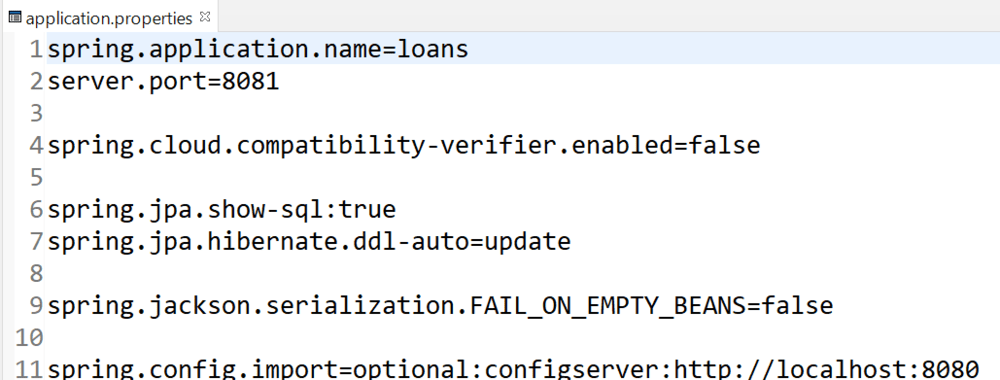
The spring.config.import property contains the Uri of the Configuration Server.
In the above code snippet,
In the above code snippet,
In the above code snippet,
In the above code snippet, The spring-cloud-starter-config dependency indicates that this application is the client application that will use the configuration server.
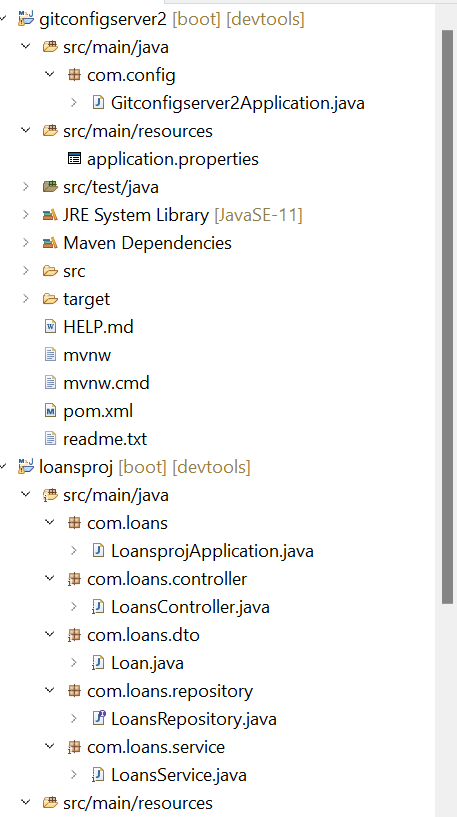
The final project Structure shall look like this below:
👁 Project Hierarchical Structure
After starting the loans and the configserver services, by using Run As Java Application option we can verify the properties by hitting the given endpoints in Postman below:
spring.datasource.url property refers to the default profile database as shown below:
spring.datasource.url property refers to the uat profile database as shown below:
👁 Postman Output_uat_database
spring.datasource.url property refers to the sit profile database as shown below:
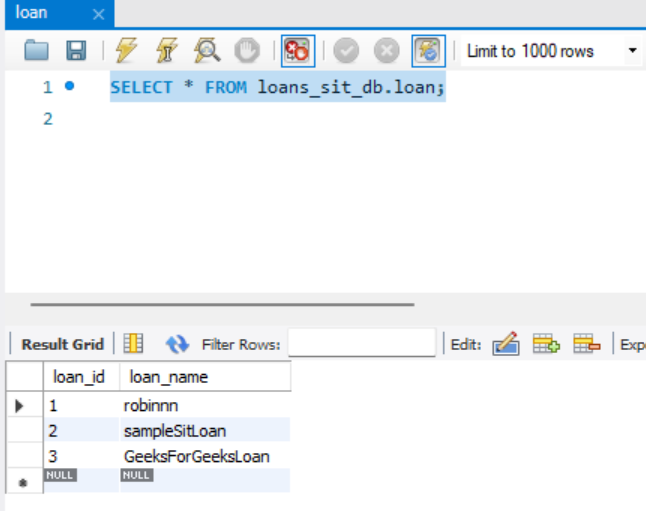
Now, Create the respective databases in MySQL Workbench as below:
The Loan Entity with loan_id: 3 and loan_name: GeeksForGeeksLoan is successfully inserted in the loans table.
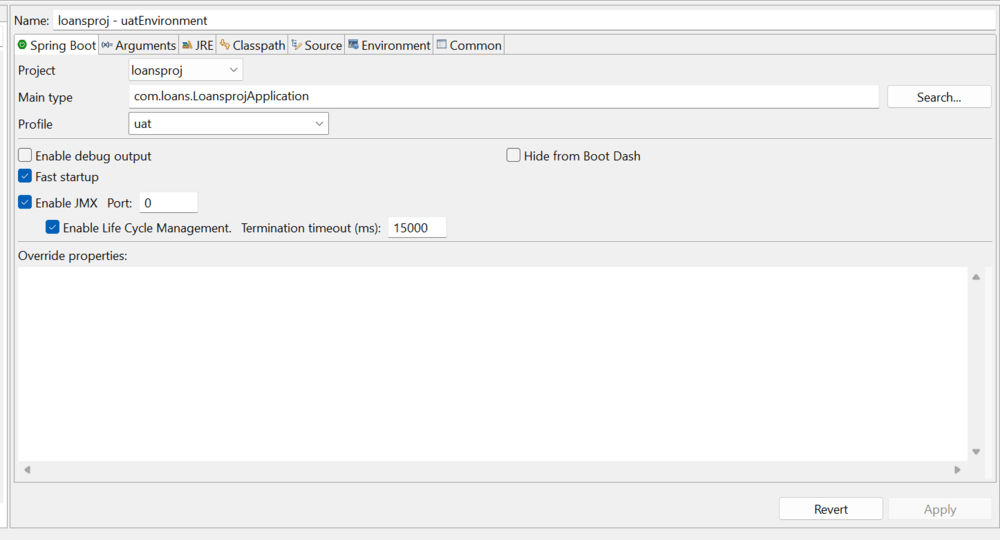
Similarly, now we can hit the same endpoint by running the loans application in different environments (uat, default) using the Spring Boot Dashboard View feature below:
👁 Application uat ProfileHence, we have seen how we could setup and run our Spring Boot Application in different profiles with the help of the Spring Boot Cloud Configuration Server, that contained the properties for the respective environments.




.png)
-(1).png)
.png)
.png)
.png)