|
VOOZH | about |
|
VOOZH | about |
Spring Batch is a lightweight yet robust framework designed for batch processing, the automated execution of large data tasks without human intervention. It provides reusable components for logging, transaction management, job scheduling, retries and error handling.
When integrated with Spring Boot, it simplifies batch job configuration and execution, allowing developers to focus on the business logic instead of boilerplate setup.
Batch processing refers to executing repetitive, data-intensive tasks in bulk. Typical examples include:
Spring Batch is purpose-built for such use cases by splitting jobs into smaller, manageable steps that can run sequentially or in parallel.
A Job in Spring Batch represents the complete batch process, while Steps define the logical phases within that job.
Each step operates in three distinct phases: ItemReader, ItemProcessor and ItemWriter.
Reads input data from a source such as a database, file, or message queue. It reads one record at a time and passes it to the processor.
Applies business logic or transformation on each item read by the reader.
Writes the processed data to the desired output, such as a database or console.
Spring Batch processes data in chunks, not all at once.
Each step reads and processes individual items, but commits them in groups defined by a chunk size, improving both performance and transaction management.
In this example:
The Job Repository maintains execution metadata for jobs and steps, including:
This allows restartability (resume from failure point) and monitoring of batch executions. A relational database (e.g., MySQL, HSQLDB) typically stores this metadata.
Spring Batch ensures transactional integrity — if a step fails, its changes can be rolled back.
You can schedule jobs using Spring’s @Scheduled annotation or tools like Quartz.:
This project reads data from a CSV file, processes it and writes it to a MySQL database.
Project Name: spring-batch-example
Type: Maven
Packaging: Jar
Dependencies:
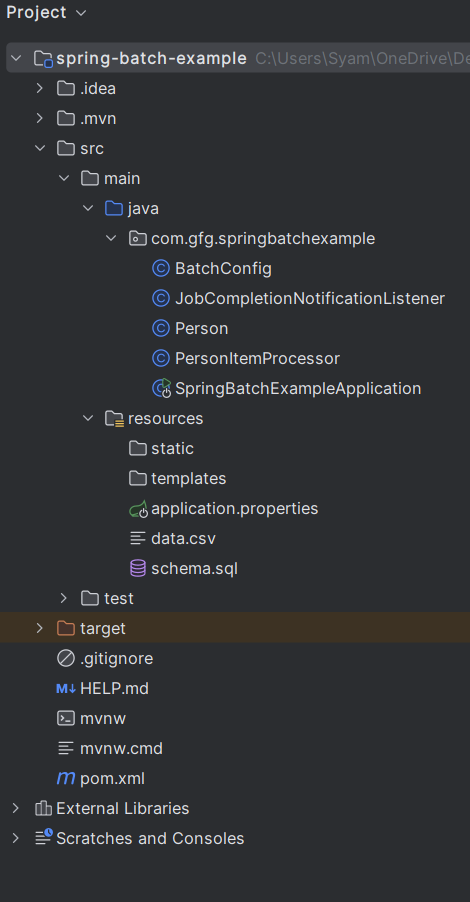
Project Structure:
After project creation done, the folder structure will be like below:
spring.application.name=spring-batch-example
# Database Configuration
spring.datasource.url=jdbc:mysql://localhost:3306/spring_batch_db?useSSL=false&serverTimezone=UTC
spring.datasource.username=root
spring.datasource.password=mypassword
spring.datasource.driver-class-name=com.mysql.cj.jdbc.Driver
# Hibernate Settings
spring.jpa.hibernate.ddl-auto=update
spring.jpa.show-sql=true
spring.jpa.properties.hibernate.dialect=org.hibernate.dialect.MySQLDialect
# Batch Settings
spring.batch.job.enabled=true
spring.batch.initialize-schema=always
server.port=8080
Create data.csv in src/main/resources/:
firstName,lastName
Mahesh ,Kadambala
Ravi,Teja
Lakshmi,Narayana
Praveen,Chowdary
Kiran ,Kumar
Saneep,Kumar
Akhil,Hero
Gautam,P
Madhavo ,Reddy
Suresh,Kumar
Ravi,Teja
Lakshmi,Narayana
Anusha,Reddy
Venkat,Rao
Praveen,Chowdary
Sowmya,Krishna
Kiran,Kumar
Manjula,Rao
Naveen,Prasad
Madhavi,Reddy
Srinivas,Rao
Ramya,Lakshmi
Venkatesh,Babu
Sujatha,Rani
Create schema.sql in src/main/resources/:
CREATE TABLE people (
id BIGINT AUTO_INCREMENT PRIMARY KEY,
first_name VARCHAR(255),
last_name VARCHAR(255)
);
Create BatchConfig.java to configure Spring Batch with a reader, processor and writer.
BatchConfig.java
Person.java
Create PersonRepository.java to access the database.
Create JobCompletionNotificationListener.java to log results after batch completion.
JobCompletionNotificationListener.java
PersonItemProcessor.java
In this main class, add the @EnableBatchProcessing annotation to enable the functionalities of the Spring Boot project.
SpringBatchExampleApplication.java
Run the application and it will start on port 8080.
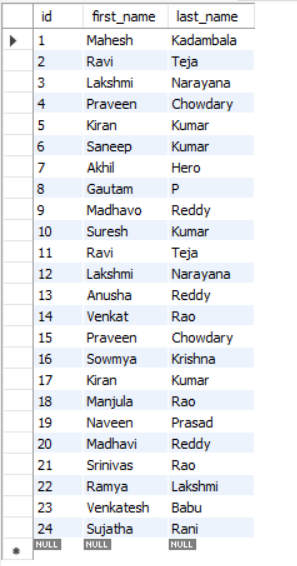
Spring Batch will read data from the CSV file, convert names to uppercase and insert them into the people table.
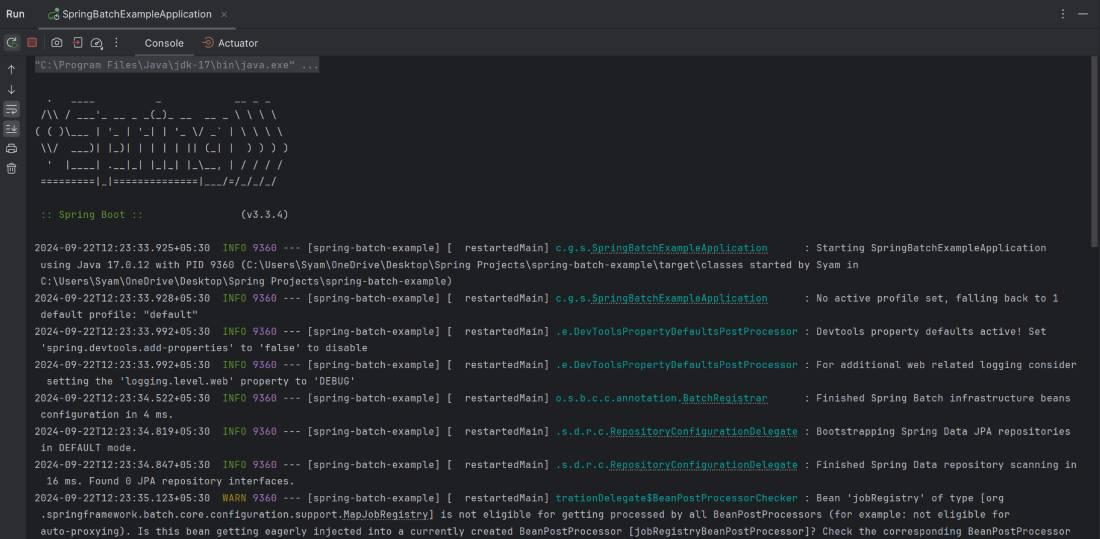
Console Logs Example: