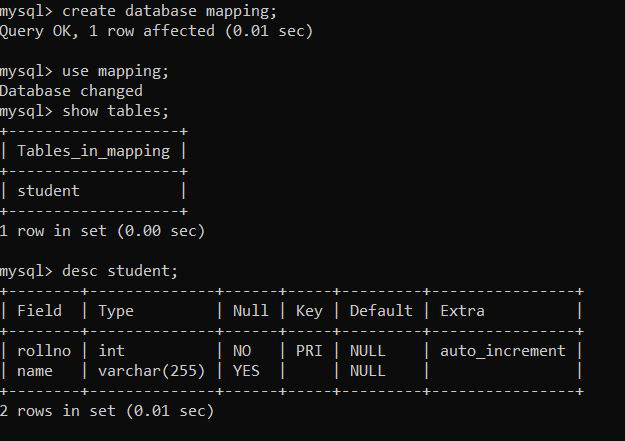
The @Id annotation is used to define the primary key of a JPA entity, uniquely identifying each record in the database. It works with @GeneratedValue to automatically generate IDs.
Marks a field as the primary key
Ensures each entity instance is uniquely identifiable
Works with @GeneratedValue for auto ID generation
Syntax
import jakarta.persistence.*;
@Entity public class ExampleEntity {
@Id @GeneratedValue(strategy = GenerationType.IDENTITY) private Long id; }
Here:
@Id identifies the field as the primary key in the database table.
It can be applied to primitive or wrapper types (int, long, Integer, Long, etc.).
It is mandatory in every entity class managed by JPA.
Usually combined with @GeneratedValue to auto-generate IDs.
Common @GeneratedValue Strategies
GenerationType.IDENTITY: Uses the database’s identity column for auto-increment. Common in MySQL.
GenerationType.SEQUENCE: Uses a database sequence to generate IDs. Common in PostgreSQL and Oracle.
GenerationType.TABLE: Uses a separate table to maintain and generate unique identifiers.
GenerationType.AUTO: Lets JPA automatically select the generation strategy based on the underlying database.
Steps to Implement @Id Annotation
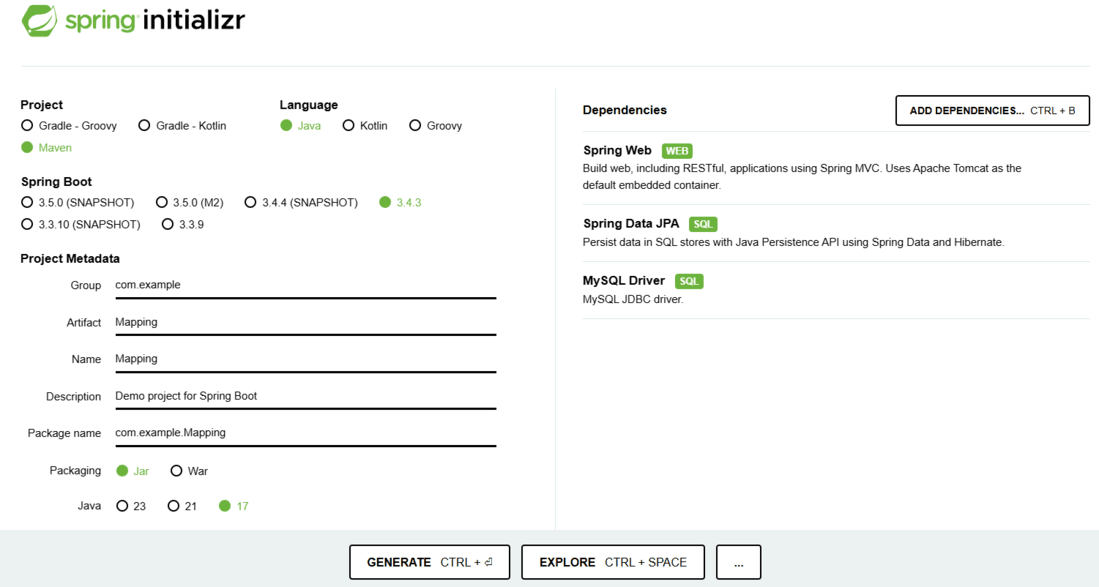
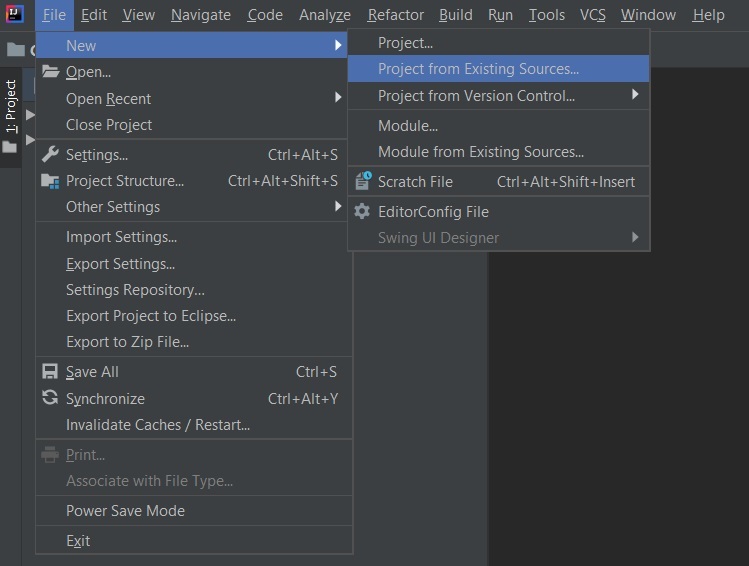
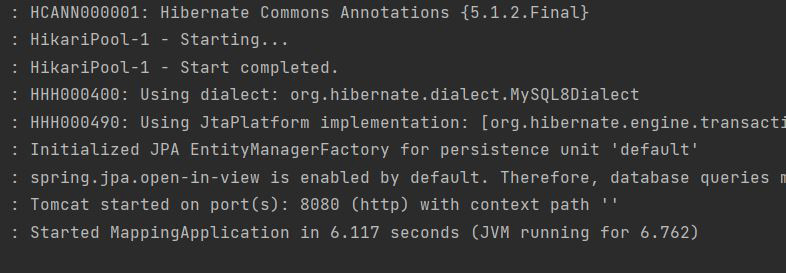
We’ll now create a simple Spring Boot application to demonstrate how the @Id annotation works with Spring Data JPA and MySQL.