|
VOOZH | about |
|
VOOZH | about |
Batch processing is a common technique used to efficiently handle large volumes of data. In this article, we'll implement Spring JDBC batch inserts in a Spring Boot application. Additionally, we’ll cover performance considerations and optimization strategies for batch operations.
Batch inserts in Spring JDBC involve inserting multiple records into the database in a single operation rather than inserting each record individually. This approach significantly improves the performance, especially when dealing with large datasets, by reducing the number of round trips between the application and the database.
When you perform the batch insert, the application groups the set of SQL insert statements into the batch and sends them to the database server in one go. The database processes these statements together and reduces the overhead associated with the individual insert operations.
To implement batch inserts in the Spring JDBC, We can typically use the following components:
Consider the example where you need to insert the list of employees into a database. Instead of inserting the each employee one by one, we can use the batch inserts to insert all the employees in the single database call.
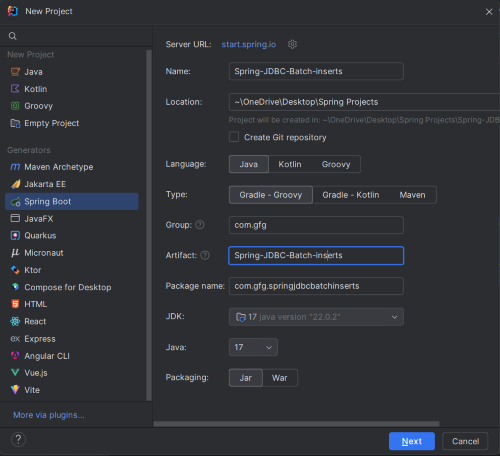
Start by creating a new Spring Boot project. You can use Spring Initializr or your preferred IDE to set up the project.
Click on the Next button.
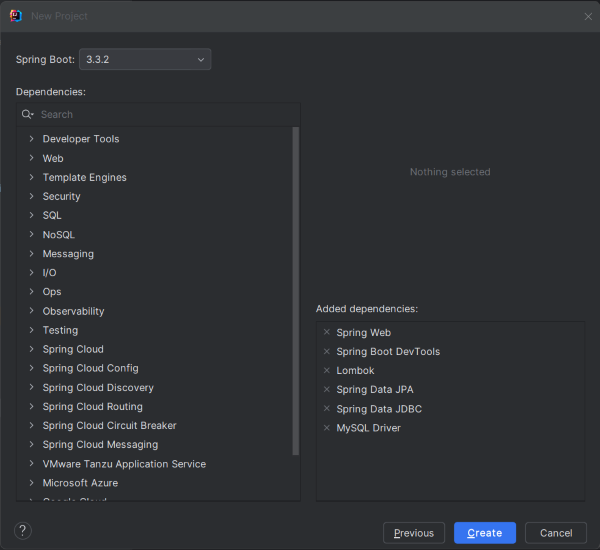
Make sure to include the following dependencies:
Click on the Create button.
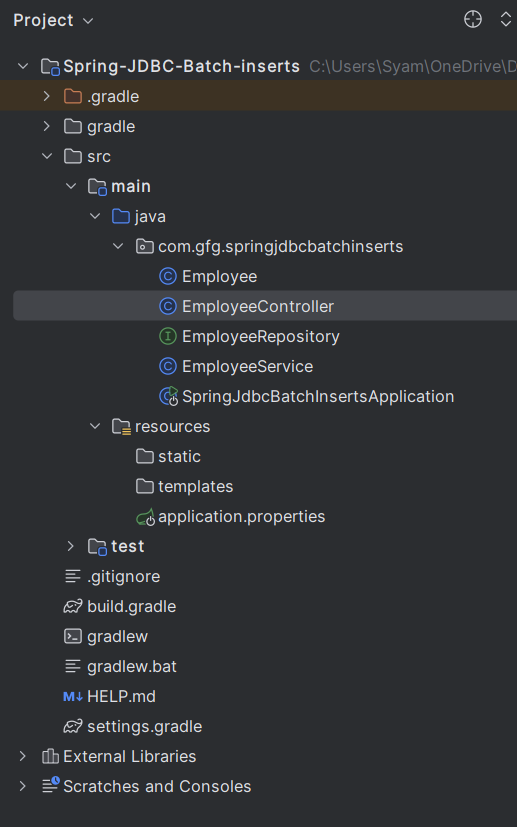
After project creation done, the folder structure will look like the below image:
In the application.properties file, configure your database settings. For this example, we use an H2 in-memory database.
spring.application.name=Spring-JDBC-Batch-inserts
spring.datasource.url=jdbc:mysql://localhost:3306/batchData
spring.datasource.username=root
spring.datasource.password=mypassword
spring.datasource.driver-class-name=com.mysql.cj.jdbc.Driver
spring.jpa.hibernate.ddl-auto=updateCreate the Employee entity class that represents the employee table in the MySQL database of the Spring Project.
Create the EmployeeRepository interface for the CRUD operations of the Spring Boot Application.
Create the EmployeeService class to use the JdbcTemplate and BatchPreparedStatementSetter to implement the batch operations of the Spring Boot Project.
Create the REST controller endpoint to handle the incoming HTTP requests and trigger the batch insert operation of the Spring Boot Project.
No changes are required in the main class.
plugins {
	id 'java'
	id 'org.springframework.boot' version '3.3.2'
	id 'io.spring.dependency-management' version '1.1.6'
}

group = 'com.gfg'
version = '0.0.1-SNAPSHOT'

java {
	toolchain {
		languageVersion = JavaLanguageVersion.of(17)
	}
}

configurations {
	compileOnly {
		extendsFrom annotationProcessor
	}
}

repositories {
	mavenCentral()
}

dependencies {
	implementation 'org.springframework.boot:spring-boot-starter-data-jdbc'
	implementation 'org.springframework.boot:spring-boot-starter-data-jpa'
	implementation 'org.springframework.boot:spring-boot-starter-web'
	compileOnly 'org.projectlombok:lombok'
	developmentOnly 'org.springframework.boot:spring-boot-devtools'
	runtimeOnly 'com.mysql:mysql-connector-j'
	annotationProcessor 'org.projectlombok:lombok'
	testImplementation 'org.springframework.boot:spring-boot-starter-test'
	testRuntimeOnly 'org.junit.platform:junit-platform-launcher'
}

tasks.named('test') {
	useJUnitPlatform()
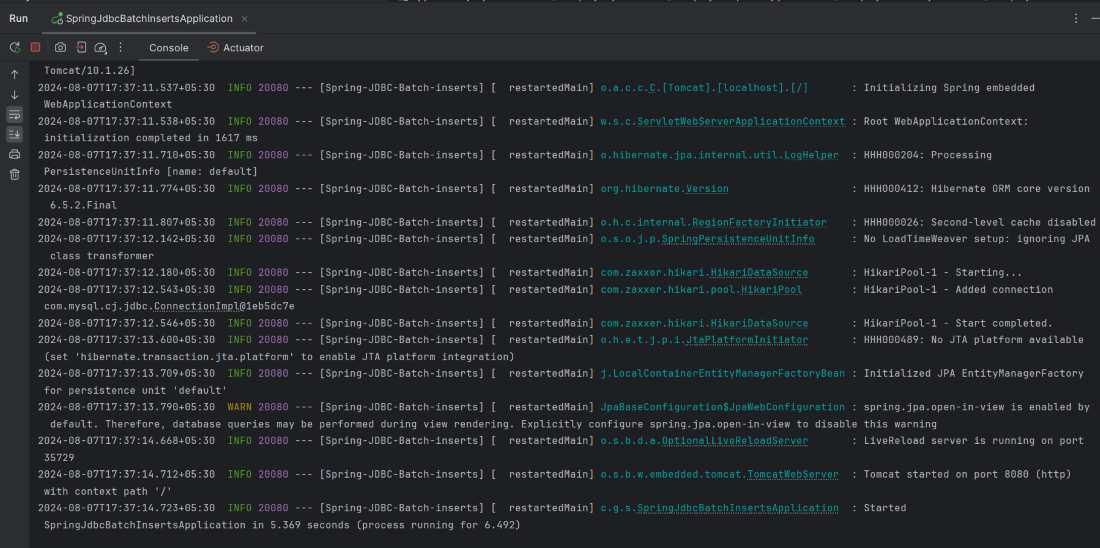
}Once the project is completed, run the application and it will start at port 8080.
Now, we will test the endpoint using Postman tool.
POST http://localhost:8080/employee/batch@Transactional annotation to manage batch operations effectively.By following these steps and using the provided code snippets, you can efficiently perform batch inserts in Spring JDBC, significantly improving the performance of database operations. The enhancements provided in this article help ensure that your application remains performant and scalable.