 |
VOOZH | about |
|
VOOZH | about |
The Struts 2 framework has built-in functionality for handling file uploads via "Form-based File Upload in HTML". When a file is uploaded, it is normally kept in a temporary directory, and your Action class should process or relocate it to a permanent location to prevent data loss. File uploading is possible in Struts using a pre-defined interceptor named FileUploadInterceptor, which is available through the org.apache.struts2.interceptor.FileUploadInterceptor class and is included in the default stack. Example of action mapping:
<action name="doUpload" class="com.example.UploadAction">
 <result name="success">good_result.jsp</result>
</action>This JavaScript website uses struts UI tags to generate a form. The user sends it a file.
Built with Struts UI tags, this website offers a user-friendly form for you to submit your name, password, and email address.
The execute function is overridden by this action class, which derives from the ActionSupport class.
This XML defines an interceptor named "jsonValidatorWorkflowStack" and associates it with the "input" result.
So this is Struts 2 File Upload Example. The Struts 2 framework has built-in functionality for handling file uploads via "Form-based File Upload in HTML". When a file is uploaded, it is normally kept in a temporary directory, and your Action class should process or relocate it to a permanent location to prevent data loss.

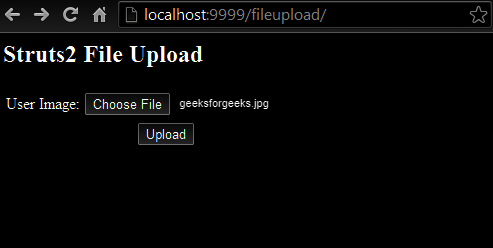
.jpg)