|
VOOZH | about |
|
VOOZH | about |
Executing the SQL (Structured Query Language) query with named parameters in JDBC (Java Database Connectivity) is the fundamental feature of the database interaction in Java. Named parameters provide convenient and it provides a secure way to pass the values into the SQL queries without using concatenating the strings against attacks of SQL injection. While JDBC does not support the named parameters, we can achieve the same functionalities using the prepared statements.
Note: The Named parameters are emulated using placeholders like "
?"in prepared statements.
The following are the prerequisites to execute an SQL query with named parameters in JDBC.
Below is the step-by-step implementation to execute SQL query with Named Parameters in JDBC.
Step 1: Create a table in the Database.
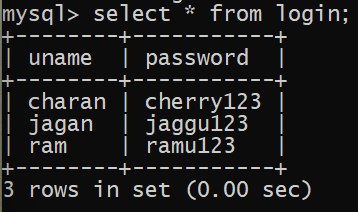
Create a table in the database and name it as "login" and column names as "uname" and "password". Insert the rows into the table. Here is the example for "login" table:
👁 login table
Step 2: Create Java Project in Eclipse.
Open Eclipse IDE and create a Java project, name it as "JDBCExample".
Step 3: Add MYSQL JDBC Driver to the project.
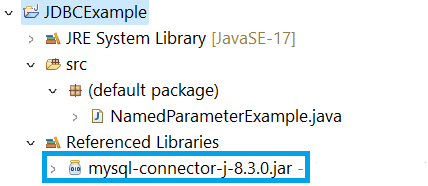
Here is the path for MYSQL JDBC driver jar file:
👁 Path for MYSQL JDBC driver jar fileStep 4: Create a java class in Java project.
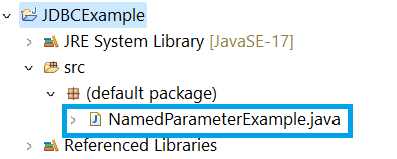
Create a class in the src folder in java project, and name it as "NamedParameterExample". Here is the path for java class file:
👁 Path for java class fileStep 5: Implement the code
Open the java class file and write the below code to execute a SQL query with named parameters in JDBC.
Note: Ensure that you should replace the connection parameters such as URL, username, password with your details of the database connections. And replace the SQL query and parameters names with the your query and parameter names.
Step 6: Run the code
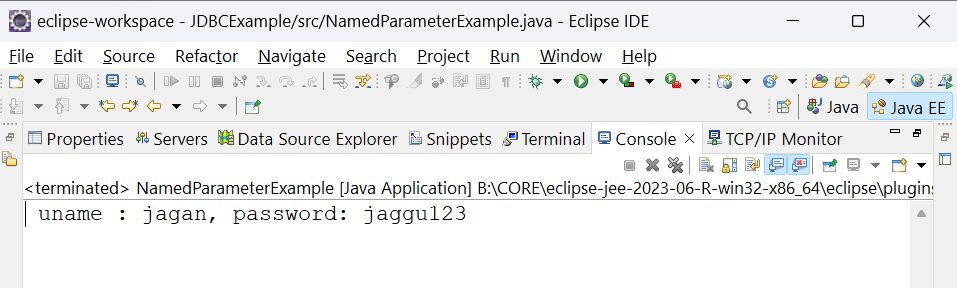
After running the java application, we can see the below output in console.
👁 Output in Console