|
VOOZH | about |
|
VOOZH | about |
EBook reader Application brings the library to your fingertips. This application will be the travel partner of every book lover who loves to read books of their choice. The app is developed using Flutter and provider state management. It uses the Google Books API to fetch the data of books. The app allows you to search for the book by its name. The API provides the details of all the books, you can read the description. The app has the functionality to preview the book or download it, as per availability.
Demo Video:
Create a new Flutter application using the command Prompt. To create a new app, write the following command and run it.
flutter create app_nameTo know more about it refer this article: Creating a Simple Application in Flutter.
To add the dependency to the pubspec.yaml file,add provider, url_launcher and http as a dependency in the dependencies part of the pubspec.yaml file, as shown below:
Now run the below command in the terminal.
flutter pub getOr
Run the below command in the terminal.
flutter pub add provider url_launcher httpTo use libraries, import all of them in the respective .dart file.
import 'package:provider/provider.dart';
import 'package:url_launcher/url_launcher.dart';
import 'package:http/http.dart' as http;
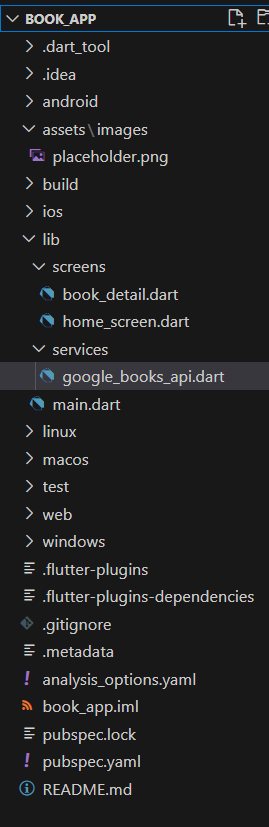
Add the boilerplate code below in main.dart to initialize the ChangeNotifierProvider in the providers list inside the MultiProvider in the main function, and create a basic structure with an MaterialApp.
main.dart:
An HTTP request is made to the API and the data of matching query is fetched. The UI is updated according to the status code.
google_books_api.dart:
This has the UI of the home page. The user can enter the Title of the book in the textfield and click on search icon to fetch the result. ListView represents the scrollable list of available books. The navigation logic fetches the description of the book from the ListView.
home_screen.dart:
This page fetches the details of the book from the Google Books API. It fetches the preview link and download link of the book using the API. It has UI to present the cover of the book.
Note : Since we are using a free API, the cover image and download feature may not properly work. The code below handles the API failure.
book_details.dart:
Save the project and enter below command to run the application.
flutter runClick Here to get the Full Application Code Access