|
VOOZH | about |
|
VOOZH | about |
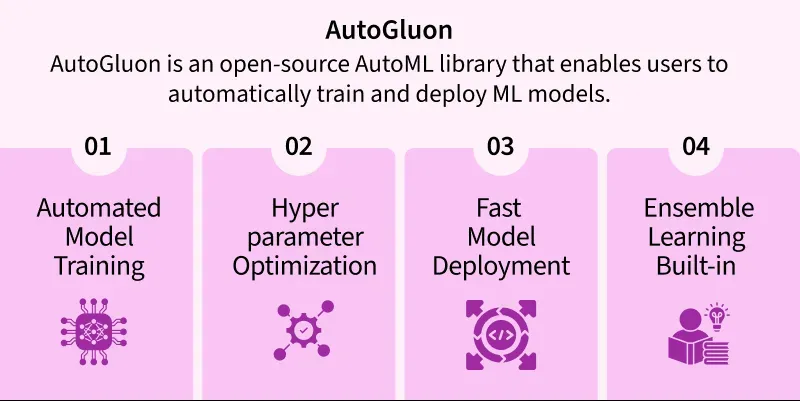
AutoGluon is an open-source library for AutoML. It automates the process of applying machine learning to real-world problems, abstracting away low-level details and manual training steps such as model selection, hyperparameter tuning, and ensembling.
1. Ease of Use: AutoGluon is designed to abstract the complexities of the machine learning pipeline by providing a high-level interface. This abstraction facilitates rapid prototyping and experimentation while reducing the cognitive load on the user.
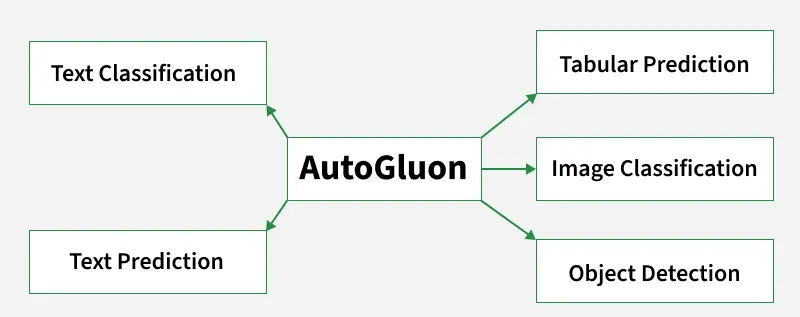
2. AutoML for Multiple Tasks: The framework is equipped with task-specific modules for automated learning. These include tabular data modeling (structured datasets), image recognition (using convolutional architectures), and natural language processing (via embeddings and sequence models).
3. Hyperparameter Optimization: The process of hyperparameter tuning in AutoGluon utilizes search strategies grounded in optimization theory. Techniques like random search and Bayesian optimization are employed to find configurations that minimize validation loss.
4. Time and Resource Constraints: AutoGluon incorporates mechanisms for bounded optimization where the training process adheres to user-defined time budgets or hardware limitations.
5. Model Interpretability: Interpretability tools are grounded in information theory and model-agnostic explanation frameworks.
6. Leaderboard and Evaluation: The evaluation phase is guided by empirical risk minimization, where models are scored based on their generalization performance over a holdout dataset. Leaderboards rank models by objective metrics such as accuracy, log-loss, or F1-score.
First Install the library using the following command:
!pip install autogluon
Now, import the specific functionality you wish to use in the AutoGluon library. For Example: We can use the following command to use a Predictor function.
from autogluon.tabular import TabularPredictor
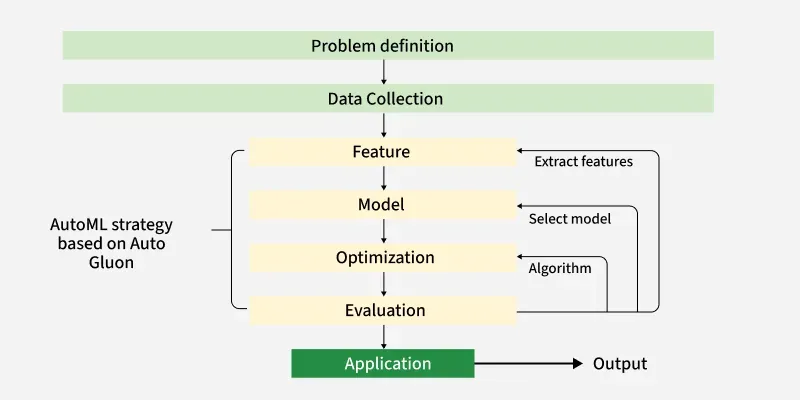
The AutoML workflow in AutoGluon is designed to simplify the machine learning pipeline by automating repetitive and complex steps. The major stages in this workflow include:
AutoGluon provides various functional modules, each tailored to a specific type of machine learning task:
1. Tabular Prediction
2. Image Prediction
3. Text Prediction (NLP)
4. Multimodal Prediction
5. Time Series Forecasting
6. Hyperparameter Optimization
7. Model Export and Deployment
First, install the AutoGluon library using the pip command.
!pip install autogluon
Now, import all necessary libraries and dependencies.
Now, load your dataset and apply data pre-processing on it. AutoGluon handles missing values and type inference automatically. You can split into train/test sets now. You can download dataset from .
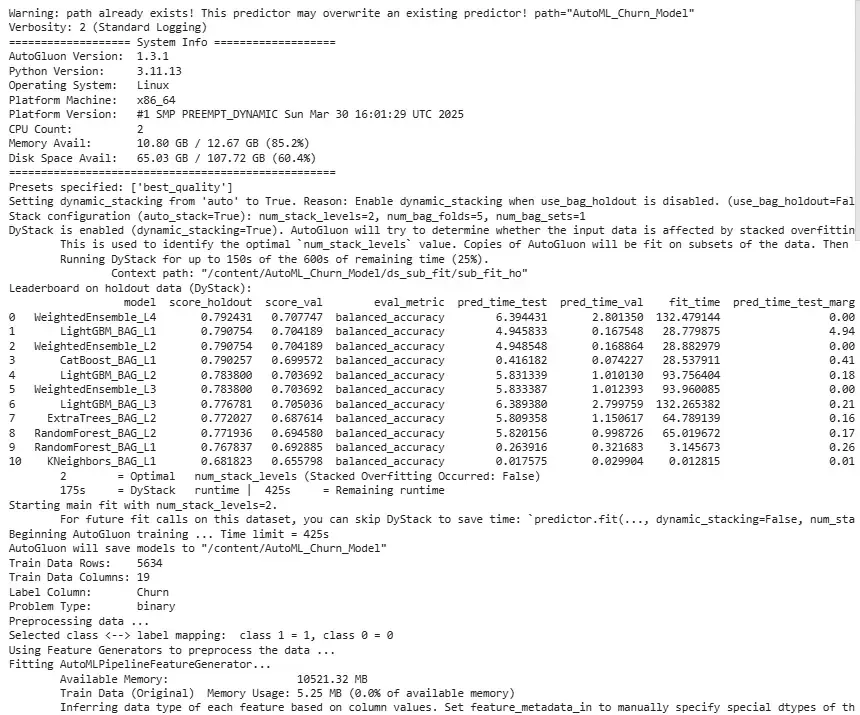
In this step, we use Tabular Predictor to initialize prediction. We can then call the fit function to start training using multiple models.
Output
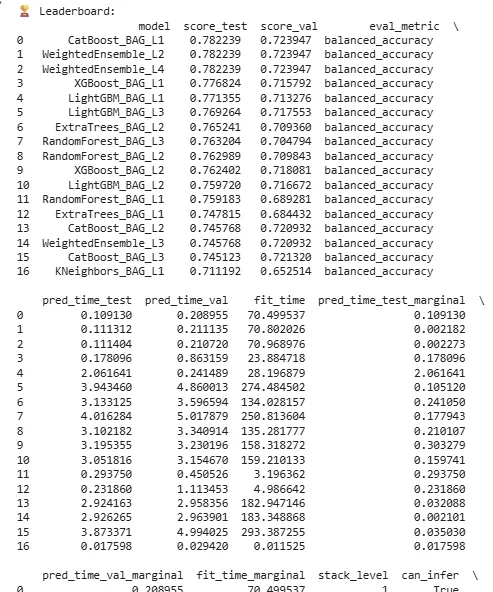
This part of implementation helps to see model rankings. It shows metrics like accuracy, F1, training time, etc. and Helps identify top-performing models based on chosen metrics.
Output
In the above output, we can analyze the model rankings and proceed accordingly.
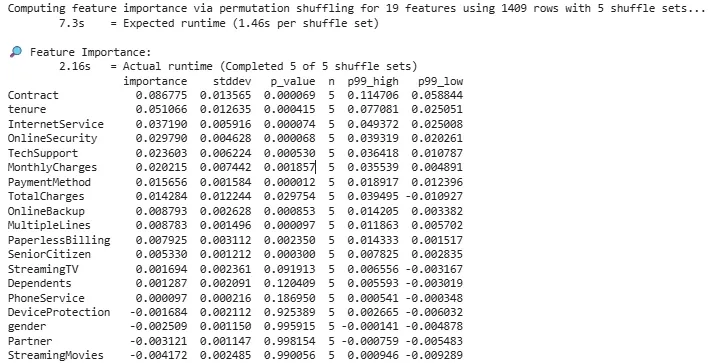
This plot returns importance scores for each input feature. It is useful for understanding which features drive predictions.
Output
Metrics include accuracy, RMSE, log-loss depending on task type.
Output
Metrics: {'balanced_accuracy': np.float64(0.782238864678543), 'accuracy': 0.7693399574166075, 'mcc': np.float64(0.5095293371050179), 'roc_auc': np.float64(0.8638685602492573), 'f1': 0.6501614639397201, 'precision': 0.5431654676258992, 'recall': 0.8096514745308311}
We can now save the model. The saved model includes all necessary training info. It can be reloaded and used further.
Output
TabularPredictor saved. To load, use: predictor = TabularPredictor.load("/content/AutoML_Churn_Model")
You can download source code from here.