Padding is used in convolution to preserve input size and avoid loss of border information. Since convolution reduces output size, adding extra pixels (usually zeros) helps retain edge details and control the output feature map size.
Without padding, output size decreases and edge information may be lost
Padding adds extra pixels to preserve spatial information and control output size
In Valid padding there is no padding, output shrinks
In Same padding output size remains equal to input
Padding in CNNs
Padding is a technique used to preserve the spatial dimensions of the input image after convolution operations on a feature map. Padding involves adding extra pixels around the border of the input feature map before convolution.
Adds extra pixels (usually zeros) around the input before convolution
Helps preserve spatial dimensions and avoid loss of edge information
Valid Padding: No padding is added, so output size is smaller
Same Padding: Padding is added to keep output size equal to input
Padding size depends on kernel size and desired output
Improves model performance but slightly increases computation cost
Limitations of Convolution Without Padding
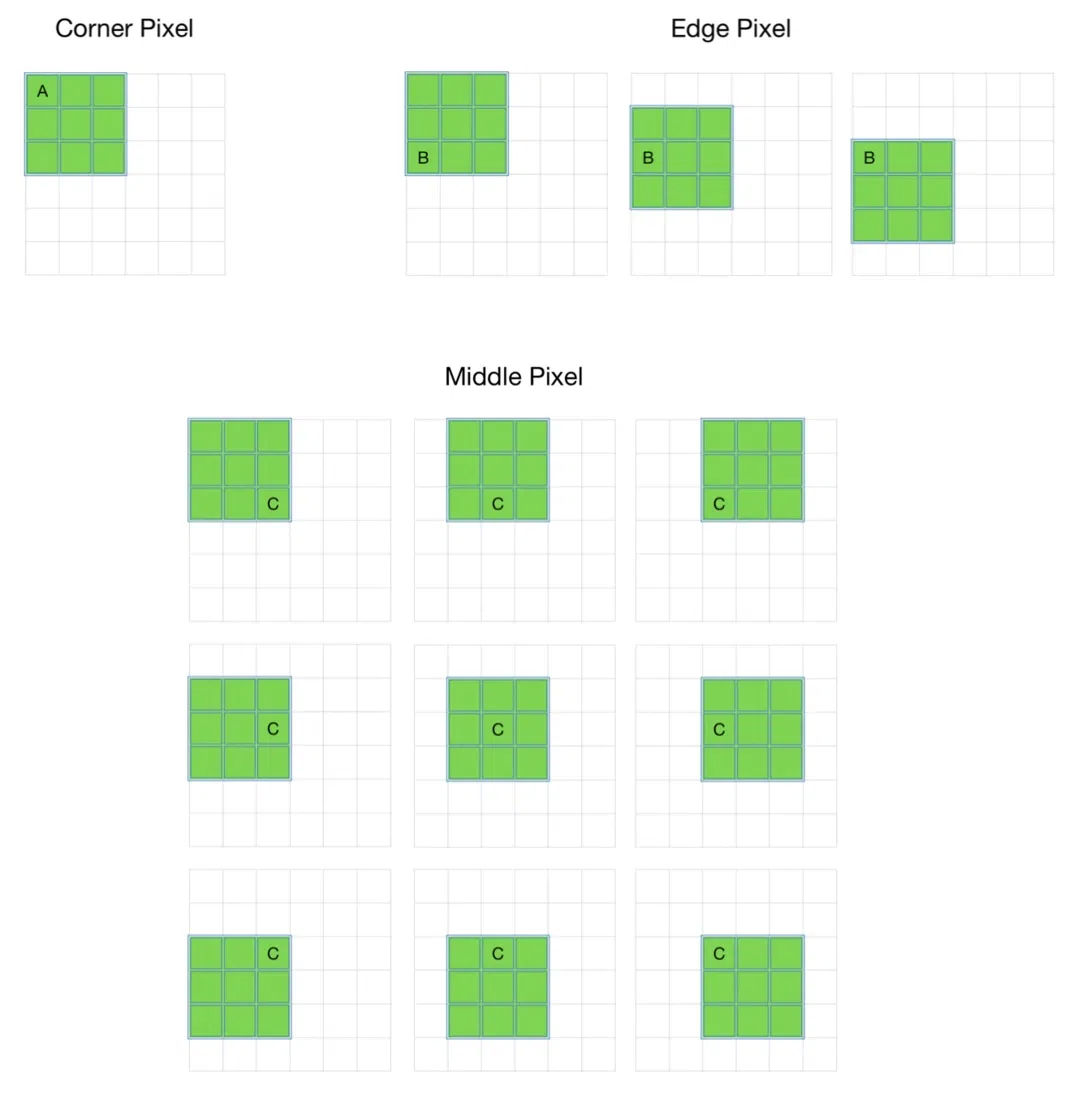
When convolution is applied without padding, it leads to loss of spatial information and uneven usage of pixels across the image.
Output size reduces after each convolution:
Example: 8×8 image with 3×3 filter gives 6×6 output


.webp)