VOOZH about

URL: https://www.geeksforgeeks.org/machine-learning/deploying-ml-models-as-api-using-fastapi/

⇱ Deploying ML Models as API using FastAPI - GeeksforGeeks


  • Courses
  • Tutorials
  • Interview Prep

Deploying ML Models as API using FastAPI

Last Updated : 11 May, 2026

Self-training is a semi-supervised learning technique where a model is first trained on a small labeled dataset and then iteratively improves itself using its own high-confidence predictions on unlabeled data.

Before getting started, install the required libraries using the following command:

pip install fastapi uvicorn scikit-learn pydantic

Step-by-Step Implementation

Step 1: Import Required Libraries

We first import all the necessary modules like FastAPI, scikit-learn, and pydantic.

Explanation:

  • FastAPI helps in creating the API endpoints and load_iris loads the Iris dataset used for training.
  • GaussianNB is the Naive Bayes model used for classification.
  • BaseModel from pydantic is used to define the input data format and validate it automatically.

Step 2: Define Input Data Format

Next, we define what kind of input data our API will accept. Using Pydantic’s BaseModel, we define the structure of the incoming JSON data.

Explanation:

  • Each attribute corresponds to a feature from the Iris dataset.
  • All values are of type float, ensuring the API accepts only numeric inputs.
  • FastAPI uses this class to automatically validate incoming requests and show clear error messages if input is invalid.

Step 3: Train the Machine Learning Model

We’ll now load the Iris dataset and train a simple Gaussian Naive Bayes classifier to predict the flower type.

Explanation:

  • load_iris() loads the dataset with features (measurements) and labels (flower types).
  • GaussianNB() creates a Naive Bayes classifier.
  • fit(X, y) trains the model using the dataset.

Step 4: Create the FastAPI App and Prediction Endpoint

Now, we’ll combine everything create the FastAPI app, load the model, and add a /predict endpoint that accepts JSON input and returns the predicted flower class.

Explanation:

  • @app.post("/predict") defines an endpoint that accepts POST requests with input data.
  • The data parameter (of type IrisFeatures) automatically validates and parses the JSON input.
  • The model predicts the class of the flower using clf.predict().
  • The result is returned as a JSON object containing the predicted flower name.

Step 5: Run and Test the API

Now, save your code (for example, as basic.py) and run the server using:

uvicorn basic:app --reload

Explanation:

  • basic is the name of your Python file (without .py).
  • app is the FastAPI instance inside that file.
  • --reload restarts the server automatically whenever you update the code.

Output

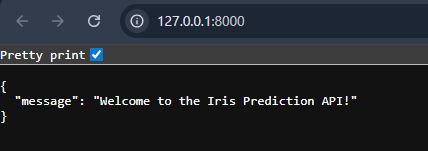
Then, open your browser and go to http://127.0.0.1:8000/ You’ll see a message showing that your FastAPI app is running.

👁 IrisPredictionAPI_Output
http://127.0.0.1:8000/

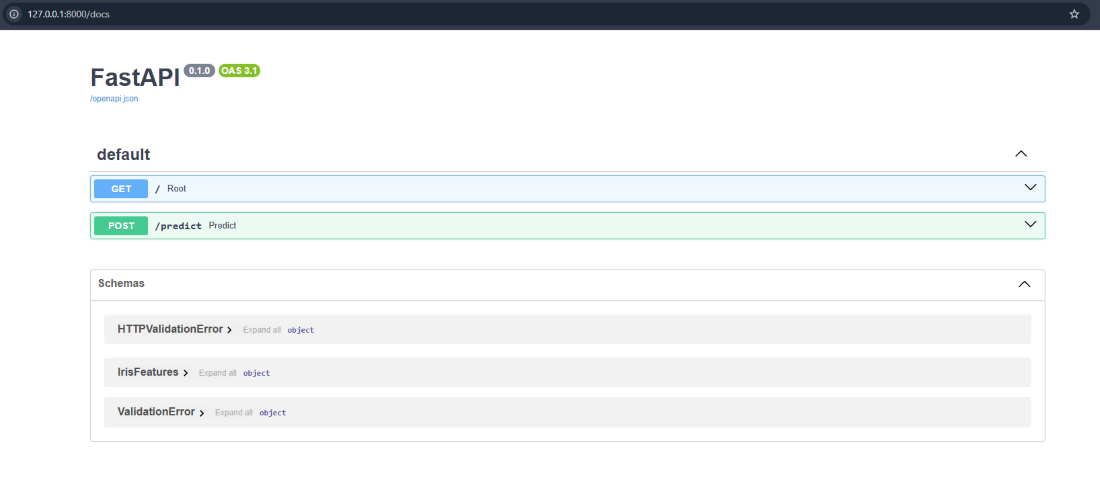
To test our API we'll be using Swagger UI now to access that you'll just need to add /docs at the end of your path. So go to http://127.0.0.1:8000/docs. And you should see the following output:

👁 SwaggerDocs
http://127.0.0.1:8000/docs

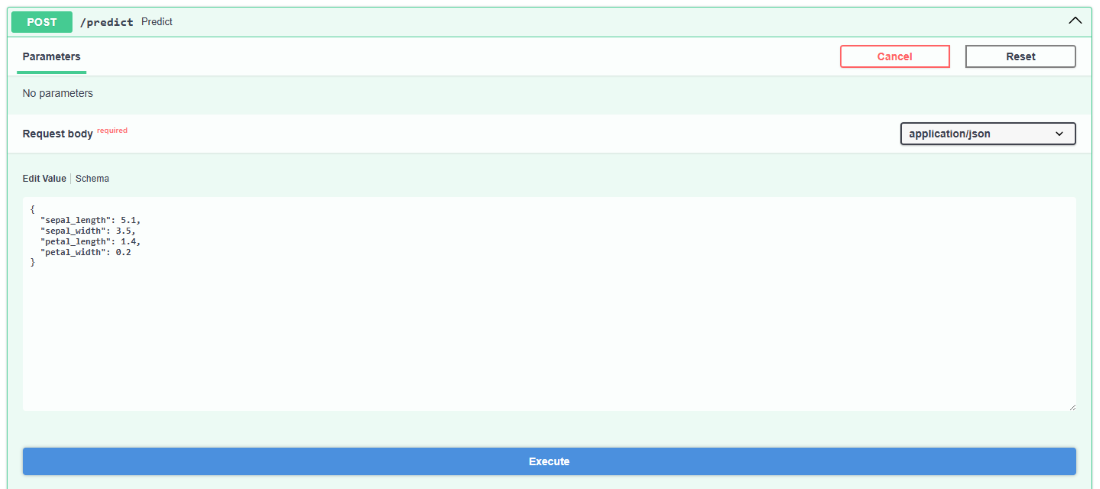
Here, you’ll see the /predict endpoint we created along with a “Try it out” button to test the API directly. Click “Try it out” and enter the following JSON input in the text box:

{
"sepal_length": 5.1,
"sepal_width": 3.5,
"petal_length": 1.4,
"petal_width": 0.2
}

👁 Predict_post
Responses

After entering the data, click “Execute.” You’ll see the output under the Responses section showing the predicted flower type, for example:

👁 PredictedValue
Output

That means the model has classified the input as the Setosa species.

Comment