|
VOOZH | about |
|
VOOZH | about |
Google Colab is a cloud-based Jupyter notebook environment that allows you to write and execute Python code in the browser with zero configuration required. It offers free access to computing resources, including GPUs and TPUs, making it an excellent platform for machine learning and data science projects. Scikit-learn is a popular machine learning library in Python that provides simple and efficient tools for data mining and data analysis. This guide will walk you through the process of installing and using Scikit-learn in Google Colab.
Table of Content
Open your web browser and go to Google Colab.
Sign in with your Google account if you are not already logged in.
Once you are in Google Colab, click on File > New Notebook. This will create a new Jupyter notebook where you can start writing and executing your code.
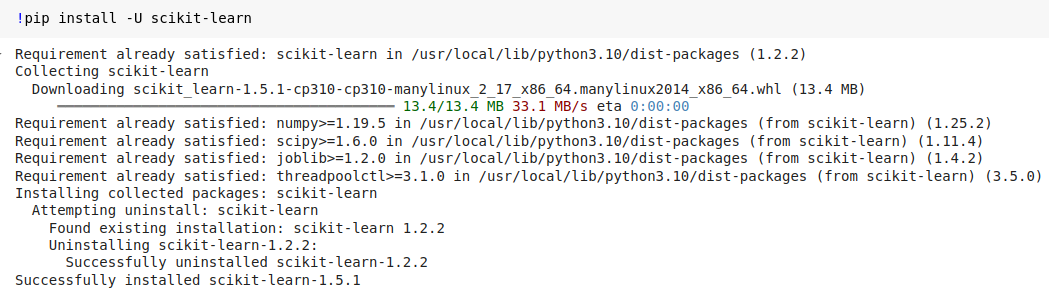
While Scikit-learn is usually pre-installed in Google Colab, you might want to manually install it to ensure you have the latest version or if it's not available. Follow these steps:
!pip install -U scikit-learn
or!pip install https://codeload.github.com/Santosh-Gupta/scikit-learn/zip/refs/heads/master
To verify that Scikit-learn has been installed correctly, you can import it and check its version with the following code:
Press Shift + Enter to execute the cell. This will install Scikit-learn (if it wasn't already installed) and print its version to confirm the installation.