|
VOOZH | about |
|
VOOZH | about |
Prerequisite: K-means clustering
The internet is filled with huge amounts of data in the form of images. People upload millions of pictures every day on social media sites such as Instagram, and Facebook and cloud storage platforms such as google drive, etc. With such large amounts of data, image compression techniques become important to compress the images and reduce storage space. In this article, we will look at image compression using the K-means clustering algorithm which is an unsupervised learning algorithm. An image is made up of several intensity values known as Pixels. In a colored image, each pixel is of 3 bytes containing RGB (Red-Blue-Green) values having Red intensity value, then Blue and then Green intensity value for each pixel.
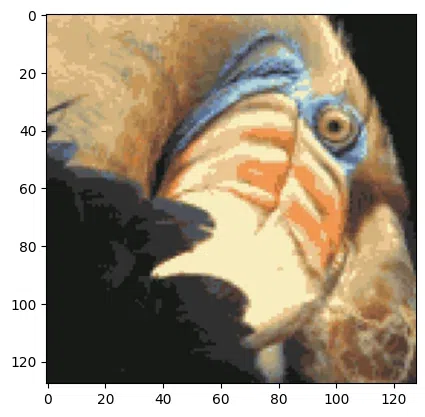
Approach: K-means clustering will group similar colors together into ‘k’ clusters (say k=64) of different colors (RGB values). Therefore, each cluster centroid is representative of the color vector in the RGB color space of its respective cluster. Now, these ‘k’ cluster centroids will replace all the color vectors in their respective clusters. Thus, we need to only store the label for each pixel that tells the cluster to which this pixel belongs. Additionally, we keep a record of the color vectors of each cluster center.
Image compression using K-means clustering is a technique that can be used to reduce the size of an image file while maintaining its visual quality. This technique involves clustering the pixels in an image into a smaller number of groups and then representing each group by its mean color. The resulting image will have fewer colors, which reduces the file size, but the overall appearance of the image is still preserved. We will use the OpenCV library for reading, writing, and saving the image, we will also use NumPy and Matplotlib library for creating and plotting the array.
-> Numpy library: pip install numpy.
-> Matplotlib library: pip install matplotlib.
-> Opencv library: pip install opencv-python
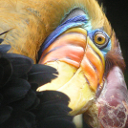
Input Image:
First, we will import the libraries that are needed for this image, Then we will download the above image to our local system and upload it to the notebook and read it using OpenCV.
Here, We will initialize random positions for the centroid. Also, the centroid will decide the total number of colors that we want in our compressed image.
We will measure the Euclidean distance between the image array to adjust our image centroid
We will apply the k-means clustering algorithm, This algorithm works iteratively to find the data points which have similar colors and characteristics.
We will create a function called Compres_image which will take a number of means as input where the position of the mean has been calculated by the k-means model and it will return a compressed image.
We will call the function in a consecutive manner to compress the image.
Output: