|
VOOZH | about |
|
VOOZH | about |
JSON (JavaScript Object Notation) is a lightweight data format that stores data as key-value pairs within curly braces {}. Python's json module makes it easy to work with JSON data, whether you are parsing JSON strings, converting Python objects to JSON, or appending new data to existing JSON files.
json Module: Parses a JSON string and returns a Python dictionary.
Syntax: json.loads(json_string)
Parameter: It takes JSON string as the parameter.
Return type: It returns the python dictionary object.
Converts a Python object to a JSON string.
Syntax: json.dumps(object)
Parameter: It takes Python Object as the parameter.
Return type: It returns the JSON string.
Updates a dictionary with elements from another dictionary or iterable key-value pairs.
Syntax: dict.update([other])
Parameters: Takes another dictionary or an iterable key/value pair.
Return type: Returns None.
Output:
{"organization": "GeeksForGeeks", "city": "Noida", "country": "India", "pin": 110096}
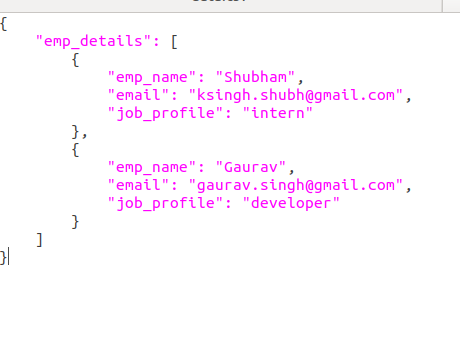
The write_json() function reads the existing data, updates it, and then writes the updated data back to the file. Suppose the JSON file looks like this.
👁 python-jsonWe want to add another JSON data after emp_details. Below is the implementation.