|
VOOZH | about |
|
VOOZH | about |
Automating Git commands with Python involves using Python scripts to execute Git operations programmatically, reducing manual effort and improving workflow efficiency.
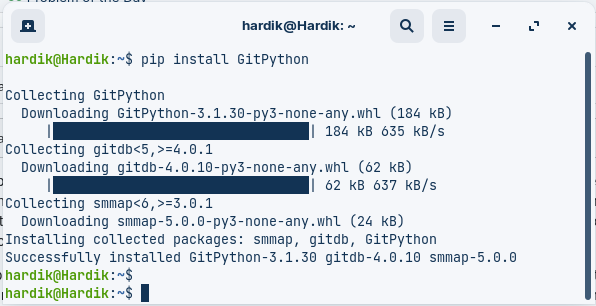
subprocess or libraries such as GitPythonTo start automating Git commands with Python, you will first need to install GitPython by running the following command:
pip install GitPythonOutput:
To create a local copy of the repository at the specified local_path directory, using the repository URL repo_url
import git
repo = gitRepo.clone_from('https://github.com/username/repository', '/path/to/local/directory')
Example:
Output:
Repository Cloned at location: /home/hardik/GFG_Temp/Cloned_RepoVerify: Go to the location where you cloned the repository to verify it.
Add the specified files to the index, preparing them to be committed.
repo.index.add(['file1', 'file2'])Create a new commit in the local repository with the specified commit message.
repo.index.commit('Your Commit Message')Example:
Output:
Files Added Successfully
Commited successfully
Push the local commits to the remote repository
origin = repo.remote(name='origin')
origin.push()
Example:
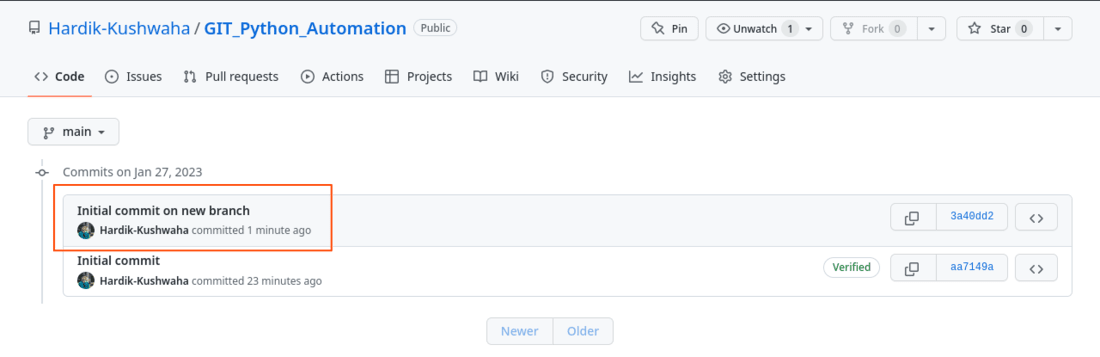
Output:
Commited successfully
Pushed changes to origin
Verify:
To create a new branch, you can use the create_head() method of the Repo class, which creates a new branch with the specified name
new_branch = repo.create_head('new_branch')To checkout the new branch
new_branch.checkout()Example:
Output:
First initialize a new repository using git.Repo.init() method. We then create a new branch called new_branch using the create_head() method. We then check out the new branch using the checkout() method.
New Branch Created
Changed the current branch to new_branch
To switch to an existing branch, you can use the heads attribute of the Repo class, which returns a list of branches, and then call the checkout method on the desired branch.
Output:
Branch Changed to an existing branchTo update the local repository with the latest changes from the remote repository we use git pull command
Example:
Output:
Pulled Changes from the originVerify: New file hacktoberfest_tree_cert.pdf got pulled from the origin and got saved to the local machine.