|
VOOZH | about |
|
VOOZH | about |
A WhatsApp bot is application software that is able to carry on communication with humans in a spoken or written manner. And today we are going to learn how we can create a WhatsApp bot using python. First, let's see the requirements for building the WhatsApp bot using python language.
Step 1: Set up the Twilio account using the Twilio WhatsApp API.
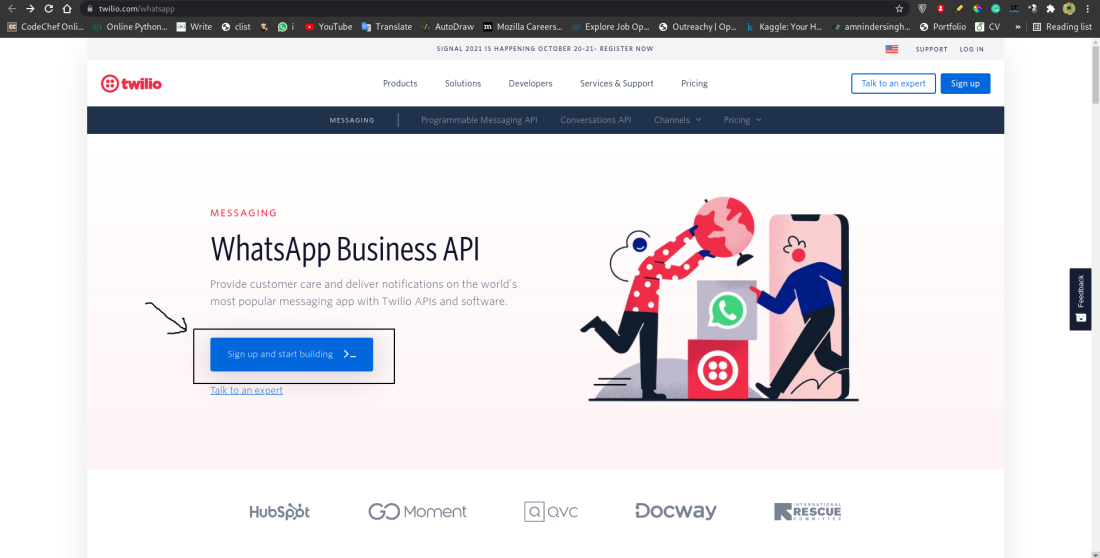
Go to this link and click on signup and start building button and fill in your details and verify your email ID and mobile number.
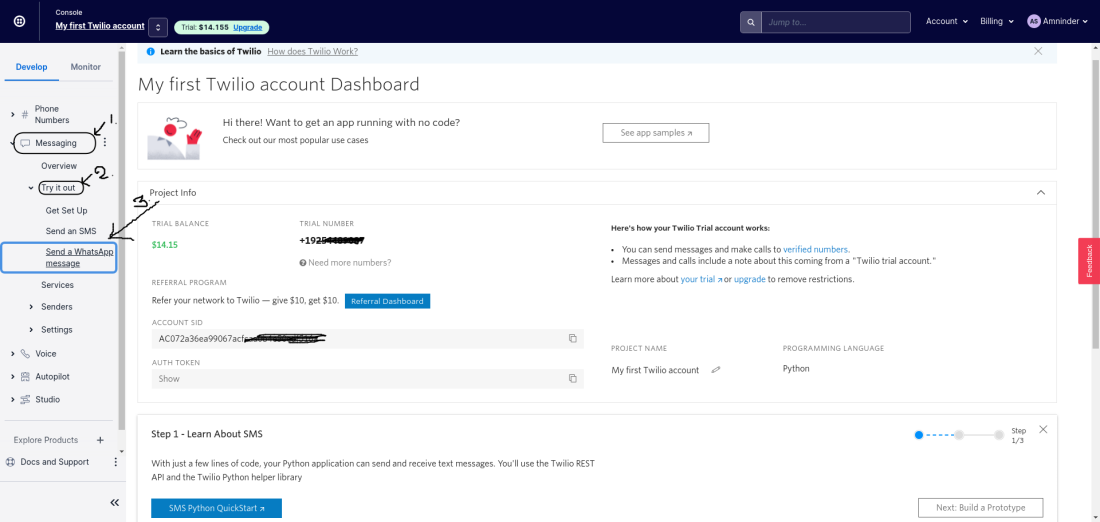
After login, select the Develop option from the left menu and then further select the Messaging subject then select the Try it out option, and in the last click on Send a WhatsApp message. This will open up a new webpage for setting up the WhatsApp Sandbox.
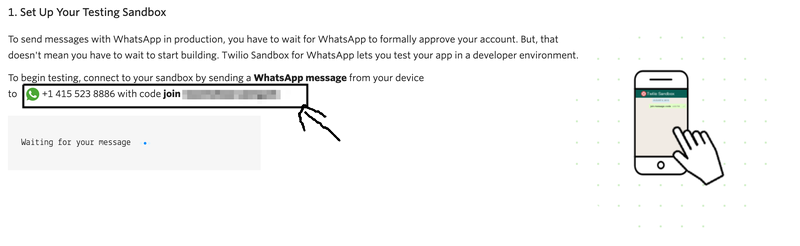
Step 2: Configure the Twilio WhatsApp Sandbox by sending a message to this WhatsApp number with the secret unique security code as shown in the below images:
Send the code as below format to the following number: +14155238886
secret code : join <secret-code>
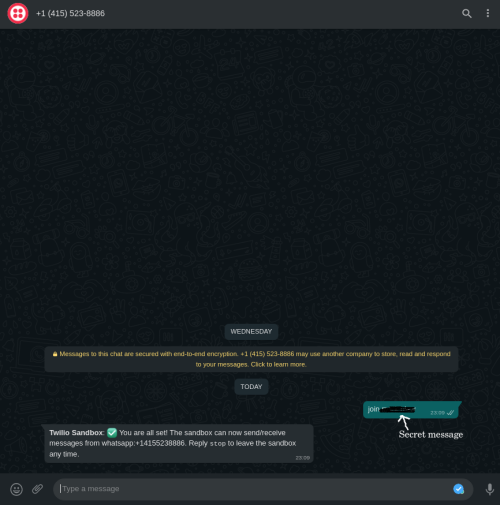
Now, send the secret code to the above WhatsApp message and you will receive a confirmation message as below:
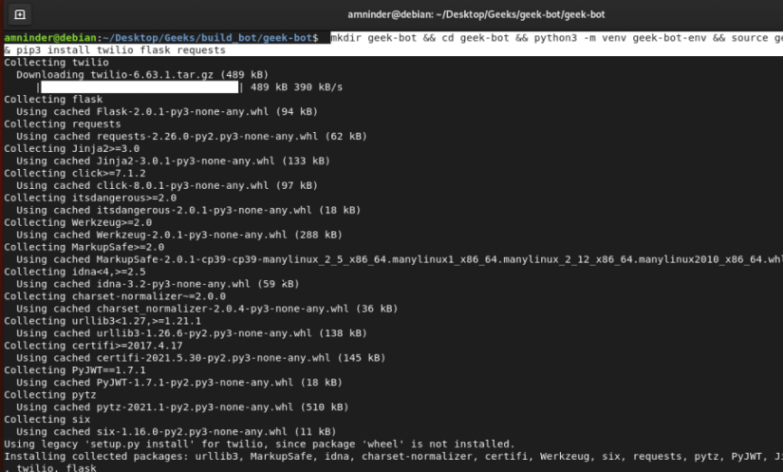
Step 3: Open up the terminal and run the following command to create a directory for the bot, to create a virtual environment for python, to install all the necessary packages.
mkdir geeks-bot && cd geeks-bot
python3 -m venv geek-bot-env && source geek-bot-env/bin/activate
pip3 install twilio flask requests
Here are the above commands in just one line :
mkdir geek-bot && cd geek-bot && python3 -m venv geek-bot-env && source geek-bot-env/bin/activate && pip3 install twilio flask requests
Output:
Step 1: Import the necessary files needed to run this flask app.
Step 2: Receiving message entered by the user and sending the response. We can access the user response that is coming in the payload of the POST request with a key of ’Body’.
To send messages/respond to the user, we are going to use MessagingResponse() function from Twilio.
Step 3: So now we will build the chatbot logic, we are going to ask the user to enter a topic that he/she want to learn then we send the message to the bot, and the bot will search the query and respond with the most relevant article from geeksforgeeks to the user.
Here, in this function, using user_msg will receive the user response/query. Then we are using google search to fetch the first 5 links from the Google search with the user query and storing them into a list called result. After that, are simply sending the first 5 links to the user using the Twilio messaging service.
To run the bot will follow these steps:
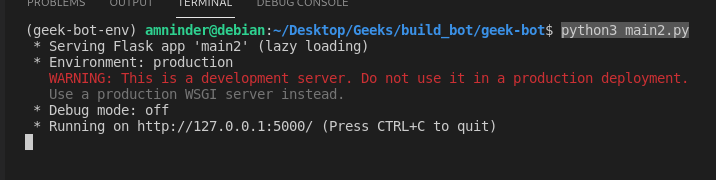
Firstly, run the above script using the following command:
python3 main2.py
Output:
Secondly, open up another terminal window and run the following command to start the ngrok server.
ngrok http 5000
Output:
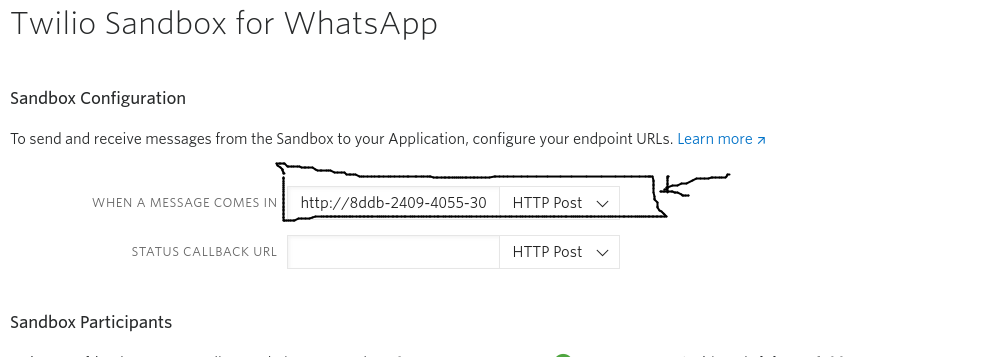
And third and last step we have to do is to set up the forwarding URL in the WhatsApp Sandbox Settings. Navigate to the following link and paste the forwarding URL in the selected location and click on save.
Here, we have imported all the necessary libraries that we're going to use during the execution of the chatbot then we are creating a function called a bot, where we are going to implement our chatbot logic. In the bot function, firstly, we are fetching the response made by the user using WhatsApp and saving it into a variable called user_msg. After that we have created an object of MessagingResponse(), we need that for sending the reply to the user using WhatsApp. We are appending user query with the word "geeksforgeeks.org" because we have made this bot with respect to a user who might have the study-related queries and he/she can ask any doubt related to studies. After that, we have created a list called result where we are going to save the URLs that we have to send to the user. We are using the google search library for googling purposes. Using for loop, we are fetching the first 5 article links and saving them into the result. Using response.message() function we are simply sending the result back to the user through WhatsApp.
Output: