|
VOOZH | about |
|
VOOZH | about |
In Python 2, both str and bytes are the same typeByte objects whereas in Python 3 Byte objects, defined in Python 3 are "sequence of bytes" and similar to "unicode" objects from Python 2. In this article, we will see the difference between byte objects and strings in Python and also will look at how we can convert byte string to normal string and vice versa.
S.NO | Byte Object | Python String |
|---|---|---|
|
1. | Byte objects are a sequence of Bytes. | Strings are a sequence of characters. |
|
2. | Byte objects are in machine-readable form internally. | Strings are only in human-readable form. |
|
3. | Bytes are used to handle binary data. | Strings are used to handle textual data. |
|
4. | They can be directly stored on the disk. | They need encoding before they are stored on disk. |
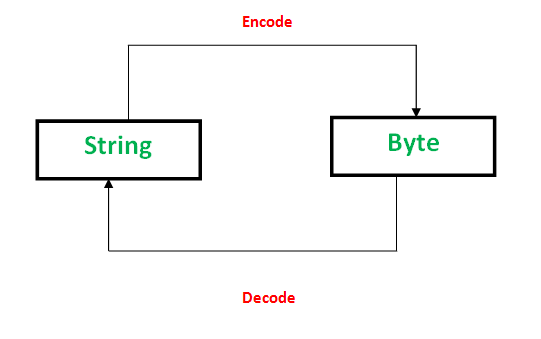
PNG, JPEG, MP3, WAV, ASCII, UTF-8 etc are different forms of encodings. An encoding is a format to represent audio, images, text, etc in bytes. Converting Strings to byte objects is termed as encoding. This is necessary so that the text can be stored on disk using mapping using ASCII or UTF-8 encoding techniques.
This task is achieved using encode(). It take encoding technique as argument. Default technique is "UTF-8" technique.
Encoding successful
Similarly, Decoding is process to convert a Byte object to String. It is implemented using decode() . A byte string can be decoded back into a character string, if you know which encoding was used to encode it. Encoding and Decoding are inverse processes.
Decoding successful
In this example, we have defined a string "Geeks" and a byte string "forGeeks". After that we used decode() method to convert byte string to normal string and then concatenate both of them.
GeeksforGeeks