|
VOOZH | about |
|
VOOZH | about |
Python provides libraries that allow you to read, modify and save Excel files easily. In this article, we will learn how to change the value of a cell in an Excel spreadsheet using Python.
Below are the several methods to perform this task.
openpyxl is a Python library used to read and write Excel files in .xlsx, .xlsm, .xltx, and .xltm formats. It works with the modern Office Open XML format and is the most commonly used library for Excel automation in Python. Install it using the below command:
pip install openpyxl
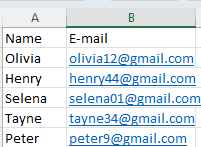
Excel File Used: (sample.xlsx)
To download the file used in this, click here
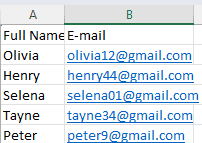
Output
Explanation:
pandas can read, modify, and write Excel files easily. It's especially useful when you want to work with multiple cells or large data.
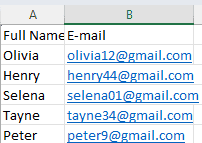
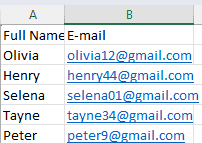
Output
xlwings can interact with Excel directly through the Excel application. This is useful if you want to update Excel while it's open.