|
VOOZH | about |
|
VOOZH | about |
Prerequisite: Python GUI – tkinter
Python offers multiple options for developing a GUI (Graphical User Interface). Out of all the GUI methods, tkinter is the most commonly used method. It is a standard Python interface to the Tk GUI toolkit shipped with Python.
In this article, we will learn, how to change the mouse cursor in Tkinter Using Python.
There are about 20 cursors that can be found in Tkinter:
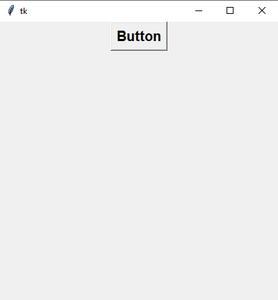
Step1: Create Normal Tkinter window and add Button
Output:
👁 ImageStep2: Add cursor in button
For adding a cursor in Button, use cursor attributes.
Button(root,text="Button",font=("Helvetica 15 bold"),cursor="star").pack()
Use all cursors
Below is the GUI looks like:-
👁 ImageBelow is the implementation:
Output:-
For making the cursor globally, use config() method.
Output:-