|
VOOZH | about |
|
VOOZH | about |
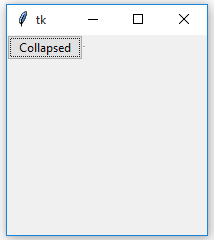
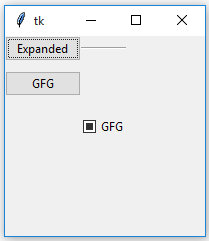
A collapsible pane, as the name suggests, is a pane which can be collapsed. User can expand pane so that they can perform some task and when task is completed, pane can be collapsed.
In Tkinter, Collapsible pane is a container with an embedded button-like control which is used to expand or collapse this container.
Prerequisites:
Frame Class
Checkbutton Class
Styling in widgets
configure() method
CollapsiblePane class -
CollapsiblePane widget is used to store any other widgets inside of it. It can be toggled on or off, so widgets inside of it aren't always shown.
Parameters:
parent = The parent of the widget.
expanded_text = The text shown on the Button when the pane is open.
collapsed_text = The text shown on the Button when the pane is closed.
Functions:
_activate() = Checks the value of variable and shows or hides the Frame.
toggle() = Switches the LabelFrame to the opposite state.
Widgets:
self_button = The Button that toggles the Frame.
frame = The Frame that holds the widget.
_separator = The Separator.
Program to demonstrate use of CollapsiblePane -