|
VOOZH | about |
|
VOOZH | about |
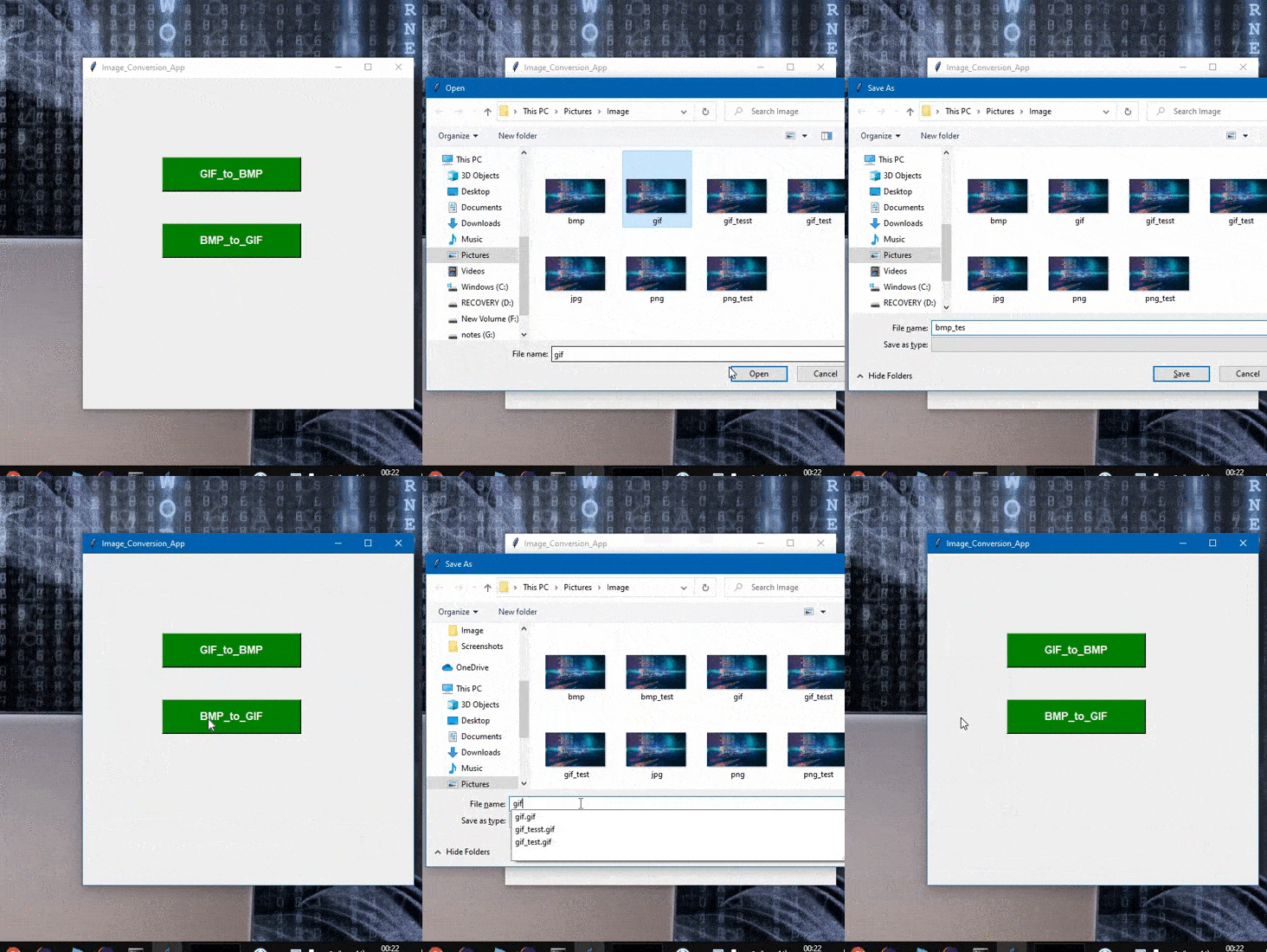
Sometimes it is required to attach the Image where we required an image file with the specified extension. And we have the image with the different extension which needs to be converted with a specified extension like in this we will convert the image having Extension of .bmp to .gif and Vice-Versa. In this article, we are going to convert .GIF to .BMP and .BMP to .GIF.
And Also we will be creating the GUI interface to the Code, so we will require the Library Tkinter. Tkinter is a Python binding to the Tk GUI toolkit. It is the standard Python interface to the Tk GUI toolkit which provides the interface to the GUI apps.
Let's implement with step-wise:
Step 1: Import the library.
from PIL import Image
Step 2: JPG to GIF
To convert the image From BMP to GIF : {Syntax}
img = Image.open("Image.bmp")
img.save("Image.gif")
Step 3: GIF to JPG
To convert the Image From GIF to PNG
img = Image.open("Image.gif")
img.save("Image.bmp")
Approach:
Below is the full implementation:
Output:
👁 Image