|
VOOZH | about |
|
VOOZH | about |
Prerequisites: Face detection using dlib and openCV
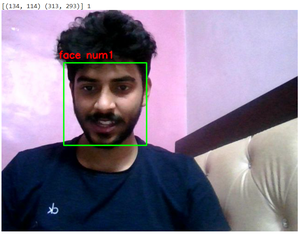
In this article, we will use image processing to detect and count the number of faces. We are not supposed to get all the features of the face. Instead, the objective is to obtain the bounding box through some methods i.e. coordinates of the face in the image, depending on different areas covered by the number of the coordinates, number faces that will be computed.
Below is the step-wise approach to Count the Number of faces:
Step 1: Import required libraries.
Step 2: Open the default camera to capture faces and use the dlib library to get coordinates.
Step 3: Count the number of faces.
Step 4: Terminate the loop.
Step 5: Clear windows.
Below is the complete program of the above approach: