|
VOOZH | about |
|
VOOZH | about |
We are tasked with developing a Python Wordle clone using the rich library. This article will guide you through the process of creating a Python Wordle clone with rich.
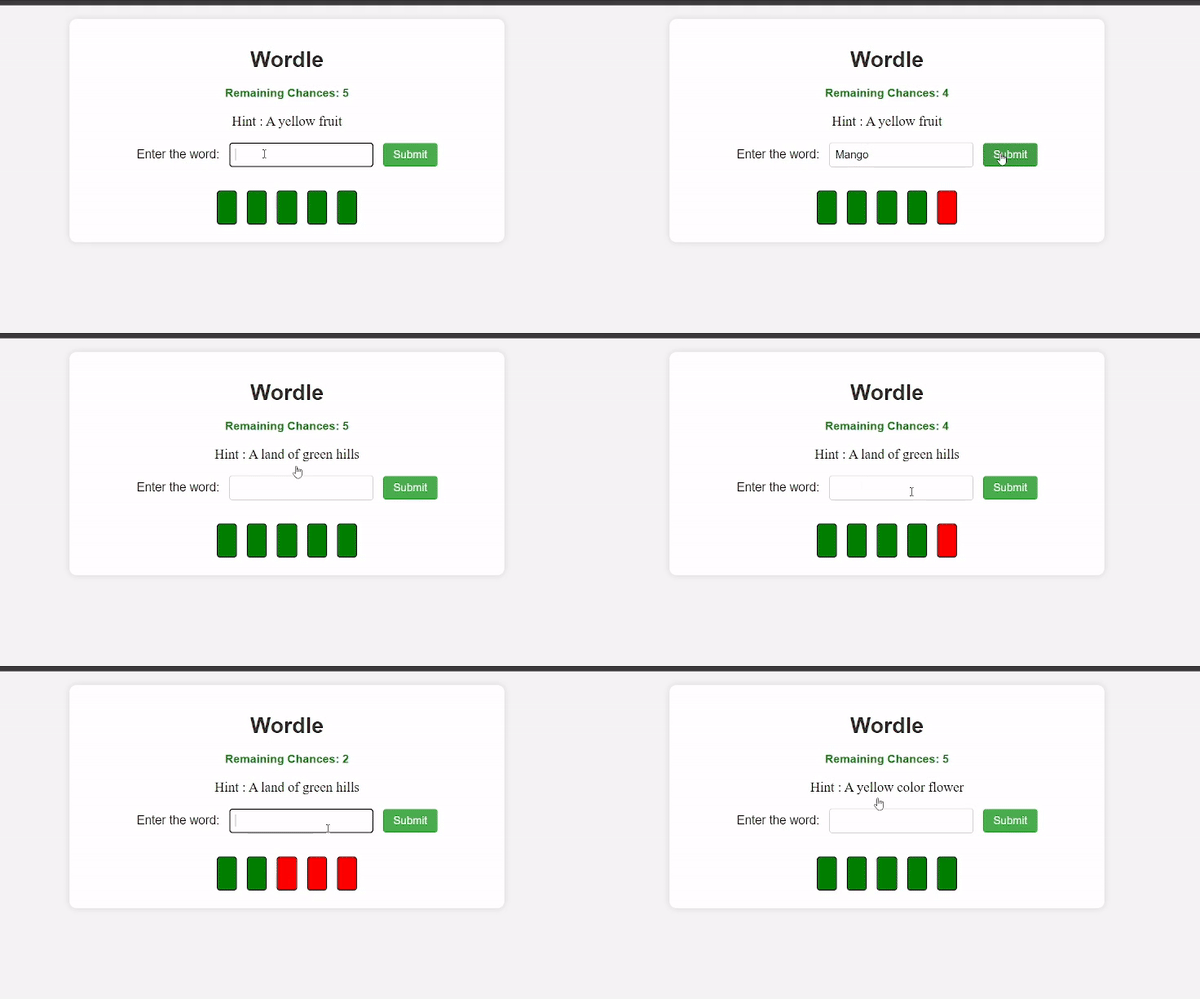
Wordle Clone is a game where, upon opening a web page, a hint is presented on the screen. Players must decipher the word based on the provided hint, with five chances indicated by five green-colored boxes. If a wrong word is guessed, the green boxes turn red. The game is lost when all boxes become red, and victory is achieved by correctly guessing the word. Regardless of the outcome, a flashing message will be displayed on the web page.
Below are the basic steps to create a Python Wordle Clone:
First, create the virtual environment using the below commands.
python -m venv env
.\env\Scripts\activate.ps1
First, install Flask and Flask-Rich to facilitate the creation of the Wordle Clone in Python. Execute the following commands to install Flask and Flask-Rich:
pip install flask
pip install flask-rich
Main/
|-- env
|-- app.py
|-- templates/
 |-- index.html
Here, the step-by-step explanation of Python Wordle Clone with Rich:
Below, code imports the necessary modules for the Flask web application, including Flask itself for web functionality and rich for formatting console output. It also initializes a Flask application (app) and a rich console (console).
Below, code defines a list of words with corresponding hints. It then initializes the Wordle game by randomly selecting a word from the list (word_to_guess), initializing an empty set for correct guesses (correct_guesses), and setting the initial number of remaining chances to 5 (remaining_chances).
Below created functions provide the core logic for the Wordle game:
display_word: Generates the displayed word with underscores for unguessed letters.evaluate_guess: Checks if a guessed word matches the actual word and updates correct guesses accordingly.game_status: Determines the game status (win or ongoing) based on correct guesses.Below code defines two Flask routes:
/: Handles both GET and POST requests for the main game page. Manages user input, updates game state, and renders the HTML template with the appropriate information./reset: Resets the game state (word to guess, correct guesses, remaining chances) and redirects back to the main page.Below is the complete code of app.py that we have used in our article.
index.html : The HTML code structures a Wordle game web page with a clean, centered layout. It dynamically adjusts content based on game progress, displaying hints, user input forms, and visual feedback for incorrect guesses. The design is visually appealing, with colored elements changing based on game outcomes.
For run the server use the below command
python main.py
Output: