Prerequisite : Flask installation
Flask is a lightweight framework written in Python. It is lightweight because it does not require particular tools or libraries and allow rapid web development. today we will create a weather app using flask as a web framework. this weather web app will provide current weather updates of cities searched.
Basic setup :
Create a file and name it as
weather.py
Linux command to create a file
touch weather.py
Now, create a folder
templates with a file name
index.html
Linux command to create a folder and a file
mkdir templates && cd templates && touch index.html
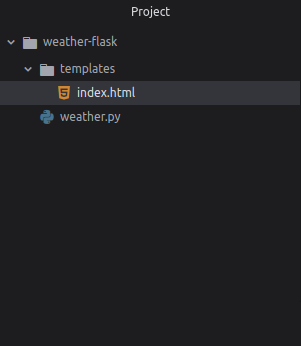
The project folder will look like :
👁 Image
Editing files :
Use your own API key from
Weather API and place it in API variable. Now edit
weather.py file.
Navigate to templates/index.html and edit it:
link to the index file.
Now you can run the server to see the weather app -
python weather.py