|
VOOZH | about |
|
VOOZH | about |
A Pandas Series is a one-dimensional labeled array capable of holding various data types such as integers, strings, floating-point numbers and Python objects. Unlike Python lists a Series ensures that all elements have the same data type. It is widely used in data manipulation and analysis.
In this article we will understand how to create a Pandas series from lists along with explanations and examples.
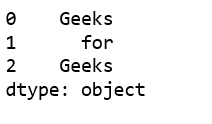
Series() Without an Index ArgumentThe simplest way to create a Pandas Series is by passing a list to the Series() method. If no index is specified Pandas automatically assigns default integer indices starting from 0. Let's see a example to understand this
In the above example we convert the list ['Geeks', 'for', 'Geeks'] into a Pandas Series. Pandas automatically assigns index values (0, 1, 2) and the data type (dtype) is inferred as object because the list contains strings.
Output :
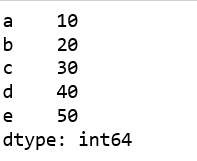
👁 ImageSeries() With a Custom IndexPandas allows us to specify custom indices using the index parameter. This makes it easier to reference elements using meaningful labels instead of default integer indices. For example, in the code below we define custom labels 'a', 'b', 'c', 'd' and 'e' for each element:
Here instead of default indices (0, 1, 2, ...) the Series elements are labeled according to the custom indices provided. This allows us to access elements using meaningful labels rather than numerical indices.
Output :
👁 ImageAnother Example with Numeric Index:
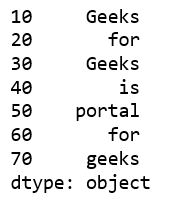
Pandas Series is created using a custom numeric index instead of default or labeled indices. Using numeric indices can be helpful when working with time-based data, keeping track of events or arranging information in order.
Output:
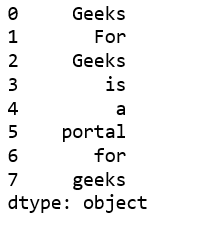
👁 ImageSeries() With a Multi-List ApproachA multi-list approach involves using nested lists to create a Series. However to avoid nesting we extract the elements from sublists while creating the Series. Consider the following example:
In the above code the list consists of multiple single-element sublists such as ['Geeks'], ['For'] etc. If passed directly to pd.Series()each element would still be a list instead of a string. To avoid this we use list comprehension.
Output:
👁 ImageEach method is useful depending on the context—whether we need a quick data structure, labeled indexing for clarity or handling nested data efficiently.