|
VOOZH | about |
|
VOOZH | about |
Django provides a powerful and flexible way to work with relational databases through its Object-Relational Mapping (ORM). One of the common relationships we encounter in database design is the Many-to-Many relationship. In Django, this relationship is represented using a ManyToManyField.
In this article, we'll explore how to create, read, update, and delete objects of a Django model that includes a Many-to-Many field.
A Many-to-Many relationship means that each instance of one model can be related to multiple instances of another model and vice versa. For example, consider a scenario where you have Book and Author models. A book can have multiple authors, and an author can write multiple books.
Suppose we are responsible for creating a schema to store users' travel destinations or favorite foods. We will need a model/table to store destination information such as name, address, and month of travel, and another table to store different tags like adventure, pilgrimage, beach, mountain, etc. In this case, We will need a many-to-many relationship between the destination table and the tags table.
Let's start by defining two models: Author and Book. The Book model will have a ManyToManyField to the Author model.
In this example:
Author model has a single field name.Book model has a title field and a ManyToManyField named authors, which links to the Author model.To create objects in the database, we can use Django's ORM.
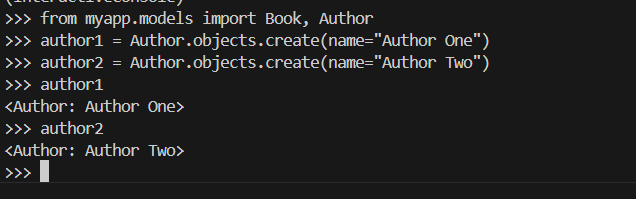
Creating Authors:
Output
There are several ways to associate a Book with Author objects:
1. Using the add() Method:
Output
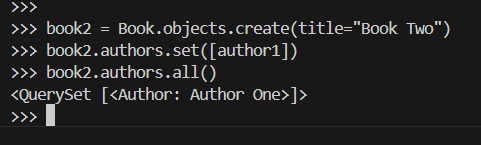
2. Using the set() Method:
The set() method replaces the current set of related objects with a new set.
Output
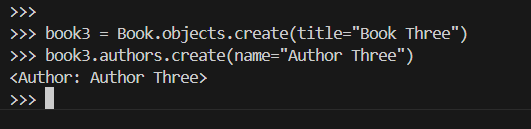
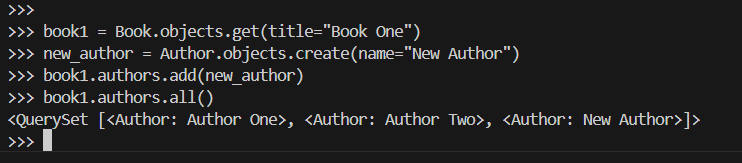
3. Using the create() Method:
We can also create and add an author directly using the create() method:
Output
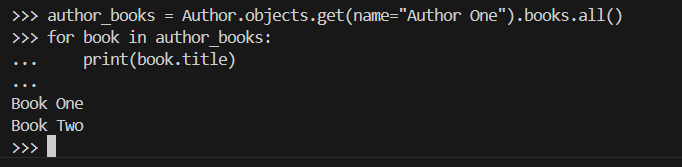
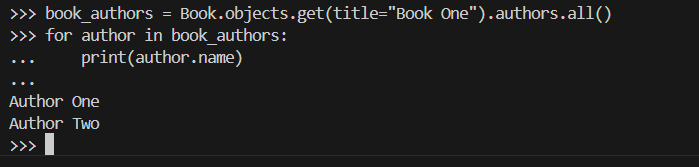
To retrieve objects and their related data, we can use Django’s ORM queries.
Output
Output
Updating objects with a Many-to-Many field involves adding or removing related objects.
Output
Output
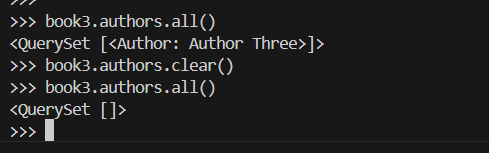
clear() Method:The clear() method removes all associations with related objects:
Output
Deleting objects with Many-to-Many relationships is straightforward. Deleting a Book or Author does not automatically delete the related objects, but it will remove the associations.
Django automatically creates an intermediate table to manage the Many-to-Many relationship. However, if we need to add extra fields to this relationship, we can create a custom through model.
With this setup, we can manage the relationship directly through the BookAuthor model:
Django’s ManyToManyField provides a powerful way to model complex relationships in our application. By understanding how to create, read, update, and delete objects in a model with a Many-to-Many field, we can effectively manage relationships between entities in our database. Whether we're adding authors to books, updating relationships, or managing through models, Django’s ORM offers the tools we need to work efficiently with relational data.