|
VOOZH | about |
|
VOOZH | about |
FastAPI is a state-of-the-art, high-performance web framework that uses normal Python type hints to develop APIs with Python 3.7+. FastAPI's ability to automatically generate interactive API documentation using ReDoc and Swagger UI is one of its best features. Without requiring a separate client, Swagger UI offers a web-based user interface (UI) that enables you to interact with your API endpoints, examine their inputs and outputs, and test them. Even while the Swagger UI's default configuration is rather useful, there might be situations in which you'd like to alter its look or functionality to better meet your requirements. You can customize Swagger UI in FastAPI by following the instructions in this article.
One of the simplest ways to customize Swagger UI is by changing its theme. You can apply different color schemes and styles to match your brand's identity. This can be achieved by modifying the CSS files provided by Swagger UI or by using third-party themes available in the Swagger community.
Swagger UI's layout can be adjusted to better fit the structure and flow of your API documentation. This includes changing the order of sections, adding new sections, or modifying existing ones. The layout can be customized by editing the HTML templates and CSS styles.
For more granular control over the appearance of Swagger UI, you can add custom CSS. This allows you to override default styles and create a unique look and feel. Custom CSS can be added directly to the Swagger UI HTML file or included as a separate stylesheet.
Injecting custom JavaScript can extend the functionality of Swagger UI. You can use JavaScript to add new features, modify existing ones, or integrate with other tools and services. For example, you might add custom validation, analytics tracking, or additional UI components.
You can also customize the content of the API documentation itself. This includes adding descriptions, examples, and other metadata to your OpenAPI Specification file. By enhancing the documentation, you can provide clearer and more comprehensive information to users of your API.
Make sure Uvicorn and FastAPI are installed. Applications using the FastAPI are run on the ASGI server Uvicorn.
pip install fastapi uvicornTo lay the groundwork for customisation, create a simple FastAPI application.
Output
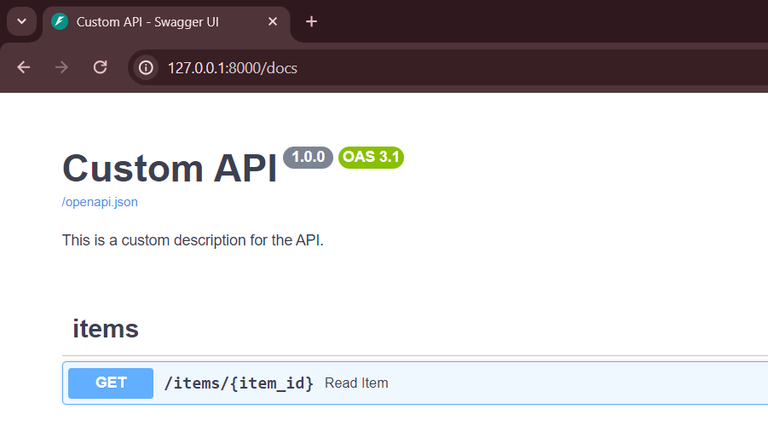
The Swagger UI's title and description are directly modifiable within the FastAPI application instance.
You can use metadata to improve documentation and tags to arrange your endpoints.
Output:
You must provide a custom swagger-UI HTML file in order to completely alter the appearance and feel of Swagger UI.
1) Make an original HTML template: Make an HTML file (custom_swagger_ui.html, for example) with the required Swagger UI configuration and modifications.
2) Use FastAPI to provide the customized HTML file: To provide the custom HTML, use the get_swagger_ui_html function provided by FastAPI.
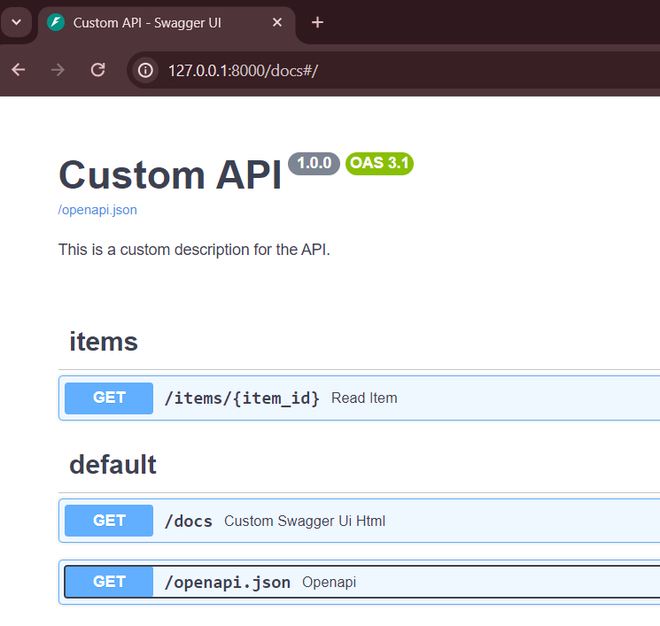
Output:
Use Uvicorn to run your FastAPI application and view the modified Swagger UI.
uvicorn fast:app --reloadNavigate to http://127.0.0.1:8000/docs to view the customized Swagger UI.
Customizing Swagger UI can bring several benefits:
You may adjust the API documentation in FastAPI to better suit the needs of your users and give them a more polished, branded experience by customizing the Swagger UI. You can modify Swagger UI's title, description, and appearance by following the instructions in this article. You can also use tags to arrange your endpoints more neatly. Your API documentation will look better and be easier to use with these modifications in addition to making it more functional.