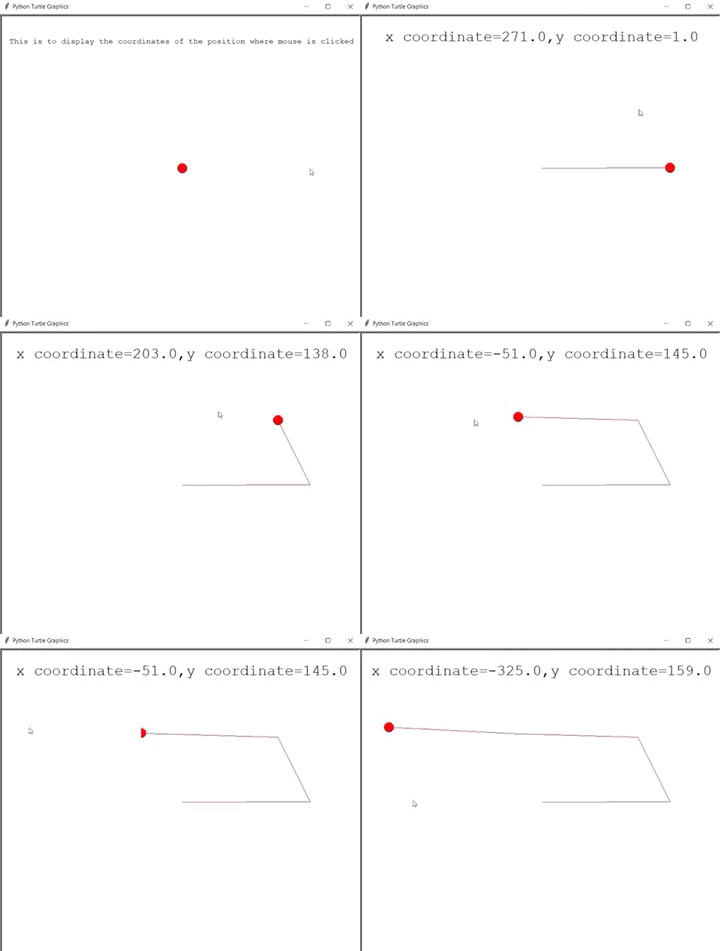
In this article, we will learn how to draw lines at any position which is clicked by the mouse using a turtle module.
Turtle graphics:
- turtle.listen(): Using this then we can give keyboard inputs
- turtle.onscreenclick(func,1 or 3): This function is used to bind function to a mouse-click event on canvas. 1 means left click and 3 means to right-click.
- pen.goto(x coordinate , y coordinate): Moves the turtle from the current position to the location x, y along the shortest linear path between the two locations (i.e. a direct line between the current position and (x,y))
- pen.color( colour ): This method is used to change the color of the turtle
- pen.shape(shape): This method is used to give the shape to the turtle
- head.penup: Picks the pen up so the turtle does not draw a line as it moves
- head.hideturtle: This method is used to make the turtle invisible. It’s a good idea to do this while you’re in the middle of a complicated drawing because hiding the turtle speeds up the drawing observably. This method does not require any argument.
- head.clear: This function is used to delete the turtle's drawings from the screen
- head.write: This function is used to write text at the current turtle position.
Approach:
- Import the turtle modules.
- Define two instances for the turtle pen and head.
- Head is to tell currently at which coordinate mouse is clicked.
- Give shape and color to the instance
- Define the function btnclick which takes two parameters x and y coordinates, now use the function goto() inside this function to take the turtle to x and y coordinates passed in the parameter.
- Use onscreenclick to bind btnclick function with the mouse click on the screen.
- Use function listens to perform the above specified task.
Below is the Python implementation of the above approach:
Output:
👁 Image