|
VOOZH | about |
|
VOOZH | about |
Flask provides middleware support through request hooks, allowing applications to process requests, modify responses, and implement features like logging and authentication. Flask applications use middlewares in:
Let's explore several ways to implement middleware in Flask applications.
Flask provides hooks, which are special functions that allow you to execute code before or after processing a request. These hooks help in modifying requests, logging, authentication, and more. Two commonly used hooks for middleware are:
A simple way to implement middleware in Flask is by using these hooks.
Explanation:
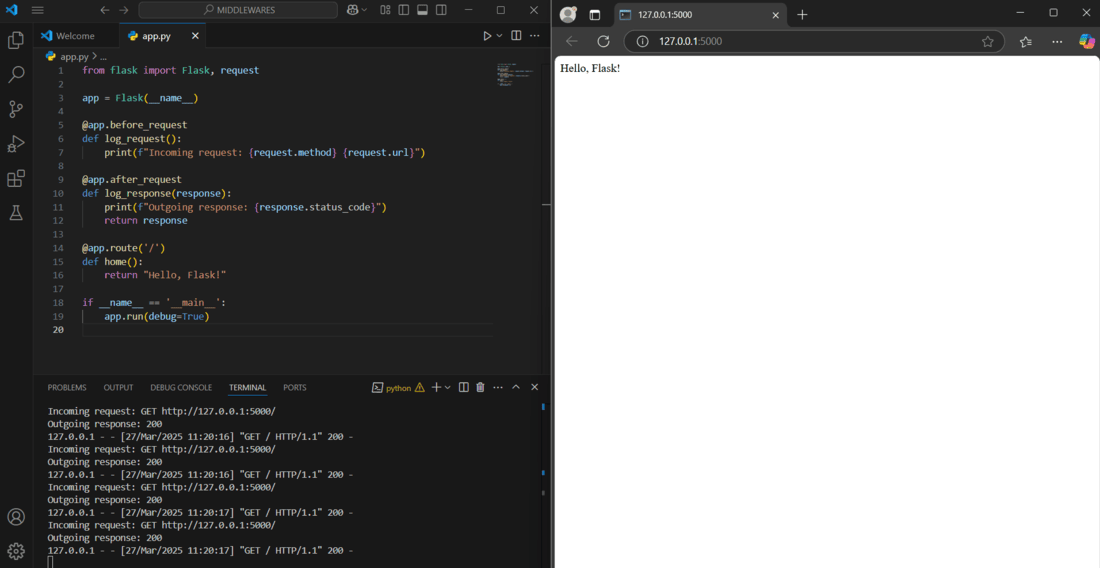
Output:
Every time the Flask app is refreshed, the terminal displays "Outgoing response: 200" because of the middleware. This demonstrates how middleware can handle tasks before reaching the main logic.
Authentication middleware ensures that only authorized users can access specific routes. This is useful for securing APIs and web applications. Let's create a simple flask app and implement middleware for authentication and authorization in it.
Explanation:
Output:
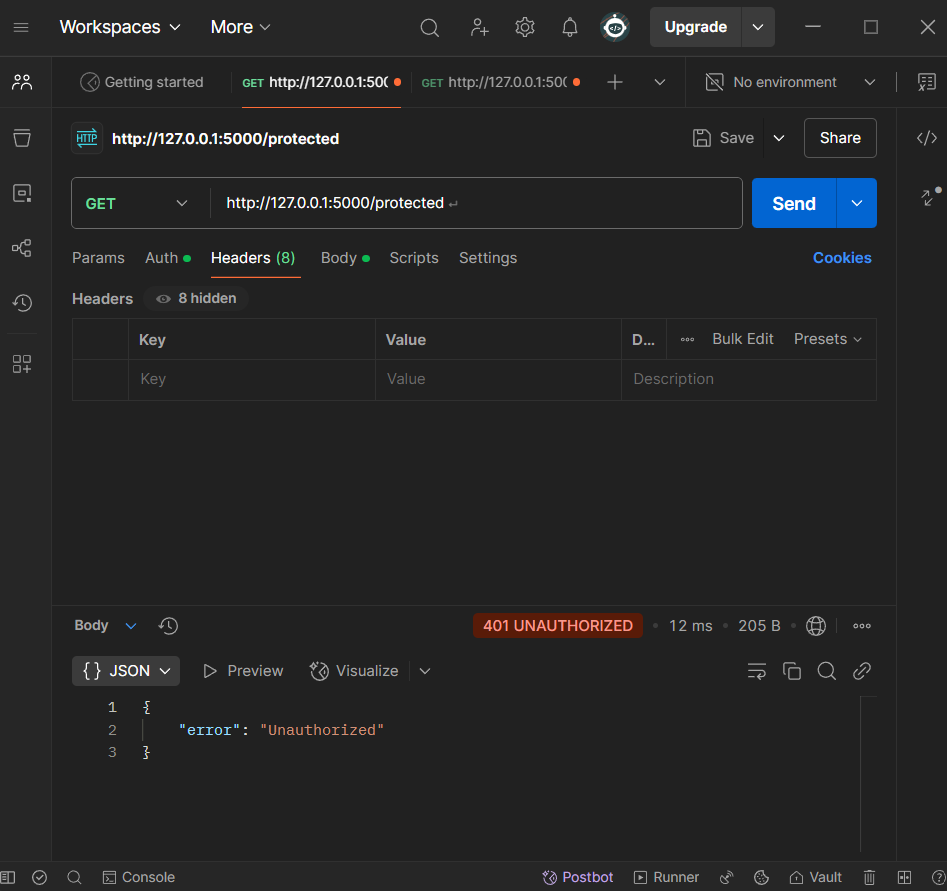
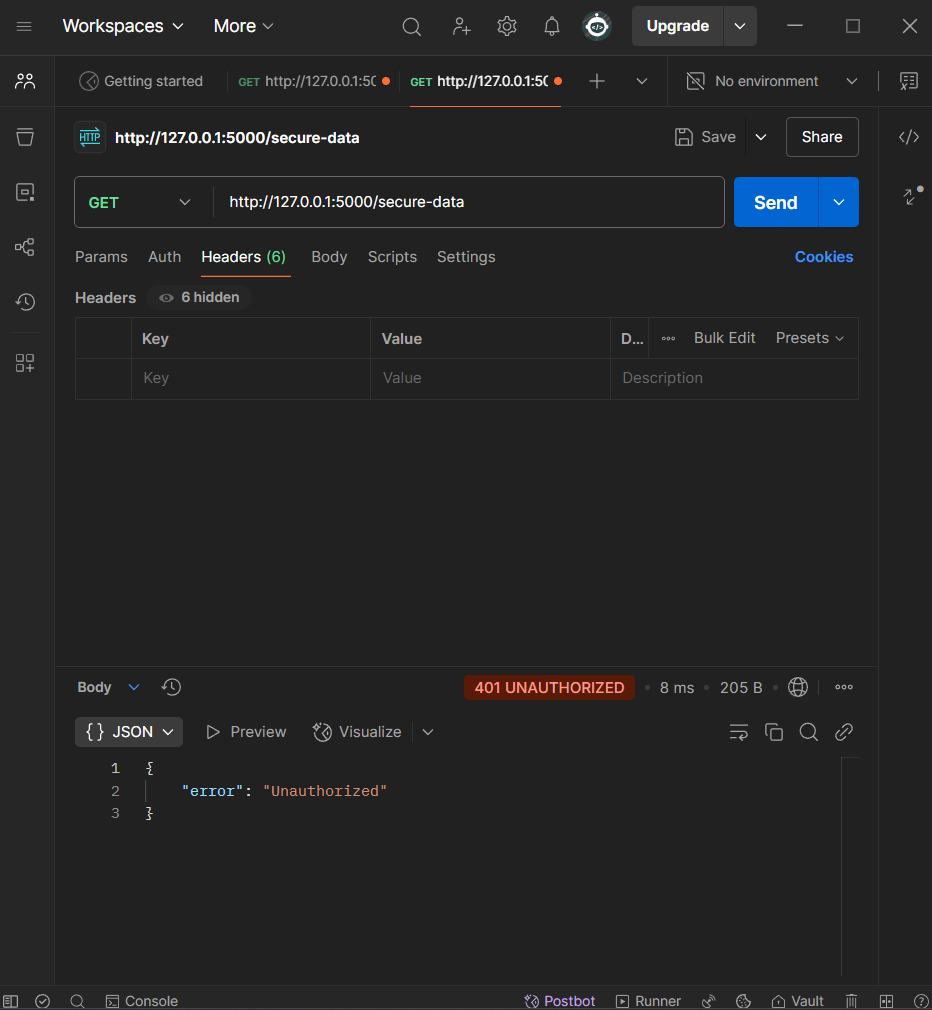
We can test the application using Postman API, below is snapshot of response when a GET request is made to the /protected route with providing the header.
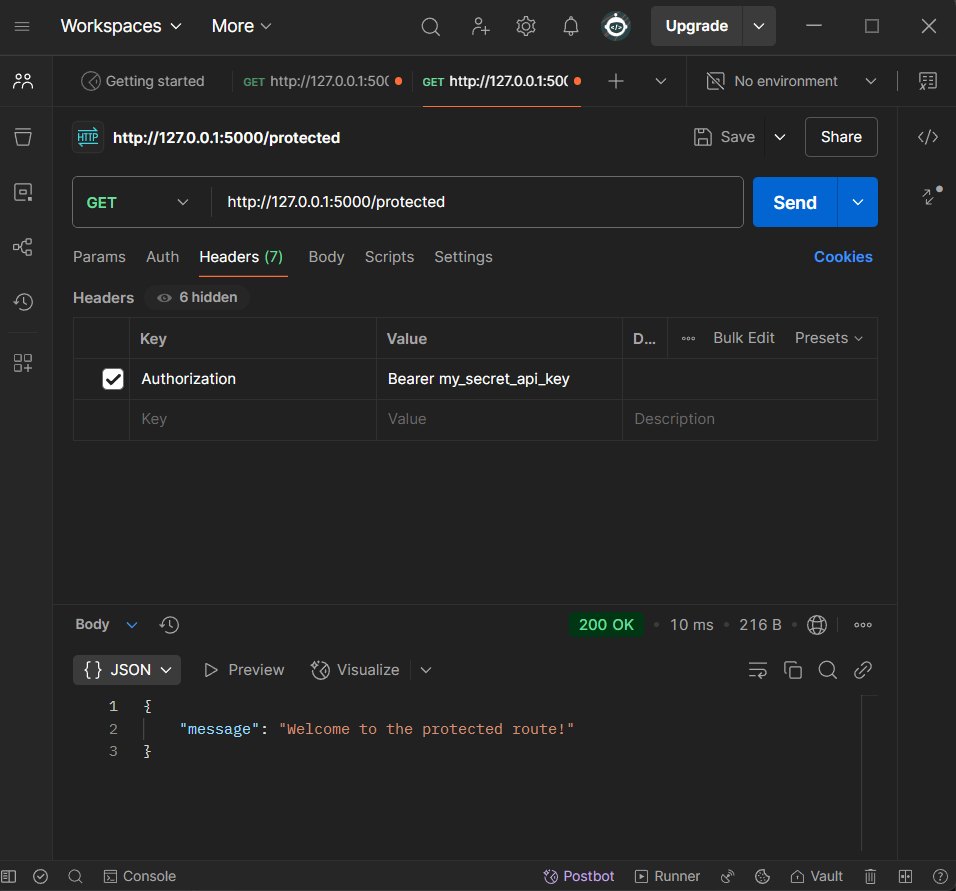
Notice that when the GET request is made to the route with the authentication token, we get a 200 OK status response. Below is the snapshot.
Instead of writing custom middleware for every feature, we can use Flask extensions or third-party libraries for advanced middleware functionalities. Some commonly used middleware libraries include:
Let's create a flask app using CORS.
CORS (Cross-Origin Resource Sharing) is a security feature implemented by web browsers that restricts how resources on a web page can be requested from another domain.
For example, if your frontend (React, Vue, or plain JavaScript) is running on http://localhost:3000 and your Flask backend is running on http://127.0.0.1:5000, the browser will block requests from the frontend to the backend due to CORS policy. CORS middleware allows controlled access to your Flask API from different origins.
To use any third party middleware in application, it's required to install its module in our environment, use this command in terminal to install flask-cors:
pip install flask-cors
After installing the flask-core module, create the file app.py an paste the code below.
Explanation:
Multiple middleware functions can be used in Flask to process requests before they reach route handlers, enabling features like logging, authentication, validation, and security checks without repeating logic across routes.
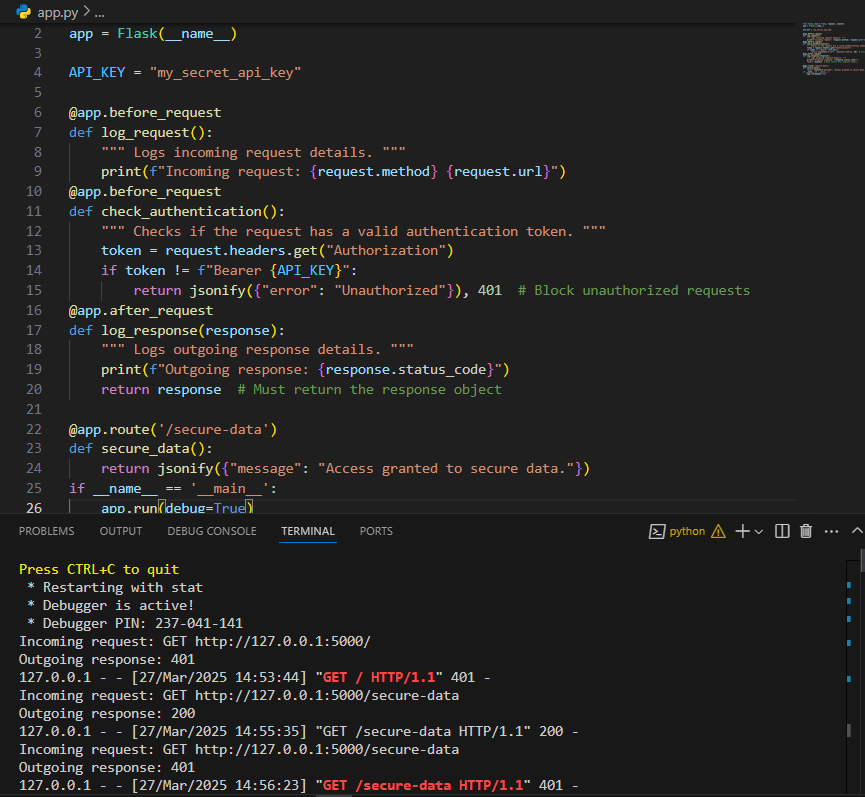
Let's create a flask app that demonstrate using multiple middleware.
Explanation:
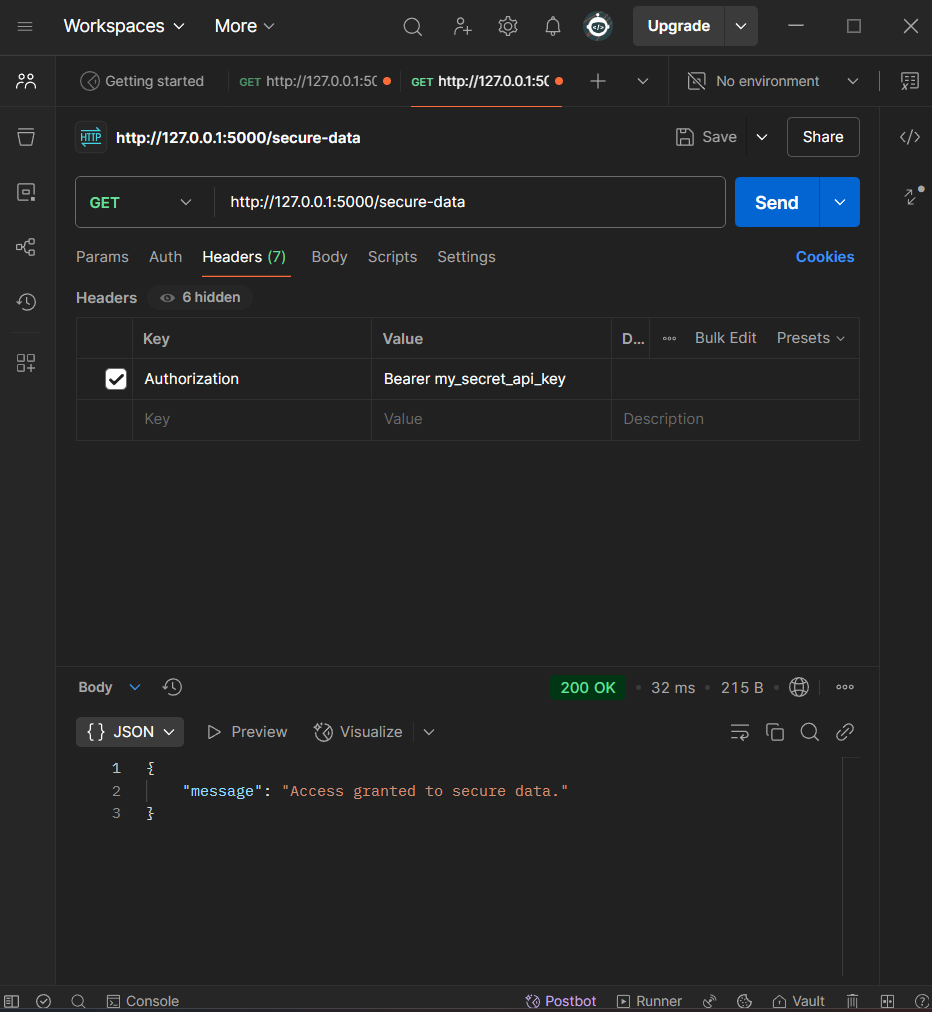
Output:
Allowed Request (Valid Token)
Blocked Request (No Token)
Blocked Request (Invalid Token)