|
VOOZH | about |
|
VOOZH | about |
Serialization and deserialization are fundamental concepts in web development, especially when working with REST APIs in Flask. Serialization refers to converting complex data types (such as Python objects) into a format that can be easily stored or transmitted, like JSON or XML. Deserialization, on the other hand, is the process of converting serialized data back into Python objects.
Flask provides several ways to handle serialization and deserialization efficiently, whether using built-in modules like json, third-party libraries like marshmallow or Flask-RESTful’s request parsing.
Let's discuss both of them one by one:
Serialization involves converting Python objects into a format like JSON so they can be transmitted over the network. Without it, applications would struggle to communicate, as Python objects cannot be directly transferred over HTTP. There are several ways to serialize in Flask Python, let's see some of them with examples:
Flask provides the jsonify function, which automatically serializes Python dictionaries and lists into JSON.
{
 "name": "Alice",
 "age": 25,
 "city": "New York"
}
Explanation:
We can also use Python’s built-in json module for manual serialization, such as logging or saving data. It's useful in scenarios where Flask’s jsonify isn’t required.
{"name": "Bob", "age": 30}
Deserialization is the reverse process of serialization. It allows a Flask application to read and process incoming JSON data, converting it into a usable Python object.
Flask’s request.get_json() automatically parses incoming JSON requests, making it easy to extract and process data.
Explanation:
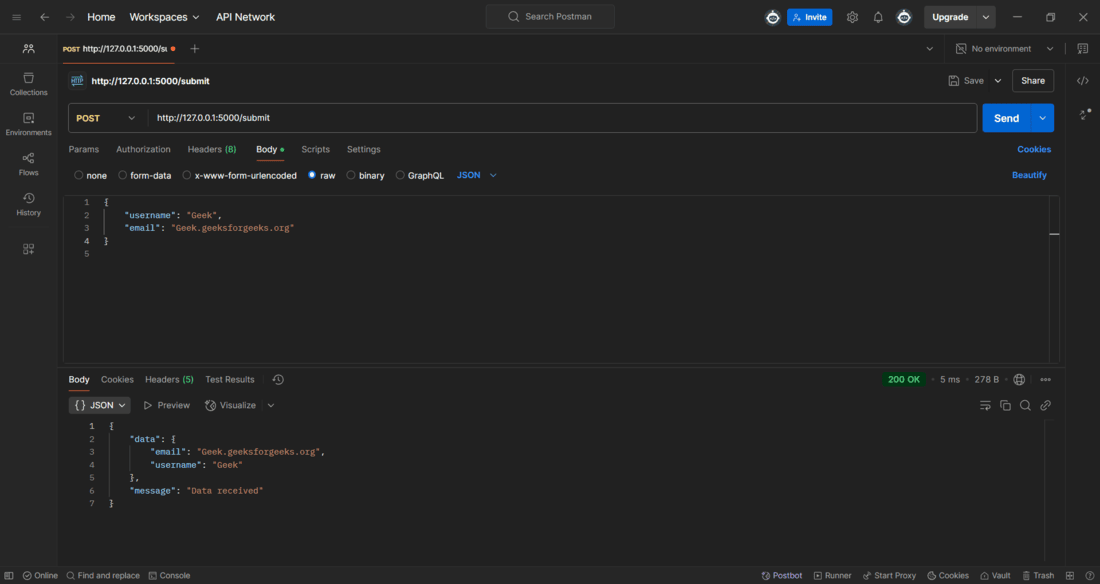
Test the application in Postman API app. Make a POST request to the development URL and provide the JSON data in raw tab:
While Flask provides basic serialization and deserialization capabilities, marshmallow enhances them with data validation and structured schemas, ensuring data integrity.
Install marshmallow using this command:
pip install flask-marshmallow
To demonstrate the working of marshmallow let's create a Flask app in which we define a UserSchema using marshmallow, which ensures that the incoming JSON data includes a valid username and email. The schema validates the request before processing it, reducing errors and improving data integrity.
Explanation:
Run the application and then open Postman API application to test the it. Below is the snapshot of testing the application on POST method on /validate endpoint of the application: