|
VOOZH | about |
|
VOOZH | about |
WebSockets enable real-time, bidirectional communication between a client and a server. Unlike traditional HTTP requests, which follow a request-response cycle, WebSockets maintain a persistent connection, allowing instant data exchange.
This is particularly useful for applications like:
Flask, being a lightweight framework, does not provide WebSocket support by default, but with the help of Flask-SocketIO module, we can easily integrate WebSockets into a Flask application.
Initialize Flask app and install required packages using the following command:
pip install flask flask-socketio
Flask-SocketIO builds on top of Flask and provides a simple interface for managing WebSocket connections. A typical Flask WebSocket application involves:
To understand how to implement Flask-SocketIO in a Flask application, let's build a real-time message broadcasting application. This application will establish WebSocket connections to enable seamless communication between multiple users. Whenever a user sends a message, it will be broadcast to all connected clients in real-time.
We'll use Flask-SocketIO to handle WebSocket events, allowing clients to send and receive messages instantly. This example will demonstrate how to:
Explanation:
Make sure we have created the templates folder in the project folder and inside the template folder create an index.html file, it will serve the frontend and sets up the client-side connection and allows message exchange:
Explanation:
1. Connecting to the Server:
2. Event Listeners:
3. Sending Messages:
Run the application using the following command in the terminal and visit the development URL:
python app.py
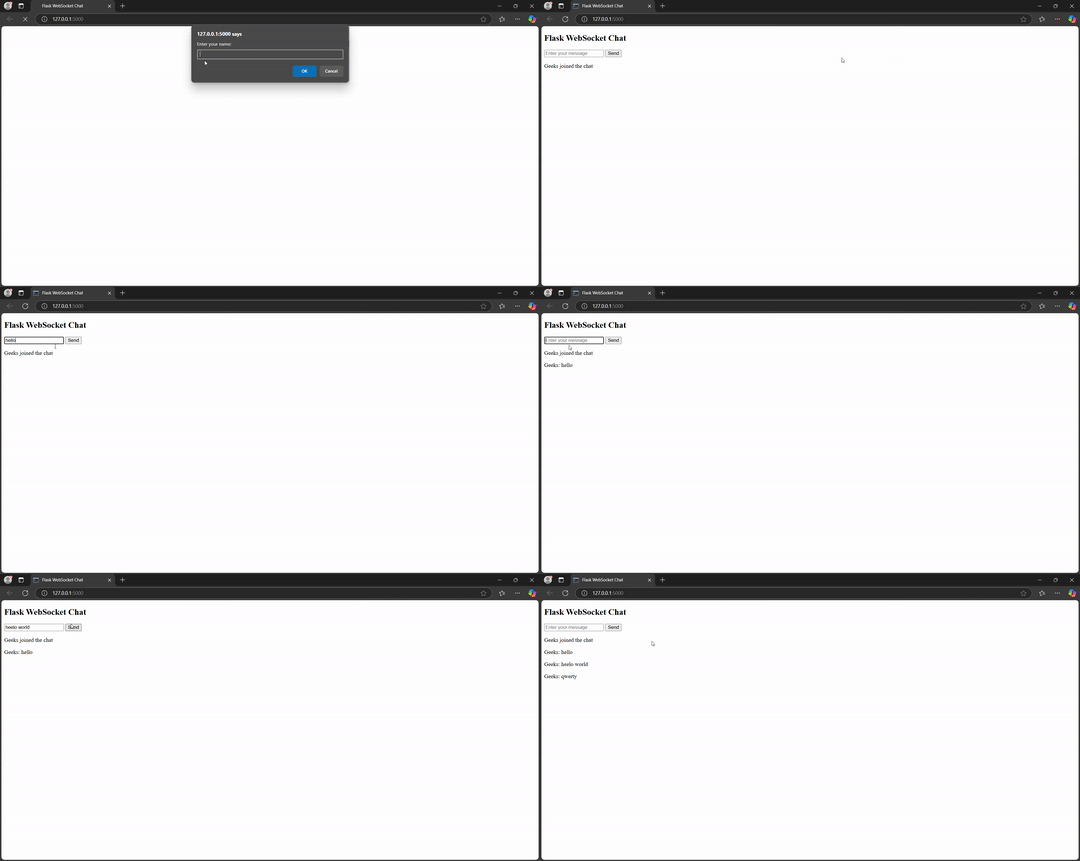
Below is the GIF of the live demonstration of the application: