|
VOOZH | about |
|
VOOZH | about |
Middleware is used to process and modify requests and responses before they reach the application or client. While Flask provides request hooks such as before_request and after_request, WSGI (Web Server Gateway Interface) middleware operates at a lower level between the web server and the Flask application, allowing requests and responses to be intercepted and modified before reaching Flask. Some of the features are:
WSGI middleware follows a specific pattern:
The following syntax demonstrates how to create and apply WSGI middleware to a Flask application.
class CustomWSGIMiddleware:
def __init__(self, app):
self.app = app # Wraps the Flask app
def __call__(self, environ, start_response):
# Modify request before passing it to Flask
print(f"Incoming request: {environ['REQUEST_METHOD']} {environ['PATH_INFO']}")
# Process the request with the Flask app
response = self.app(environ, start_response)
# Modify response if needed
return response
Now, to apply the above WSGI Middleware to a flask app use this:
app.wsgi_app = CustomWSGIMiddleware(app.wsgi_app)
A simple WSGI middleware is a Python class that wraps around the Flask app and modifies requests or responses. Let's create a basic flask app and implement a custom wsgi middleware in it:
Explanation:
Output:
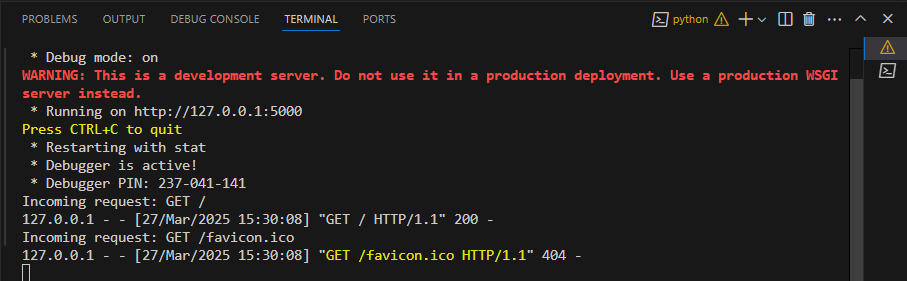
Run the application using command "python app.py" and the request details will be logged in the terminal. Below is the snapshot.
Instead of writing custom middleware, you can use pre-built WSGI middleware. A popular option is Werkzeug’s ProxyFix, which helps handle reverse proxy headers (like Nginx or a load balancer). Reverse proxies often modify headers like REMOTE_ADDR, HTTP_HOST, and SCRIPT_NAME, which Flask wouldn't recognize correctly by default.
Explanation:
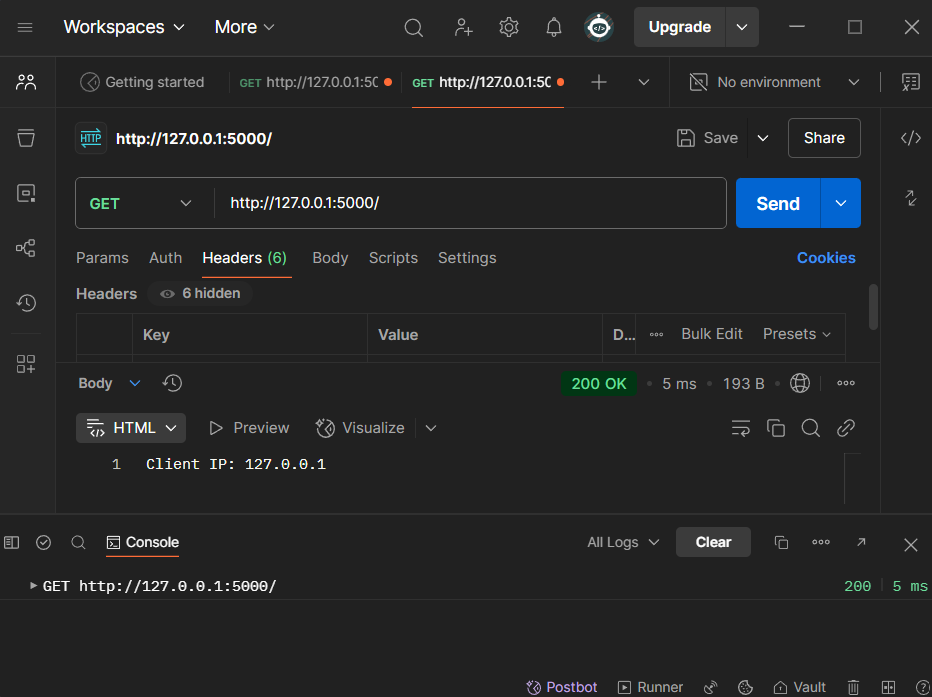
Start the app server using "python app.py" command in the terminal and then open postman and make a GET Request to the URL - "http://127.0.0.1:5000/". It will show the default client IP (localhost), as there are no proxy headers.
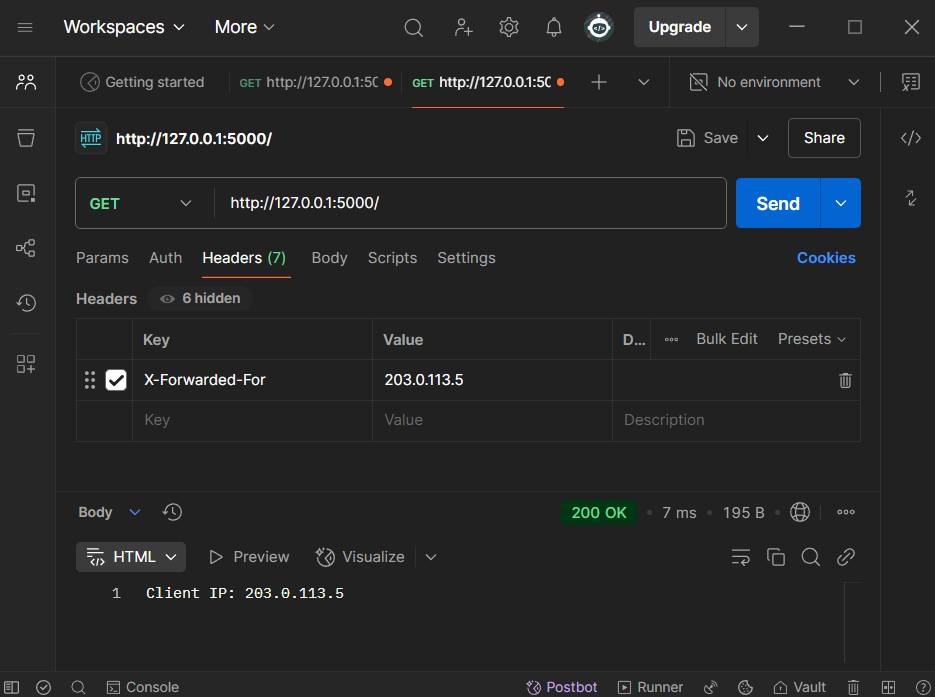
Now add the following header to simulate a proxy an make GET Reques to the same URL-
Flask will correctly recognize the forwarded IP as the client’s IP-