|
VOOZH | about |
|
VOOZH | about |
Python Pytest is a framework based on Python. It is mainly used to write API test cases. It helps you write better programs. In the present days of REST services, Pytest is mainly used for API testing even though we can use Pytest to write simple to complex test cases, i.e., we can write codes to test API, UI, database, etc.
In this article, we will learn about What is Pytest, the Installation of Pytest, and How you can write the test.
Table of Content
It's better to test your programs in Visual Studio code. Make sure Python has to be installed in your system and its extensions have to be installed in VS Code before testing your code.
To install Pytest, you can use the package manager for your Python environment, typically either 'pip' or 'condo'. Here are the general steps for installing Pytest using 'pip'.
Open a terminal or command prompt:
Install Pytest using pip :
After installing Pytest in you System , You need to verify the installing .
Verify the installation :
You can verify that Pytest is installed by checking its version:
This should display installed version of pytest.
You have successfully installed Pytest. Now, you can use Pytest run your tests using pytest. If you have not written any tests yet , You can start by creating a file. Below is the given examples to write a basic test
In this example, we first imported the Pytest module. After that we have defined a function func(x). In this function, it adds 5 to x and returns the result. Then, we defined another function named test_method. It uses an assert statement to check whether the result of func(3) is equal to 8. The purpose of this test is to verify that when you pass 3 as an argument to func, it correctly adds 5 to it, resulting in 8. If this condition is true, the test passes; otherwise, it will raise an assertion error.
test_sample.py: Passed Test Case
Run the Program
Just type the following command to run the program to run the code:
pytest test_sample.py
Output
In the below output, the argument 3 adds to 5 resulting in 8. And the condition is true. So, the test has passed.
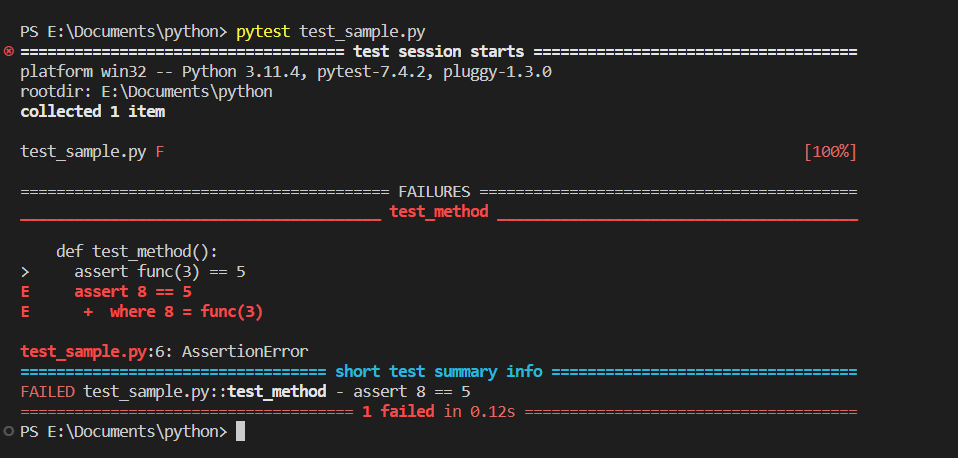
In the below code, You firstly import the "pytest" module, that provides the testing framework. After that you need to define a function func(x)' that takes parameter "x" and returns "x +5". You can define test function "test_method()" using the pytest naming convention. The test function uses the "assert" statement to check if the result of 'func(3)' is equal to 5.
Output
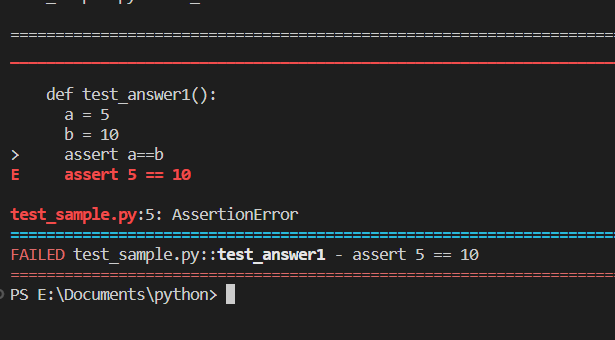
In this example, we firstly import the module pytest. Then, define a function named test_answer1. Inside this function, assign the values 5 and 10 to the variables a and b. And check whether a and b are equal or not. If the condition is true, the test will be passed. Otherwise, it will raise an assertion error. Define an another function named test_answer2. Inside this function, assign the 15 and (3*5) to the variables c and d. And check whether c and d are equal or not. If the condition is true, the test will be passed. Otherwise, it will raise an assertion error.
Run the first function "test_answer1". Just type the following in the terminal.
py.test -k answer1 -v
Output
In the first function i.e test_answer1, the variable a is not equal to the variable b. So, it raised an assertion error. Run the second function test_answer2. Just type the following in the terminal:
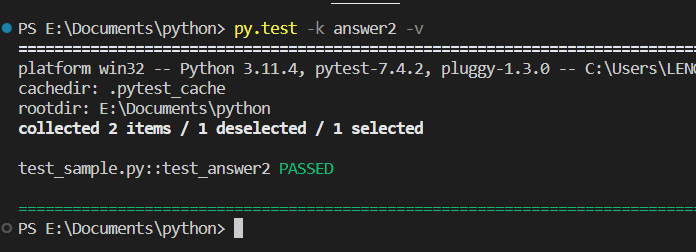
py.test -k answer2 -v
Output
In this case, the variable c is eaual to the variable d. So, the test are passed.
In conclusion, Pytest is powerful and widely-used testing frameworks in Python ecosystem. It offers a simple syntax for writing test, making it easy for developers to get started with testing their code.