|
VOOZH | about |
|
VOOZH | about |
As a software developer, it is a common task to query a PostgreSQL view. Using views which is a virtual table representing the output of a SQL query, is considered to be an efficient way when dealing with a relational database. This article covers how to query a PostgreSQL view using SQLAlchemy in Python. Before directly moving to the demonstration following is an overview of all the tools we will be using.
Prerequisites
Required Modules
pip install psycopg2
pip install sqlalchemy
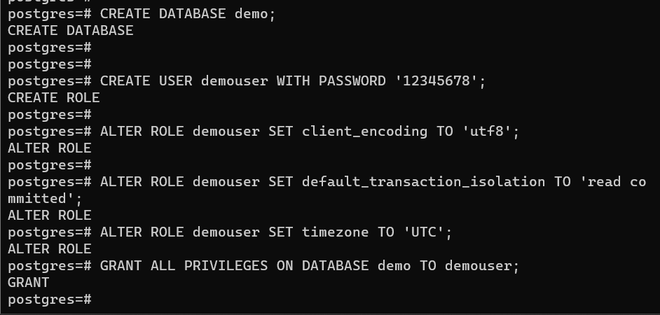
Now let's start by setting up PostgreSQL by creating a database with a user, and it is granted all required privileges on the created database.
# create a database named demo
CREATE DATABASE demo;
# created a user demouser with password 12345678
CREATE USER demouser WITH PASSWORD '12345678';
# configured client encoding to utf8
ALTER ROLE demouser SET client_encoding TO 'utf8';
ALTER ROLE demouser SET default_transaction_isolation TO 'read committed';
ALTER ROLE demouser SET timezone TO 'UTC';
# grant all required privileges to demouser over demo db
GRANT ALL PRIVILEGES ON DATABASE demo TO demouser;
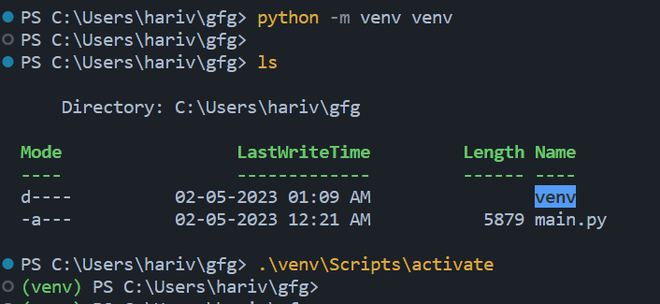
Up till here we have got a database user created and configure now let's configure the virtual environment for development, this step can be skipped but it is always recommended to use a dedicated development environment for each project to avoid dependency clash, this can be achieved using a Python virtual environment.
mkdir gfg
# Move to gfg folder
cd gfg
The name of the folder doesn't matter, you can name it anything you want and cd (change directory) to go into your newly created directory then run the following command that will create a virtual environment for your project.
to create a virtual environment
python -m venv venv
to activate the virtual environment
.\venv\Scripts\activate
In this step, we are going to connect to the `demo` database that we created earlier and create a view name demo_view and then will query it.
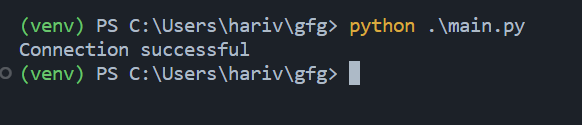
Connecting to Postgres using Python can be achieved using the psycopg2 adapter we just installed as shown,
Output:
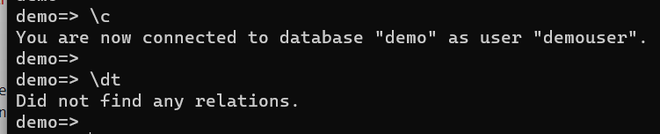
To query a PostgreSQL view using Python we first need some data to be present in the database as currently it doesn't
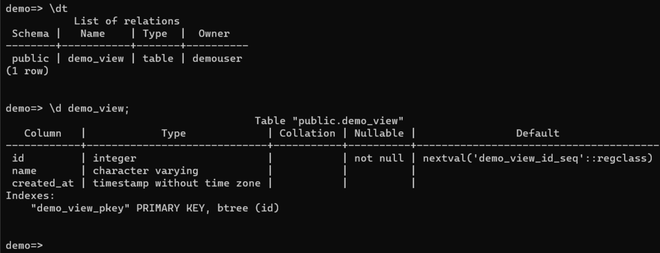
Before we insert some data into the database we need to create the view by defining it as an SQLAlchemy table, this is demonstrated below,
Output:
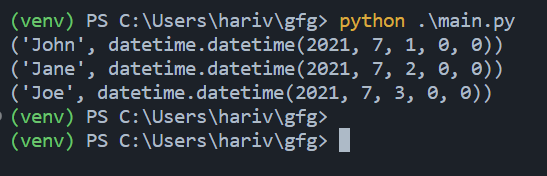
Now that we have got all thing configured and with a demo_view table created let's insert some data and query the demo_view table which will return a view with the following Python script,
Output:
The Python script above contains 2 sections first in which we are inserting a few data into the demo_view table and then query the same table to return a view with name and created_at columns only. Lastly, it will print all the rows in the view returned from the database,
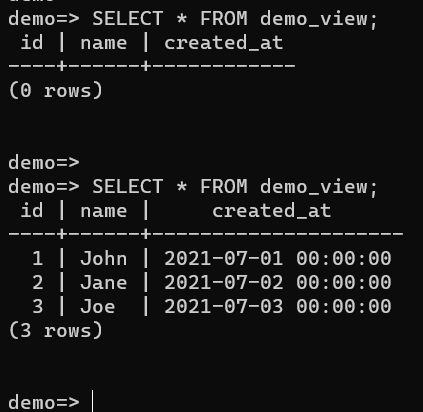
If we check the database the data is been inserted into the demo_view table,
Querying a database view refers to finding the rows of the view that satisfy a specified condition. Following are the different ways to query a database view:
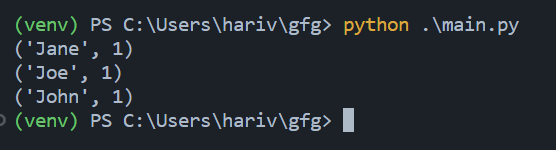
The Group By clause groups the rows in the view according to the selected columns. The following query shows the number of rows for each name in demo_view.
Output:
The above query will return the number of rows in demo_view by name.
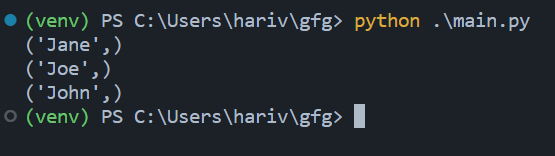
The distinct keyword returns distinct rows in the view. The following query returns unique names within the demo_view.
Output:
The above query returns unique names within the demo_view.
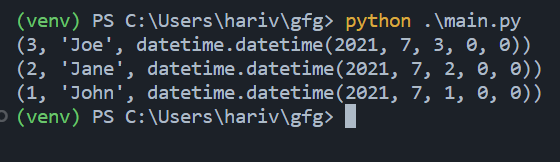
The Order By clause orders the rows in the view based on the specified columns. The following query returns rows from demo_view sorted by the created_at column.
Output:
The above query returns rows from demo_view sorted by the created_at column.
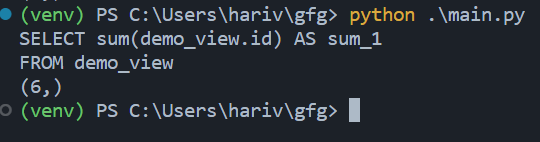
The Sum function returns the sum of the values in the specified column. The following query returns the sum of values in the id column of demo_view.
Output:
The above query will return the sum of the values in the id column of the demo_view.
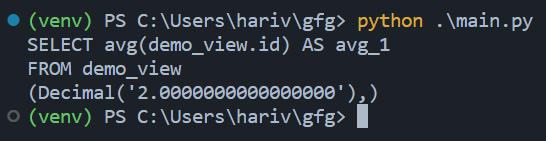
The Avg function returns the average of the values in the specified column. The following query returns the average of the id column values in demo_view.
Output:
The above query will return the average of the id column values in demo_view.
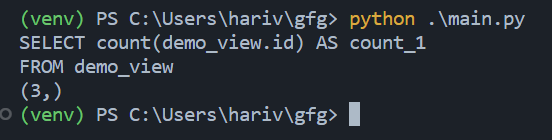
The Count function returns the count or the number of rows present for that particular column or attribute from the view.
Output:
The above query returns the number of rows in demo_view.
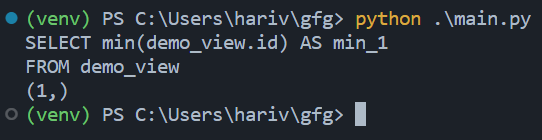
The Min function provided by sqlalchemy returns the least or the minimum value for a specific attribute from all the rows for the column specified. The following is a demonstration of a query implemented using the Min function on the id column,
Output:
The above query will return the minimum value of the id column in demo_view.
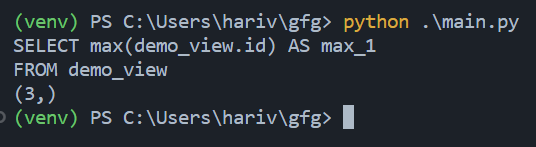
The Max function same as Min but exactly opposite returns the maximum value of the attribute for the column specified in the query. The following query returns the maximum value of the id column in demo_view.
Output:
The above query will return the maximum value of the id column in demo_view.
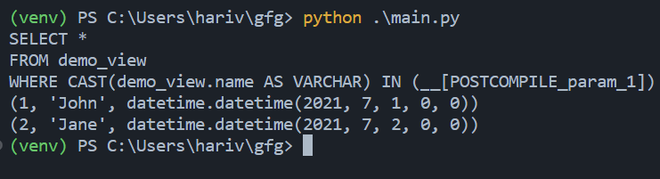
The "in" keyword returns rows in the view whose values in the specified column match any of the values in the specified list. The following query returns rows in demo_view whose name column values match the values in the specified list.
Output:
The above query returns rows in demo_view whose name column value matches any value in the given list.
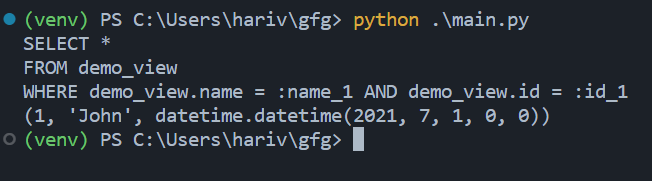
The keyword 'and' returns rows in the view that match all the specified conditions. The following query returns rows in demo_view that have name column values that match the specified value and id column values that match the specified value.
Output:
The above query returns rows in demo_view that have name column values that match the specified value and id column values that match the specified value.
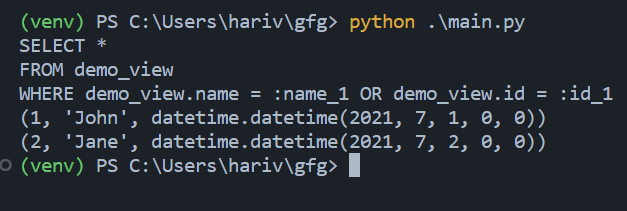
The 'or' function returns rows in the view that match any of the specified conditions the same as the logical or operator. The following query will return rows in demo_view that have either the name column value equals "John" or the id column value equals 2,
Output:
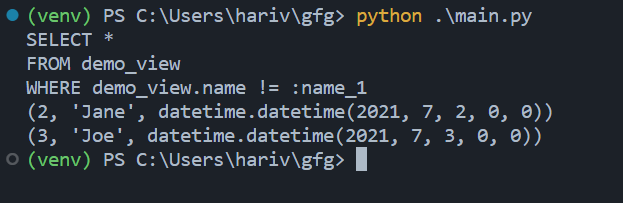
The 'not' keyword returns rows in the view that do not match the specified criteria. The following query returns rows in demo_view that do not have a name column value that matches the specified value.
Output :