|
VOOZH | about |
|
VOOZH | about |
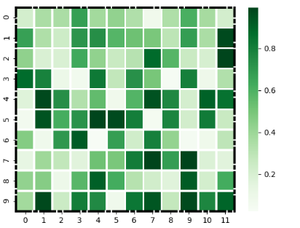
A heatmap is a graphical representation of data where values are depicted by color. They make it easy to understand complex data at a glance. Heatmaps can be easily drawn using seaborn in python. In this article, we are going to add a frame to a seaborn heatmap figure in Python.
Syntax: seaborn.heatmap(data, *, vmin=None, vmax=None, cmap=None, center=None, annot_kws=None, linewidths=0, linecolor=’white’, cbar=True, **kwargs)
Important Parameters:
- data: 2D dataset that can be coerced into an ndarray.
- linewidths: Width of the lines that will divide each cell.
- linecolor: Color of the lines that will divide each cell.
- cbar: Whether to draw a colorbar.
All the parameters except data are optional.
Returns: An object of type matplotlib.axes._subplots.AxesSubplot
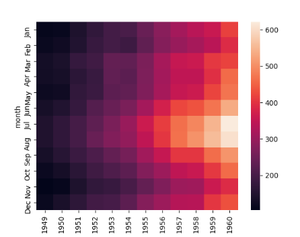
To draw the heatmap we will use the in-built data set of seaborn. Seaborn has many in-built data sets like titanic.csv, penguins.csv, flights.csv, exercise.csv. We can also make our data set it should just be a rectangular ndarray.
Output:
Method 1: Using axhline and axvline
The Axes.axhline() and Axes.axvline() function in axes module of matplotlib library is used to add a horizontal and vertical line across the axis respectively.
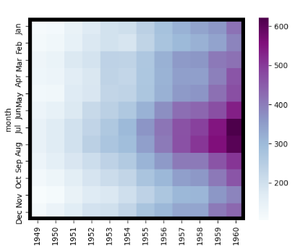
We can draw two horizontal lines from y=0 and from y= number of rows in our dataset and it will draw a frame covering two sides of our heatmap. Then we can draw two vertical lines from x=0 and x=number of columns in our dataset and it will draw a frame covering the remaining two sides so our heatmap will have a complete frame.
Note: It is not an optimal way to draw a frame as when we increase the line width is does not consider when it is overlapping the heatmap.
Example 1.
Output:
👁 ImageExample 2:
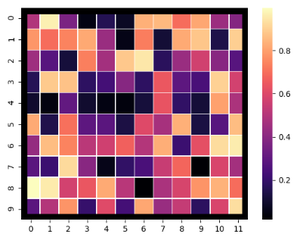
Output:
👁 ImageMethod 2: Using spines
Spines are the lines connecting the axis tick marks and noting the boundaries of the data area. They can be placed at arbitrary positions.
Example 1:
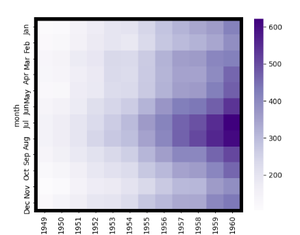
width of the line can be changed using the set_linewidth parameter which accepts a float value as an argument.
Output:
👁 ImageExample 2:
We can specify the style of the frame using the set_linestyle parameter of the spine(solid, dashed, dashdot, dotted).