|
VOOZH | about |
|
VOOZH | about |
Flask, being a lightweight web framework, does not have built-in support for graphing. However, it can easily integrate with powerful visualization libraries to generate dynamic and interactive charts because graphs and visualizations are an essential part of any web application that deals with data representation.
There are multiple ways to add graphs to Flask applications, but the two most common approaches that we are going to discuss in this article are:
To create a basic flask app, refer to- Create Flask App
After creating and activating a virtual environment install Flask and other libraries required in this project using this command-
pip install bokeh
Let's discuss both ways of adding graphs one by one.
Chart.js is a popular JavaScript library for creating interactive charts. It works well with Flask by passing data from the backend to the frontend using Jinja2 templating. This approach is simple, lightweight, and ideal for real-time data visualization in Flask applications.
Create a chartjs-example.html file in the templates folder and in that file we include chart.js CDN link in the HTML template and define a <canvas> element to render the graph.
chartjs-example.html code:
Code Explanation:
The Flask app sends data to the HTML template (chartjs-example.html), which Chart.js then renders into a graph.
app.py (for chart.js)
Run the above Flask code using the following command in terminal and visit the development URL.
python app.pyOutput:
The Bokeh library has a components() method which returns HTML components to embed a Bokeh plot. Here is a stepwise working-
<script src="https://cdn.bokeh.org/bokeh/release/bokeh-3.0.1.min.js"></script>components(models: Model | Sequence[Model] | dict[str, Model], wrap_script: bool = True, wrap_plot_info: bool = True, theme: ThemeLike = None)
Parameters:
Let's create an app to demonstrate adding graph to flask app using bokeh.
Unlike Chart.js, Bokeh requires a JavaScript script to be included for rendering graphs. We use the following script in the HTML file to load Bokeh’s JavaScript resources:
index.html
Explanation:
Note: Ensure the BokehJS script version matches your installed Bokeh version. Check your version using "python show bokeh" command and update the script tag accordingly: <script src="https://cdn.bokeh.org/bokeh/release/bokeh-X.X.X.min.js"></script>. Replace X.X.X with your installed version to avoid rendering issues.
app.py (for bokeh)
Now, let’s write the Flask backend that generates a Bokeh scatter plot and passes it to the HTML template.
Explanation:
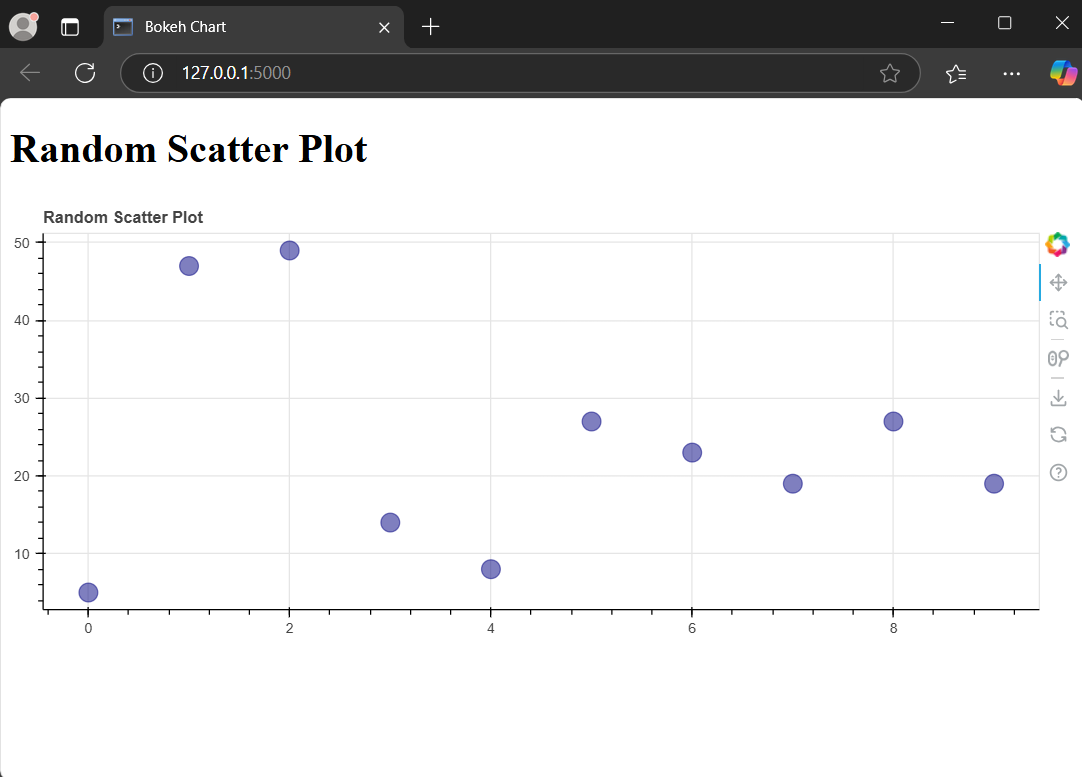
Run the above Flask code using the following command in terminal and visit the development URL.
python app.pyOutput: