VOOZH about

URL: https://www.geeksforgeeks.org/python/how-to-automate-an-excel-sheet-in-python/

⇱ How to Automate an Excel Sheet in Python? - GeeksforGeeks


  • Courses
  • Tutorials
  • Interview Prep

How to Automate an Excel Sheet in Python?

Last Updated : 12 Sep, 2025

Python provides openpyxl library using which you can automate Excel tasks programmatically. It allows you to read, write, edit, and format spreadsheets, apply formulas, and even generate charts directly from Python scripts saving both time and effort.

Installing Required Library

Install it using the following command:

pip install openpyxl

Example

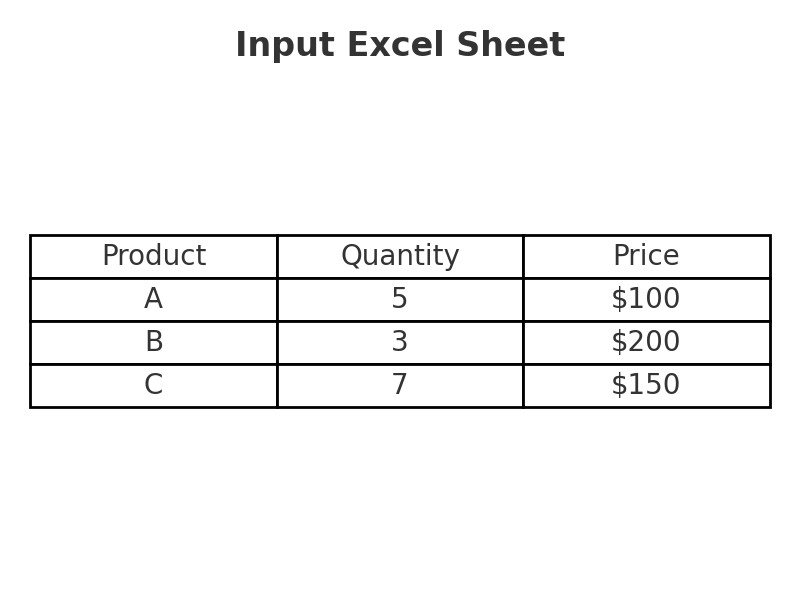
  • We have an Excel sheet with product data:
    Column 3 β†’ Prices (but they’re incorrect).
  • We need to
    1. Decrease each price by 10%
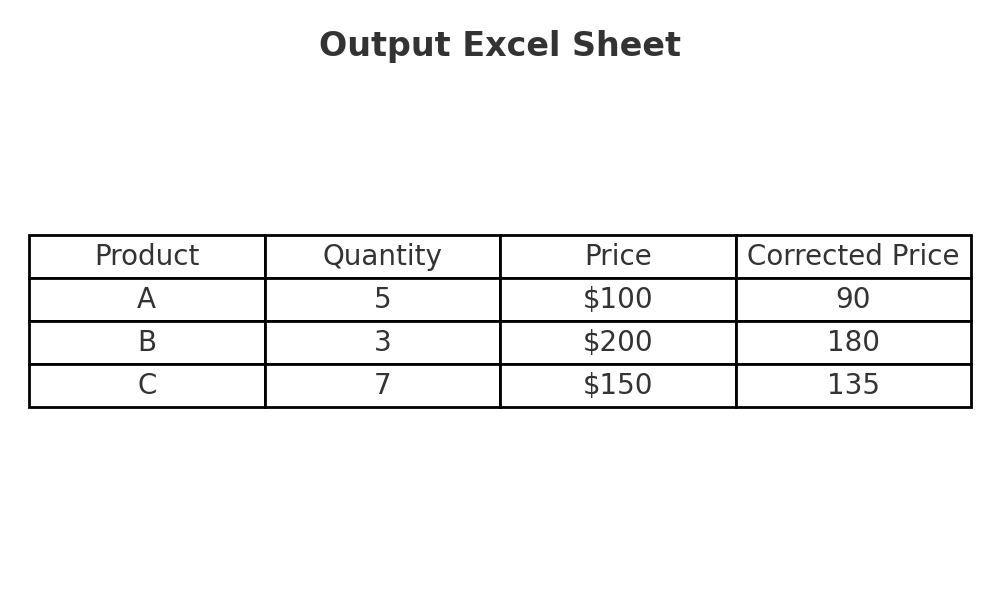
    2.Save corrected prices in Column 4
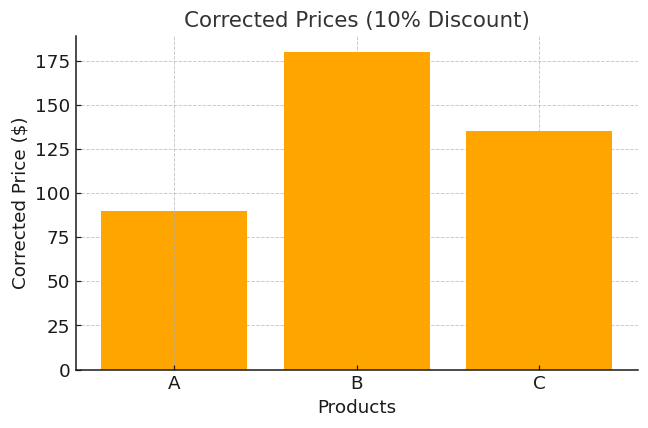
    3. Add a bar chart of the corrected prices
πŸ‘ input_excel
input.png

Doing this manually for thousands of rows would take days - let's see how we can automate this using Python's openpyxl library:

1. Import Libraries

  • openpyxl: Work with Excel.
  • Bar Chart, Reference: Used to create charts.

2. Open Workbook & Sheet

3. Loop Through Rows

4. Correct the Prices

  • Removes the $ sign, converts value to number.
  • multiplies by 0.9 (10% discount)
  • writes corrected price in Column 4.

5. Add a Chart

πŸ‘ correct_chart
chart
  • Selects corrected prices (Column 4).
  • Creates a bar chart and places it at cell E2.

6. Save the File

7. Making It Reusable

If you want to process many spreadsheets, put the logic into a function:

Now you can run:

Output

πŸ‘ output_excel
output.png

Complete Code

Comment
Article Tags:
Article Tags: