|
VOOZH | about |
|
VOOZH | about |
It is a financial data library for developers that provides a simple and convenient way to access historical market data from Yahoo Finance. It allows users to download stock price data, financial statements, and other relevant financial information for analysis and trading. With its easy-to-use interface and comprehensive data access, yFinance is a valuable library for financial analysis and research in Python. In this article, we will learn how to Check yfinance version in Python.
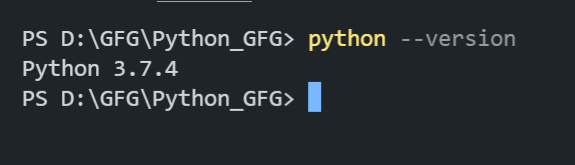
Verify Python is installed on your system. This command outputs the Python version.
python --version👁 OP1Confirm PIP is installed. This command shows the pip version if it’s available.
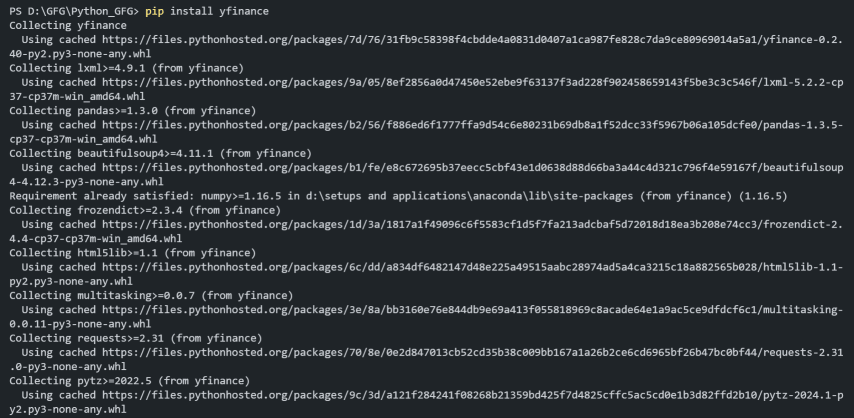
pip --version👁 OP2Use pip to install the yfinance library. This command fetches and installs yfinance and its dependencies.
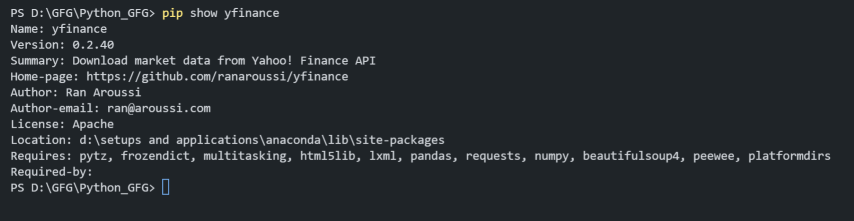
pip install yfinance👁 OP3-minCheck Package Installation detailed by executing the below command in the terminal.
pip show yfinanceThis command provides detailed information about the yfinance package, including its version, location, and dependencies.
👁 op4Below is the process to import yfinance in Python.
Once the installation is complete, you can import the yfinance library in your Python script or Jupyter Notebook by using the following import statement:
import yfinanceIn this example, we are using yfinance to fetch the historical trading data for Microsoft (MSFT) over the last six months. A bar chart is then created using matplotlib to visualize the volume of shares traded each day, with the volume data plotted on the y-axis and the dates on the x-axis. The chart is customized with labels, a legend, and a grid for better readability.
Output:
In conclusion, importing and using the yfinance library in Python allows developers to efficiently access and analyze historical financial data from Yahoo Finance. By following the steps to set up pip, install yfinance, and import it into your project, you can use ts capabilities to perform comprehensive financial analysis and visualization.