|
VOOZH | about |
|
VOOZH | about |
In this article, we will discuss how to delete the last N rows from the NumPy array.
Slicing is an indexing operation that is used to iterate over an array.
Syntax: array_name[start:stop]
where start is the start is the index and stop is the last index.
We can also do negative slicing in Python. It is denoted by the below syntax.
Syntax: array_name[: -n]
where, n is the number of rows from last to be deleted.
Example1:
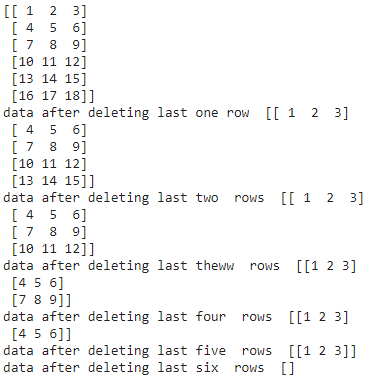
We are going to create an array with 6 rows and 3 columns and delete last N rows using slicing.
Output:
👁 ImageExample 2:
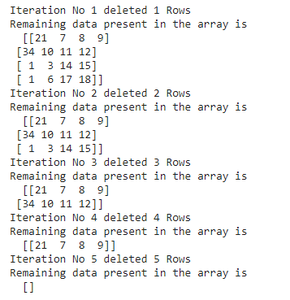
We use for loop to iterate over the elements and use the slice operator, we are going to delete the data and then print the data.
Output:
👁 ImageExample 3:
We can also specify the elements that we need and store them into another array variable using the slice operator. In this way, we will not get the last N rows (delete those).
Output:
[[21 7 8 9]
 [34 10 11 12]]
It is used to delete the elements in a NumPy array based on the row number.
Syntax: numpy.delete(array_name,[rownumber1,rownumber2,.,rownumber n],axis)
Parameters:
- array_name is the name of the array.
- row numbers is the row values
- axis specifies row or column
- axis=0 specifies row
- axis=1 specifies column
Here we are going to delete the last rows so specify the rows numbers in the list.
Example 1: Delete last three rows
Output:
[[21 7 8 9]
 [34 10 11 12]]
Example 2: Delete all rows
Output:
[ ]