VOOZH about

URL: https://www.geeksforgeeks.org/python/how-to-execute-a-sqlite-statement-in-python/

⇱ How to Execute a SQLite Statement in Python? - GeeksforGeeks


  • Courses
  • Tutorials
  • Interview Prep

How to Execute a SQLite Statement in Python?

Last Updated : 16 May, 2021

In this article, we are going to see how to execute SQLite statements using Python. We are going to execute how to create a table in a database, insert records and display data present in the table.

In order to execute an SQLite script in python, we will use the execute() method with connect() object:

connection_object.execute("sql statement")

Approach:

To perform the execution, we have to follow the below steps:

  • Import sqlite3 module. This statement will import SQLite module, import keyword is used to import a module in python.
import sqlite3
  • Create a connection to the database. This will create a new database by connecting the database, here we have to specify the database name and connect to it using a cursor object.
connection_object = sqlite3.connect('database_name.db')
  • Execute query connection object. Here we need to execute the connection object by specifying the SQL statement.
connection_object.execute("sql statement");
  • Finally terminate the connection using the close() method.
connection_object.close();

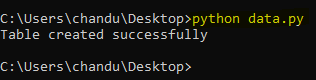
Example 1: Python code to create a database and a table, below are the steps:

  • Importing sqlite3 module
  • Create a connection by using an object to connect with the college_details database
  • SQLite execute a query to create a table

Output:

👁 Image

Database created:

👁 Image

Example 2: Python code to insert and display data into the above-created table.

Output:

👁 Image
Comment
Article Tags:
Article Tags: