|
VOOZH | about |
|
VOOZH | about |
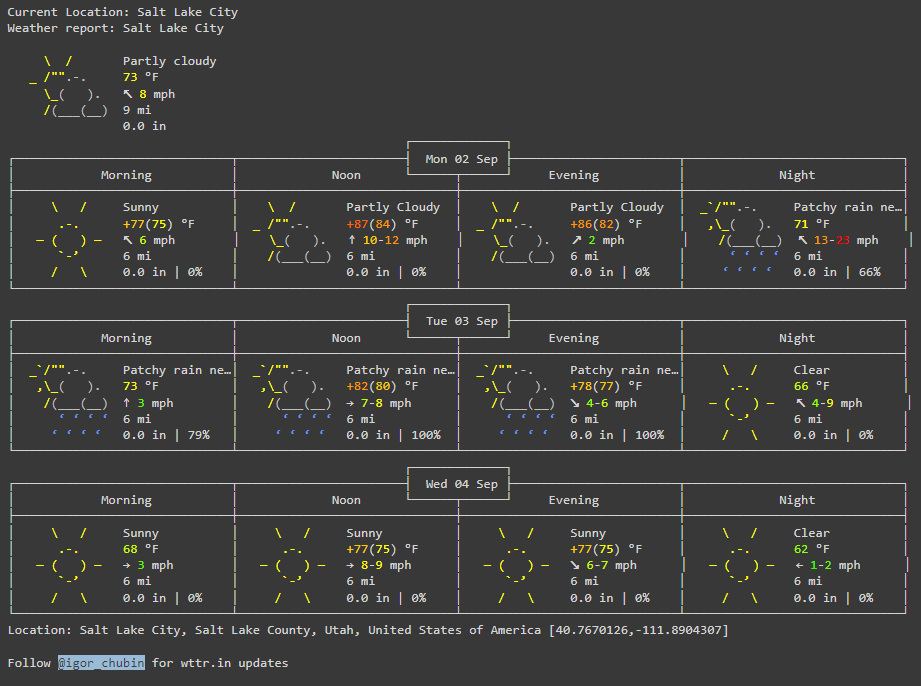
In this article, we will see how to extract weather data from google. Google does not have its own weather API, it fetches data from weather.com and shows it when you search on Google. So, we will scrape the data from Google, and also we will see another method to fetch a schematic depiction of a location's weather data for the next two days in Python without utilizing an API.
Requests: Requests allow you to send HTTP/1.1 requests extremely easily. This module also does not come built-in with Python. To install this type the below command in the terminal.
!pip install requests
!pip install beautifulsoup4
bs4: Beautiful Soup is a library that makes it easy to scrape information from web pages. Whether it be an HTML or XML page, that can later be used for iterating, searching, and modifying the data within it.
"https://www.google.com/search?q="+"weather"+{cityname}Step 1: Import the requests and bs4 library
Step 2: Create a URL with the entered city name in it and pass it to the get function.
Step 3: Soup will return a heap of data with HTML tags. So, a chunk of data has been shown below from which we will get all the necessary data with the help of the find function and passing the tag name and class name.
<div class="kvKEAb"><div><div><div class="BNeawe iBp4i AP7Wnd"><div><div class="BNeawe
iBp4i AP7Wnd">13°C</div></div></div></div></div><div><div><div class="BNeawe tAd8D AP7Wnd">
<div><div class="BNeawe tAd8D AP7Wnd">Saturday 11:10 am
Step 4: Here list1 contains all the div tags with a particular class name and index 5 of this list has all other required data.
Step 5: Printing all the data
Output:
Requests: Requests allow you to send HTTP/1.1 requests extremely easily. The HTTP request returns a response object with all of the required response data. This module also does not come built-in with Python. To install this type the below command in the terminal.
pip install requests