|
VOOZH | about |
|
VOOZH | about |
Handling incoming JSON data in Django is a common task when building web applications. Whether you're developing an API or a web service, it's crucial to understand how to parse and use JSON data sent in requests. In this article, we will create a simple Django project to demonstrate how to retrieve and handle JSON data from incoming requests.
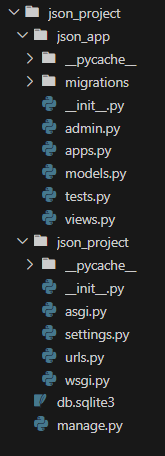
First, let's set up a new Django project. We'll create a project called json_project and an app called json_app.
Make sure you have Django installed. If not, you can install it using pip:
pip install djangoCreate a new Django project and app:
django-admin startproject json_project
cd json_project
django-admin startapp json_app
Add json_app to the list of installed apps in json_project/settings.py:
# json_project/settings.py

INSTALLED_APPS = [
 ...
 'json_app',
]
Create a URL pattern for handling incoming JSON requests. Edit json_project/urls.py:
In the json_app directory, edit the views.py file to create a view that handles incoming JSON data:
run the server using below command
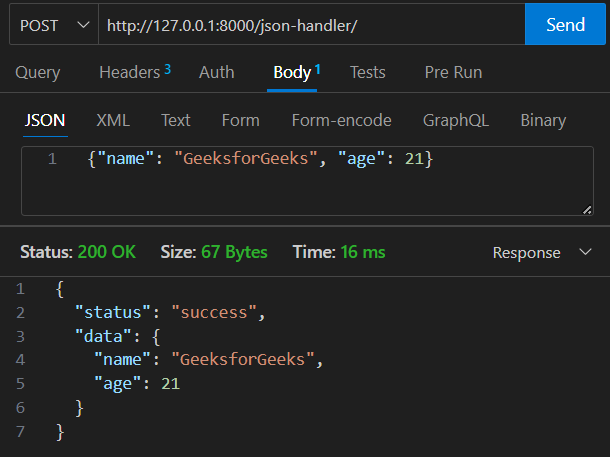
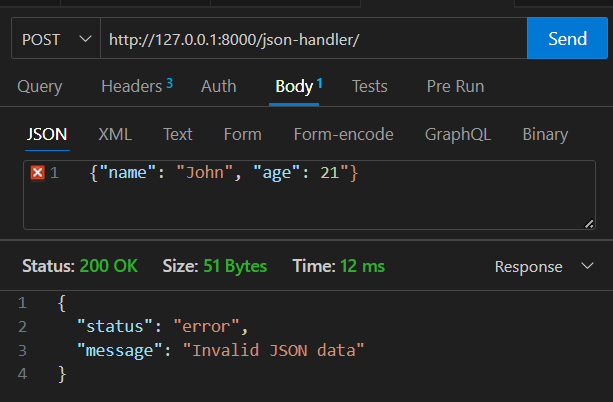
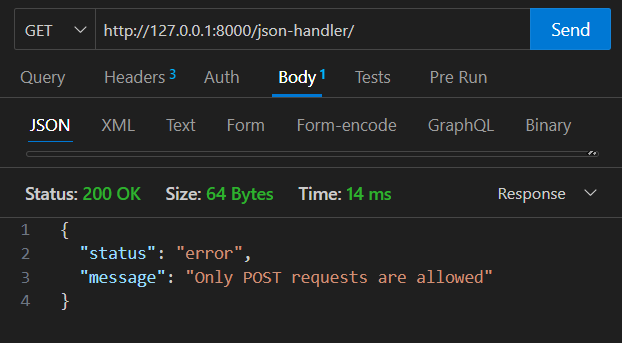
python manage.py runserverRetrieving JSON data from incoming Django requests involves reading the request.body and decoding it using the json module. In this article, we created a simple Django project and an endpoint to handle POST requests with JSON data. This foundational knowledge is crucial for developing more complex APIs and web services in Django. By understanding where and how to access JSON data in incoming requests, you can effectively build and debug your Django applications.